EasyManua.ls Logo

Onkyo CR-305FX - Service Manual

Onkyo CR-305FX
4 pages
Print Icon
To Next Page IconTo Next Page
Loading...
CR-305FX
SERVICE MANUALSERVICE MANUAL
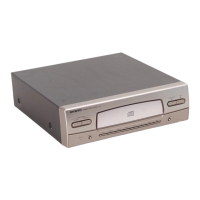
CD RECEIVER
Silver, Black and Titanium models
MODEL
CR-305FX
Ref. No. 3883
052005
120V AC, 60Hz
220-230V AC, 50/60Hz
230-240V AC, 50Hz
S CDT
S CGQ
S CGR
S CPP
T CPB
T CPP
230-240V AC, 50Hz
230-240V AC, 50Hz
B CPP
230-240V AC, 50Hz
RC-617S
DISPLAY
TUNING/PRESET
STANDBY/ON
MEMORY FM MODE
CLEAR
PHONES
A
C
O
U
S
T
I
C
P
R
E
S
E
N
C
E
INPUT
A
C
O
U
S
T
I
C
P
R
E
S
E
N
C
E
V
O
L
U
M
E
M
A
X
M
I
N
TAPE
CD
TIMER
ENTER
+
10
7
8
9
0
4
5
6
2
3
1
CLOCK
CALL
CLEAR
REPEAT
MEM
SLEEP
RANDOM
MUTING
A.PRESENCE
STANDBY/ ON
INPUT
TUNER
PRESET
R
C
-
617
S
SAFETY-RELATED COMPONENT
WARNING!!
COMPONENTS IDENTIFIED BY MARK ON THE
SCHEMATIC DIAGRAM AND IN THE PARTS LIST ARE
CRITICAL FOR RISK OF FIRE AND ELECTRIC SHOCK.
REPLACE THESE COMPONENTS WITH ONKYO
PARTS WHOSE PART NUMBERS APPEAR AS SHOWN
IN THIS MANUAL.
MAKE LEAKAGE-CURRENT OR RESISTANCE
MEASUREMENTS TO DETERMINE THAT EXPOSED
PARTS ARE ACCEPTABLY INSULATED FROM THE
SUPPLY CIRCUIT BEFORE RETURNING THE
APPLIANCE TO THE CUSTOMER.

Other manuals for Onkyo CR-305FX

Questions and Answers

  • F
    forddanielJul 30, 2025
    What to do if the remote controller of my Onkyo Car Receiver doesn't operate?
    • B
      Brittany RosarioJul 30, 2025
      There are several reasons why the remote controller might not be working: * The batteries may be dead - replace them with new ones. * You may be out of the control range - operate the remote within the control range. * There might be an obstruction - try operating the remote from a different angle or remove the obstruction.
  • J
    Jordan SmithAug 5, 2025
    Why does my Onkyo Car Receiver reproduce sound from neither left or right speaker?
    • R
      russellstrongAug 6, 2025
      There are several reasons why sound might not be coming from either speaker: * The speaker wire might be touching other jacks, connectors, or metal parts. Check the speaker connections. * The volume level is turned down to the minimum. Adjust the volume level. * The sound is muted with the muting function. Press the MUTING button on the remote controller to restore the sound. * The headphones are connected to the PHONES jack. Turn down the volume level first, then disconnect the headphones. Then, readjust the volume level.
  • K
    Kathleen CastilloAug 11, 2025
    What to do if my Onkyo Car Receiver has a long search time?
    • M
      mcguirebobAug 11, 2025
      The disc might be dirty or scratched. Clean the disc, and if that doesn't work, replace the disc with a new one.
  • P
    priscilla35Aug 17, 2025
    Why can't track numbers be stored when setting MEMORY playback on my Onkyo Car Receiver?
    • T
      Tina MaddoxAug 18, 2025
      There might not be a disc inserted in the unit. Insert a disc into the unit. Alternatively, a track number not on the disc is being input. Input only the track numbers on the disc.
  • M
    Mary TaylorAug 23, 2025
    Why won't my Onkyo Car Receiver start playback?
    • H
      Heidi SnyderAug 23, 2025
      The disc might be inserted with the wrong side facing upward. Insert the disc with the label side facing upward. Alternatively, the disc could be extremely dirty, so clean the disc. Finally, moisture may have formed inside the unit. Take the disc out and leave the unit for several hours until the moisture evaporates.

Summary

Safety-Related Component Warning

Critical Component Handling and Replacement

Components marked with â–² are critical for fire/shock risk. Replace with specified ONKYO parts only.

Schematic Diagrams - Amplifier, Power Supply, Display

Schematic Diagrams - CD & Microprocessor

ONKYO Corporation Contact Information

Onkyo CR-305FX Specifications

General IconGeneral
BrandOnkyo
ModelCR-305FX
CategoryStereo System
LanguageEnglish

Related product manuals