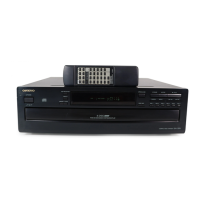
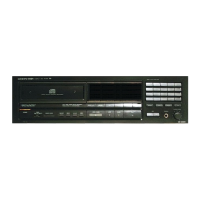
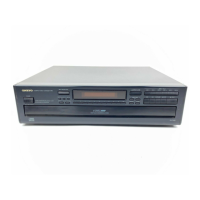
DX-6830
TABLE
OF
CONTENTS
Specifications
woscecce
eecercenesccocecs
ecccccccccces
eee]
Service
procedures
woe
ereccecesonecces
weeeesecossce
ooeeed
Note
on
compact
disc
ccerecssteeserceccceesees
Sabie
wieceree
2
Caution
of
replacement
of
optical
pickup
-*r+*sss******
3
Protection
of
eyes
from
laser
beam
during
servicing
ceed
Laser
warning
label
cccscscerceecreccccecceeccsceencers
4
Mechanism
exploded
view
corsrtseccerceseesressseesecees
5
Exploded
view
s**eerese
os
eceee's
eidiacersiets
ivale
sie's
bin
6's
8’
winiwie
8
Parts
list
ceeccesercers
wecccccenccce
ececcscece
eecccces
g
IC
block
diagrams
and
descriptions
****s*s*rr**
soccer]
0
Adjustment
procedures
eocesce
rrr
rrr
eee
eee
eee
ee
18
Printed
circuit
board
view
*ecrrsrrrssersereeeesersces
21
Po
board-parts
list
sersscserere
dial
deiae
eoCaleo's
we
Sewers
99
Schematic
diagram
ceccesreccesceecescesseccecesecesoes
93
Block
diagram
scesccccsceccececencrccccsccccccssacenes
97
Packing
View
coccece
este
cence
ssencescenserencceccesees
28
NOTE
ON
COMPACT
DISC
e@
Holding
Compact
Discs
Hold
Compact
Discs
by
the
edges
so
that
you
do
not
touch
the
surface
of
disc.
Remember
that
the
side
of
the
disc
with
the
“rainbow”
reflection
is
the
side
containing
the
audio
information.
Do
not
attach
tape
or
paper
to
the
label
side
of
the
disc
and
always
be
careful
not
to
leave
fingerprints
on
the
side
that
is
played.
®@
Storing
Compact
Discs
Store
Compact
Discs
in
a
location
protected
from
direct
sunlight,
high
heat
and
humidity
and
extremely
high
and
low
temperatures.
Discs
should
never
be
left
in
the
trunk
or
interior
of
an
automobile
in
the
suri
since
the
temperature
can
become
very
high
in
such
a
closed
environ-
ment.
Always
store
Compact
Discs
in
the
holders
in
which
they
were
sold.
Never
leave
a
disc
in
the
player’s
disc
holder
for
a
long
period
of
time.
‘
Not
this
way
SERVICE
PROCEDURES
1.
Safety-check
out
After
correcting
the
original
service
problem,perform
the
following
safety
check
before
releasing
the
set
to
the
customer:
Connect
the
insulating-resistance
tester
between
the
plug
of
power
supply
cord
and
chassis.
Specifications:More
than
10Mohm
at
500V.
@
Cleaning
Compact
Discs
Before
playing
a
disc
wipe
off
the
playing
surface
with
a
soft
cloth
to
remove
dust
and
other
soil.
Wipe
the
surface
in
straight
lines
from
the
center
of
the
disc
outward,
not
in
a
circular
motion
as
you
would
with
a
phonograph
record.
Do
not
use
benzene,
chemical
cleansers
or
phonograph
record
cleaning
solutions
to
clean
Compact
Discs.
Also
avoid
static
electricity
prevention
solutions
since
they
can
damage
the
surface-of
Compact
Discs.
Problems
Caused
by
Dew
Dew
can
form
inside
a
Compact
player
when
it
is
brought
from
a
cold
environment
into
a
warm
room,
when
:a
room
is
rapidly
heated
and
if
a
player
is
left
in
a
humid
environ-
ment.
This
dew
can
prevent
the
laser
pickup
from
reading
the
data
contained
in
the
pits
in
the
disc
surface.
If
the
player
does
not
operate
properly
because
of
dew,
remove
the
disc
and
leave
the
player’s
power
switch
on
for
about
one
hour
to
remove
all
moisture.


 To Next Page