EasyManua.ls Logo

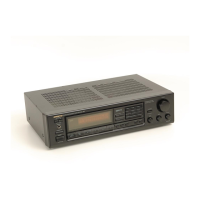
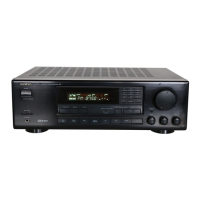
Onkyo TX-84 - Memory Preservation; Phonograph Record; Compact Disc Player; Tape Playback

Onkyo TX-84
14 pages
Print Icon
To Next Page IconTo Next Page
To Previous Page IconTo Previous Page
Loading...
the
next
broadcast,
press
either
Tuning
selector
again
depending
on
the
direction
in
which
you
want
to
go.
4.
To
stop
scanning
during
automatic
tuning,
press
the
tuning
mode
button
[6]
to
return
to
the
manual
mode.
The
frequency
display
will
immediately
stop
increasing
or
decreasing.
AM
Reception
(Manual
Mode)
1.
Press
the
TUNER
Input
Selector
button
[2]
and
the
AM
Selector
button
[8].
2.
Set the
tuning
mode
button
[6]
to
the
MANUAL
mode
and
confirm
that
both
Tape
Monitor
buttons
[3]
are
off.
3.
To
tune
in
an
AM
station
not
stored
in
the
memory,
press
the
UP
or
DOWN
Tuning
selector
[7]
in
the
manner
described
above.
Note
that
the
frequency
is
changed
in
10kHz
(or
9kHz)
steps
when
either
Tuning
selector
is
pressed
in
singie
steps.
4.
To
recall
a
station
stored
in
the
memory,
simply
Press
the
Press
button
[4]
corresponding
to
the
desired
sta-
tion.
Since
this
is
a
random
memory,
an
FM
station
will
be
recalled
if
you
press
a
Preset
key
where
an
FM
staion
is
stored.
AM
Reception
(Auto
Mode)
1.
Press
the
TUNER
Input
Selector
button
and
the
AM
Selector
button
[8].
2.
Set
the
tuning
mode
button
[6]
to
the
AUTO
mode
and
confirm
that
both
Tape
Monitor
buttons
are
off.
3.
Press
the
UP
or
DOWN
Tuning
selector
[7].
The
tuned
frequency
will
continue
to
increase
or
decrease
until
a
sufficiently
strong
broadcast
is
reached.
To
move
on
to
the
next
broadcast,
press
either
Tuning
selector
again
depending
on
the
direction
in
which
you
want
to
go.
4,
To
stop
scanning
during
automatic
tuning,
press
the
tuning
mode
button
[6].
The
frequency
display
will
tmmediately
stop
increasing
or
decreasing.
Memory
Function
This
unit
can
store
a
total
of
16
FM
and
AM
stations
in
the
memory
for
instant
recall
at
any
time
without
using
the
Tuning
selector.
The
stations
can
be
any
combination
of
FM
and
AM
broadcasts.
Read
the
following
directions
carefully
to
avoid
mistaken
operations.
1.
Confirm
that
both
Tape
Monitor
buttons
[3]
are
off,
press
the
TUNER
Input
Selector
button
[2],
press
the
FM/AM
Selector
button
of
the
band
of
the
station
to
be
placed
in
the
memory
and
set
the
Shift
button
to
the
1-8
or
9-16
range,
depending
on
which
memory
channel
is
to
be
used.
2.
Tune
in
the
broadcast
to
be
placed
in
the
memory
using
the
Tuning
selector
[7].
3.
Depress
the
Memory
button
[5|
and,
while
the
Memory
indicator
remains
lit
(about
5
seconds),
depress
one
of
the
Preset
buttons
[4].
4.
When
the
Preset
button
ts
depressed,
the
Memory
in-
dicator
will
go
out
and
the
indicator
of
the
depressed
preset
button
will
light.
The
frequency
currently
shown
in
the
frequency
display
is
now
stored
in
the
memory.
5.
If
the
Memory
indicator
goes
out
before
you
have
de-
pressed
one
of
the
Preset
buttons,
simply
press
the
Memory
button
again
to
give
yourself
another
5
seconds.
6.
Placing
another
broadcast
in
the
same
memory
channel
automatically
cancels
the
station
previously
stored
in
that
channel.
Notes
Preset
frequencies
can
be
transferred
to
other
channels.
For
example,
the
FM
station
stored
on
Preset
button
number
6
can
be
transferred
to
Preset
button
number
1
in
the
following
manner:
1)
Press
the
FM
Selector
button
[8].
2)
Press
Preset
button
number
6
3)
Press
the
Memory
button
[5].
(The
Memory
indicator
lights.)
4)
Press
Preset
button
number
1.
5)
The
same
station
is
now
stored
on
both
preset
buttons
1
and
6.
Memory
Preservation
This
unit
does
not
require
memory
preservation
batteries.
A
butlt-ln
memory
power
back-up
system
preserves
the
contents
of
the
memory
during
power
failures
and
even
when
the
unit
is
unplugged.
The
unit
must
be
plugged
in
and
the
Power
switch
turned
on
and
off
once
in
order
to
charge
the
back-up
system.
Note
that
since
this
is
not
a
permanent
memory,
the
Power
switch
must
be
turned
on
and
off
a
few
times
each
month
to
keep
the
back-up
system
operative.
The
memory
preservation
period
after
power
has
last
been
turned
off
varies
depending
on
climate
and
placement
of
the
unit.
On
the
average,
memory
contents
are
protected
over
a
period
of
a
few
weeks
after
the
last
time
power
has
been
turned
off.
This
period
ts
shorter
when
the
unit
is
exposed
to
high
humid
climate.
Phonograph
Record
1.
Connect
the
turntable
to
the
PHONO
inputs
and
connect
the
phono
ground
wire
to
the
ground
terminal.
2.
Press
the
PHONO
Input
Selector
button
[2],
and
confirm
that
the
both
Tape
Monitor
buttons
[3]
are
off.
3.
Follow
turntable
operating
instructions.
Compact
Disc
Player
1.
Connect
the
CD
player
to
the
CD
inputs.
2.
Press
the
CD
Input
Selector
button
[2],
and
confirm
that
the
both
Tape
Monitor
button
[3]
are
off.
3.
Follow
the
operating
instructions
for
the
CD
player.
Tape
Playback
1.
Connect
the
output
leads
from
the
tape
deck
to
the
TAPE-1
or
2
PLAY
inputs.
2.
Press
the
TAPE-1
or
TAPE-2
Monitor
button
[3]
de-
pending
on
which
pair
of
TAPE
PLAY
inputs
the
deck
is
connected
to.
3.
Follow
tape
deck
operating
instructions
for
playback.
Tape
Recording
1.
Make
all
connections
between
the
tape
deck
and
the
unit
as
shown
in
the
System
Connections
diagram.
2.
Radio:
Press
the
TUNER
Input
Selector
button
[2|,
and
set
the
FM/AM
Selector
button
to
FM
or
AM.
Records:
Press
the
PHONO
Input
Selector
button
I.
CD:
Press
the
CD
Input
Selector
button
[2].
VCR-1/VDP:
Press
VCR-1/VDP
Input
Selector
button
2].
VCR-2:
Press
the
VCR-2
Input
Selector
button
[2].
3.
Put
the
tape
deck
in
the
recording
mode.
The
recording
can
be
monitored
through
the
speakers
or
headphones
as
desired.
Turn
on
the
corresponding
Tape
Monitor
button
to
hear
the
signal
that,
having
been
recorded
is
returned
from
the
tape
deck
to
the
TX-84/82
(Moni-
toring
is
only
possible
if
the
tape
deck
has
three
heads.)
4,
Set
the
proper
recording
level
using
the
controls
on
the
tape
deck
used
for
recording.
Also,
during
recording
and
dubbing
operations,
never
change
the
positions
of
any
controls
(bass,
trebje,
etc.)
on
this
unit.

Related product manuals