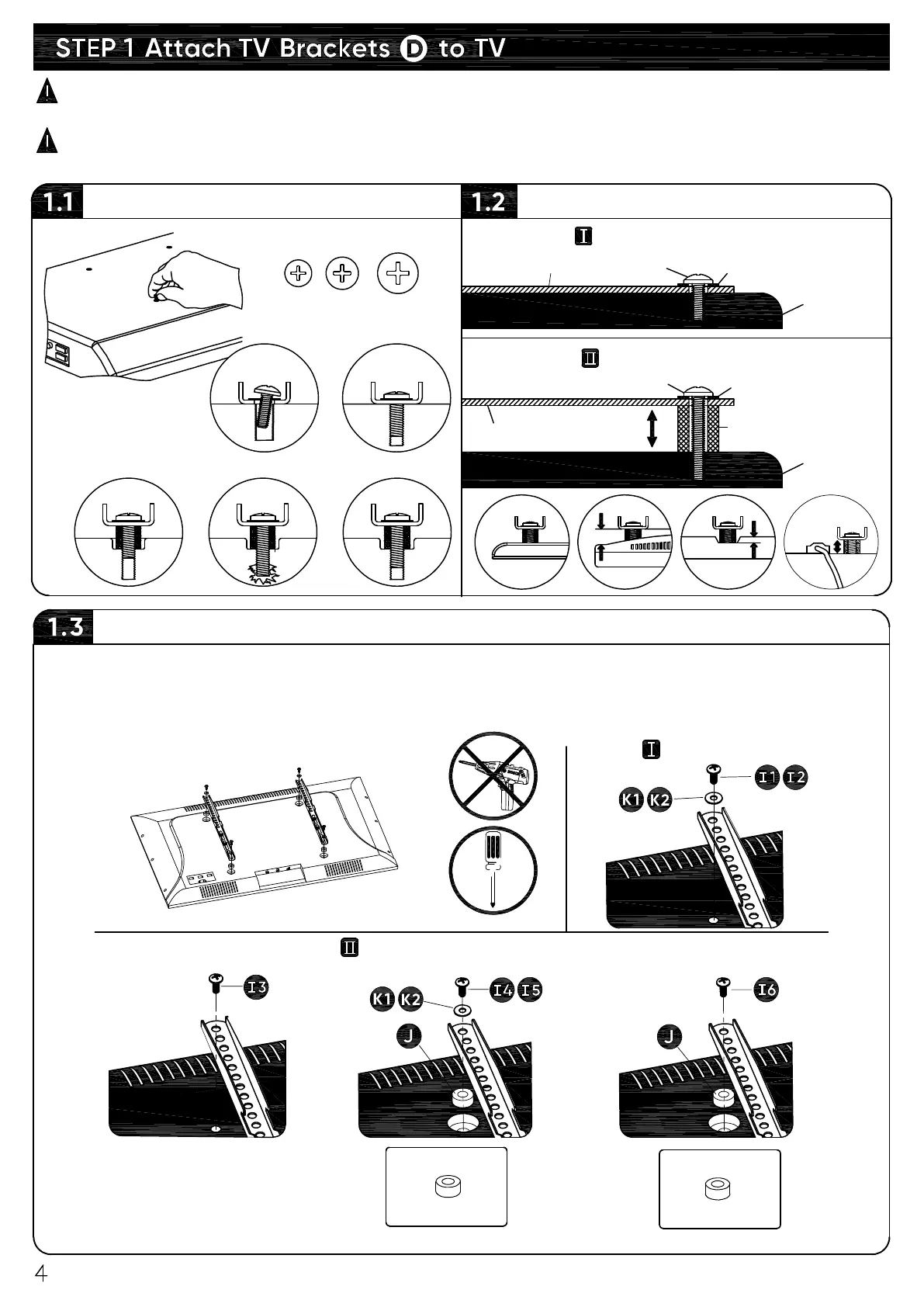
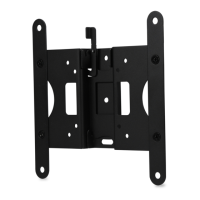
Attach both TV Brackets
Screw and Washer
Spacer, Screw and Washer
Choose proper screws that fit your particular TV mounting holes. Use spacers and washers as
needed since they are not always required. You will have screws, spacers and washers
leftover. Discard all unused hardware after you have completed TV mount installation.
Select TV Screws
P
P
O
OO
TV back
TV bracket
Washer
TV bracket
Long Screw
Spacer
TV back
Need Spacer?
Short Screw
Washer
▪
No, go to below for detailed combination.
▪
Yes, go to below for detailed combination.
M4
M8
(actual size shown)
M6
P
CAUTION:
Carefully lay your TV on its face on a flat, non-abrasive surface covered with
blanket or soft padding to help prevent damaging the screen.
CAUTION:
Place left and right TV bracket in the appropriate position, make sure they are
CENTERED on the back of TV and LEVEL with one another.


 To Next Page