Connecting Devices (continued)
Connecting to Power
After connecting all your devices, connect the
power cord to a power outlet. The TV enters
standby mode and its indicator light turns red.
Setup & Activation
04
Tip: Have your wireless network name and
password handy.
Follow the on-screen instructions on your
onn.
™
• Roku TV. If you aren’t ready to
connect your TV to a wireless network, you
can still use it as a regular TV.
Activate your onn.
™
• Roku TV using your
computer, smartphone, or tablet to link to
a Roku account. You need a Roku account
to activate your onn.
™
• Roku TV and access
entertainment across thousands of
streaming channels.
Note: Roku doesn’t charge for activation
support - beware of scams.
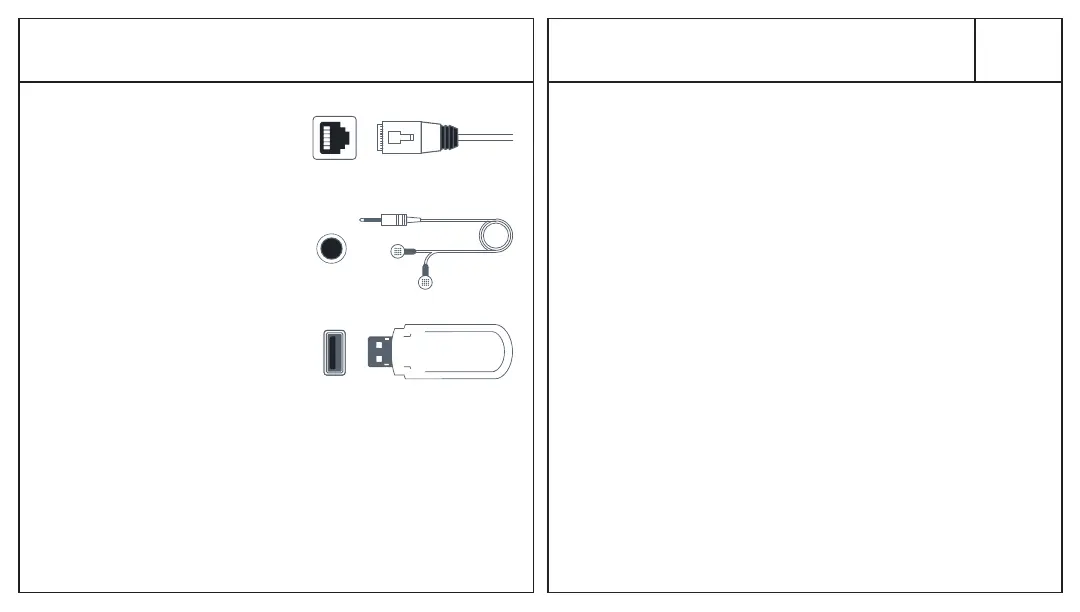
LAN*
wired connection
to the internet
Headphone
connect headphones
or external speakers
USB
connect for photos, music,
movies and more
*4K models only


 To Next Page