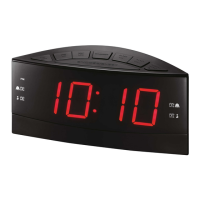
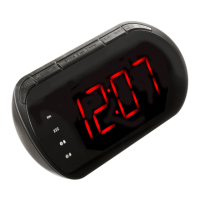
This document describes the onn. Digital Clock Radio, Model: AAABLK100008726, a device designed for timekeeping, alarm functions, and radio reception.
Function Description:
The onn. Digital Clock Radio serves as a multi-functional bedside companion. Its primary functions include displaying the time, setting alarms (two independent alarms are available), and tuning into AM/FM radio stations. It also features a sleep timer, allowing users to fall asleep to the radio, and a snooze function for temporary alarm delays. The device incorporates a dimmer for adjusting display brightness.
Important Technical Specifications:
- Model Number: AAABLK100008726
- Power Source: The unit can be powered via an AC adaptor (included) plugged into a standard power outlet.
- Battery Backup: It requires 2 AAA batteries (not included) for battery backup, which is intended for short power outages only. Primary functions cannot run on battery backup alone.
- Radio Bands: AM and FM.
- Antenna: A wired FM antenna is built into the unit and exits from the rear for improved reception.
- Display: LED display with PM indicator and alarm indicators (Alarm 1 and Alarm 2, for Buzzer/Radio).
Usage Features:
- Setting the Clock:
- In Off mode (or if in Radio Mode, turn the unit off by pressing and holding Power/Source/Al Off).
- Press and hold Clock/Mem until the display blinks.
- Use Hour to adjust the hour (PM indicator lights for PM hours).
- Use Min to adjust the minute.
- Press Clock/Mem to finalize time setting.
- Setting the Sleep Timer:
- Press Snooze/Sleep repeatedly to select a sleep timer duration (90, 80, 70, 60, 50, 40, 30, 20, 10 minutes, or OFF).
- The clock radio will automatically power off after the set time expires. Note: There may be up to a 1-minute deviation in the sleep timer.
- Setting Alarms (Alarm 1 and Alarm 2):
- In Off mode (or if in Radio Mode, turn the unit off by pressing and holding Power/Source/Al Off).
- Press AL1 or AL2 until the display blinks.
- Use Hour to adjust the hour (PM indicator lights for PM hours).
- Use Min to adjust the minute.
- Press AL1 or AL2 repeatedly to choose between Radio or Buzzer for the alarm sound.
- The alarm will sound at the set time.
- To set the other alarm, follow the same steps.
- Disabling Alarms: Press AL1 or AL2 repeatedly until the corresponding indicator light is no longer lit.
- Snooze and Alarm Reset:
- After the alarm sounds, press Snooze/Sleep to delay it for several minutes.
- Press Power/Source/Al Off to turn off the alarm until the set alarm time is reached again.
- Tuning the AM or FM Radio:
- Press Power/Source/Al Off to turn the radio on.
- Press Power/Source/Al Off again to switch between AM and FM.
- Use Tun+/- buttons to adjust the frequency incrementally.
- Press and hold Tun+/- buttons to search for the next available frequency.
- Use Vol+/- buttons to adjust the volume.
- Press and hold Power/Source/Al Off to turn the radio off.
- Saving and Tuning to a Station as a Preset:
- Tune to the desired station.
- Press Clock/Mem to cycle through preset radio stations.
- Use Tun+/Tun- to select the preset number (up to 10 stations can be saved).
- Press Clock/Mem to save the selected station.
- To listen to a preset, press Clock/Mem and then Tun+/Tun- to select the desired preset.
- Display Dimmer: Press Dimmer to adjust the brightness of the display.
- Volume Control: Use Vol+/- buttons to adjust the audio volume.
Maintenance Features:
- Cleaning: Clean the unit only with a dry cloth.
- Battery Replacement: When replacing batteries, ensure to use 2 new AAA batteries of the same or equivalent type. Do not mix old and new batteries, or alkaline, standard (carbon-zinc), or rechargeable (ni-cad, ni-mh) batteries.
- Safety Precautions:
- Do not use near water.
- Do not block ventilation openings.
- Keep away from heat sources.
- Ensure proper plug insertion (polarized plug with one wider blade).
- Protect the power cord from being walked on or pinched.
- Unplug during lightning storms or when unused for long periods.
- Refer all servicing to qualified personnel.
- Avoid placing the unit on furniture surfaces with soft, porous, or sensitive finishes, as the feet could cause marks or staining. A protective barrier (cloth or glass) is recommended.
- Dispose of batteries according to state and local guidelines.
- If the coin/button cell battery (if applicable, though the manual specifies AAA) is swallowed, seek immediate medical attention.
- Radio Reception Improvement: Adjust the position of the wired FM antenna at the rear of the unit, or adjust the position of the clock radio itself.

 Need help?
 General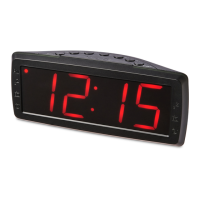

 To Next Page