6. Now that we have the starting Amp for Vref we need to identify the actual Vref.
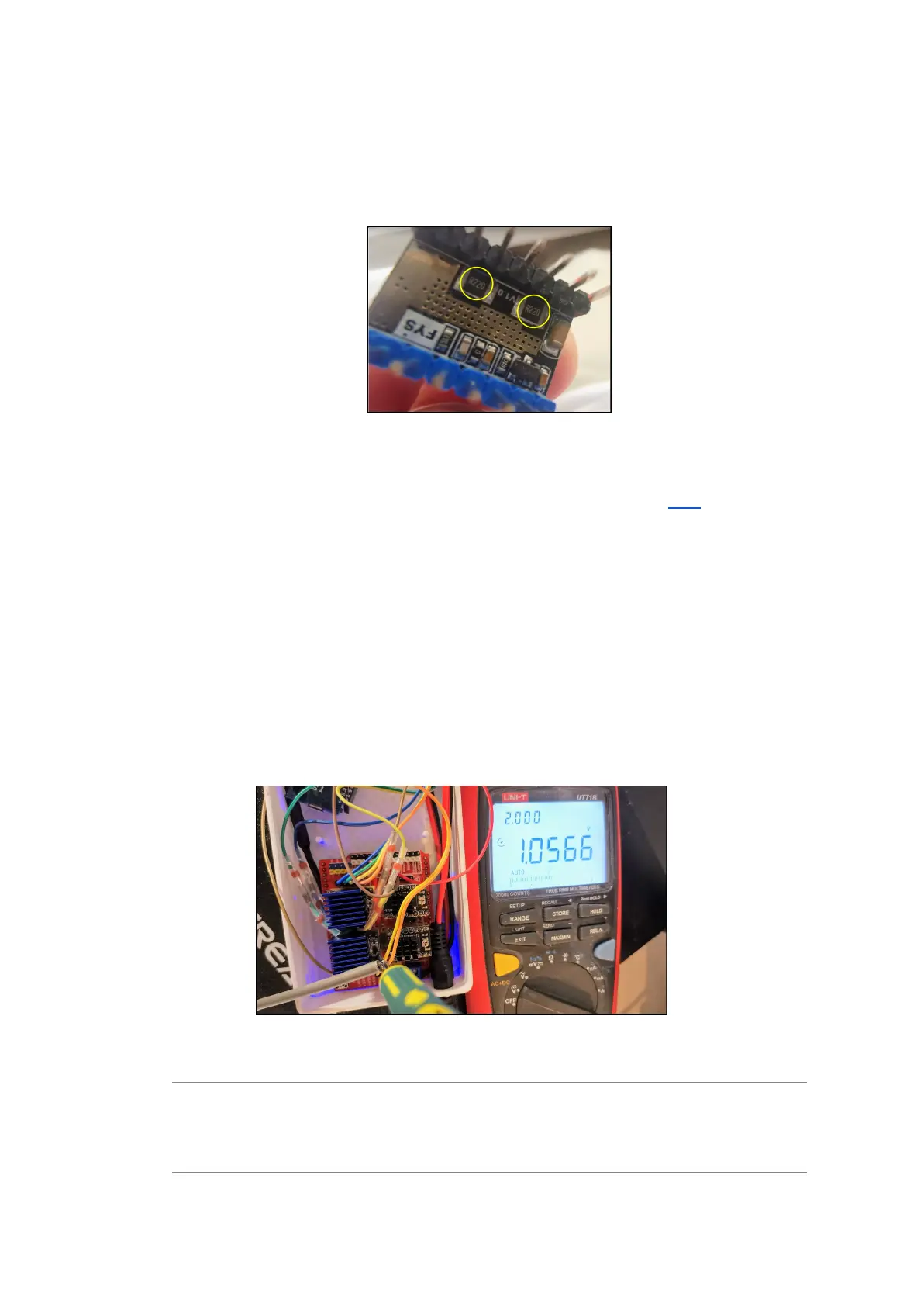
However, the LV8729 seems to come in two flavours; some with 2x 100Ω resistors,
and some with 2x R220Ω resistors. You find what version you have by checking the
resistors on the underside of the drivers. Mine had 2x R220Ω.
Figure 5 - LV8729 Resistor locations
Now, by using the following formulas you can identify correct Vref (Link):
2x R100Ω: Desired motor Amps * 0.5 = Vref
2x R220Ω: Desired motor Amps * 1.1 = Vref
In my case this would be: 0.95A * 1.1 = 1.05V
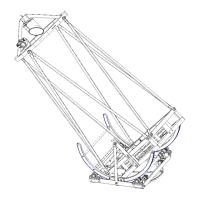
7. Adjusting the Vref potentiometer on the LV8729 driver is quite easy if you're able to
connect a probe from the multimeter to one of the Gnd-points (ground) on the
Arduino CNC Shield and the other probe to the skrewdriver you're actually adjusting
the potentiometer with. That way you’ll have a live view of the adjustments and you
can easily hit your target.
Figure 6 - Tuning Vref
Note: If the motors are struggling when moving/slewing when you test the build with a
fully loaded mount you can adjust in 0.1A increments until you have stable
movements. I ended up with Vref=1.1V (equals 1Amp and 60% of max motor rating).



 To Next Page