Removethe unit from the wall socket and
then hold the button to both lights go out.
Connect the external temperature sensor in
the socket labeled ”Temp” on the underside
of the unit.
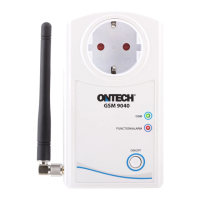
Plug the device into the wall outlet. In Ontech
Control now displays the temperature of both
the internal and the external sensor.
Connect external temparature
sensor
1
2
Place Ontech IR 9016 as it is directed towards
your heat pump or air conditioner.
Plug the connector into the socket on Ontech
9040 GSM marked ”IR”.
In Ontech Control set what kind of brand and
model you have.
Connect Ontech IR 9016
3
1
2
3


 To Next Page