www.boox.com
_________________________________________________________________________________________________________________________________________________________
Copyright © 2019 Onyx International. All rights reserved. 71 / 106
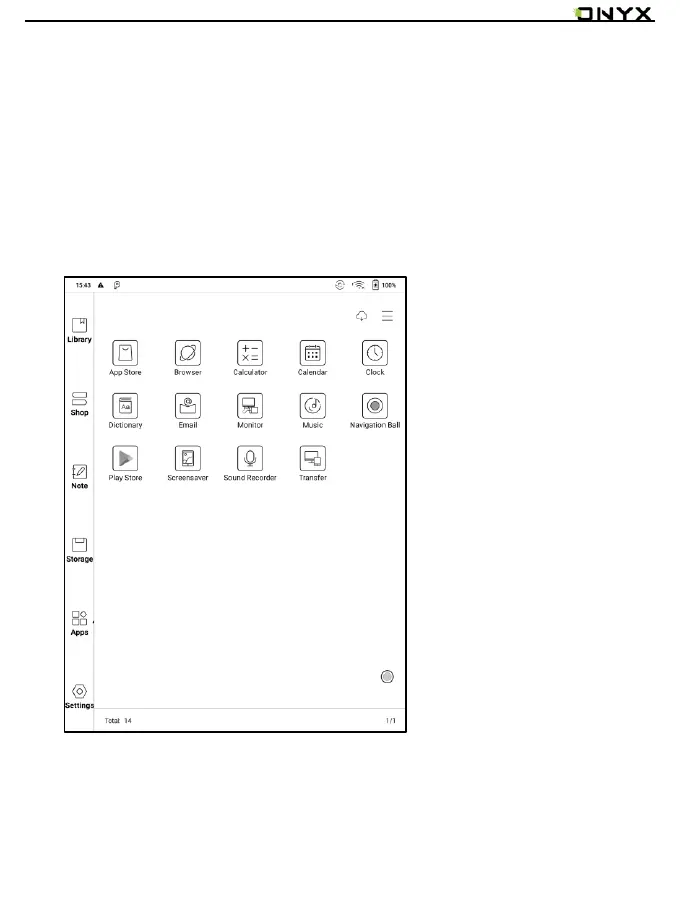
11. Apps
All installed apps are displayed in alphabetical order A-Z by default. Users can
choose their preferred order.
Long press on each APP icon to pop up the Apps menu to delete or optimize.
Pre-installed apps on devices are not allowed to delete.


 To Next Page