29
installing the ooma Hub
Modem and Router Installation
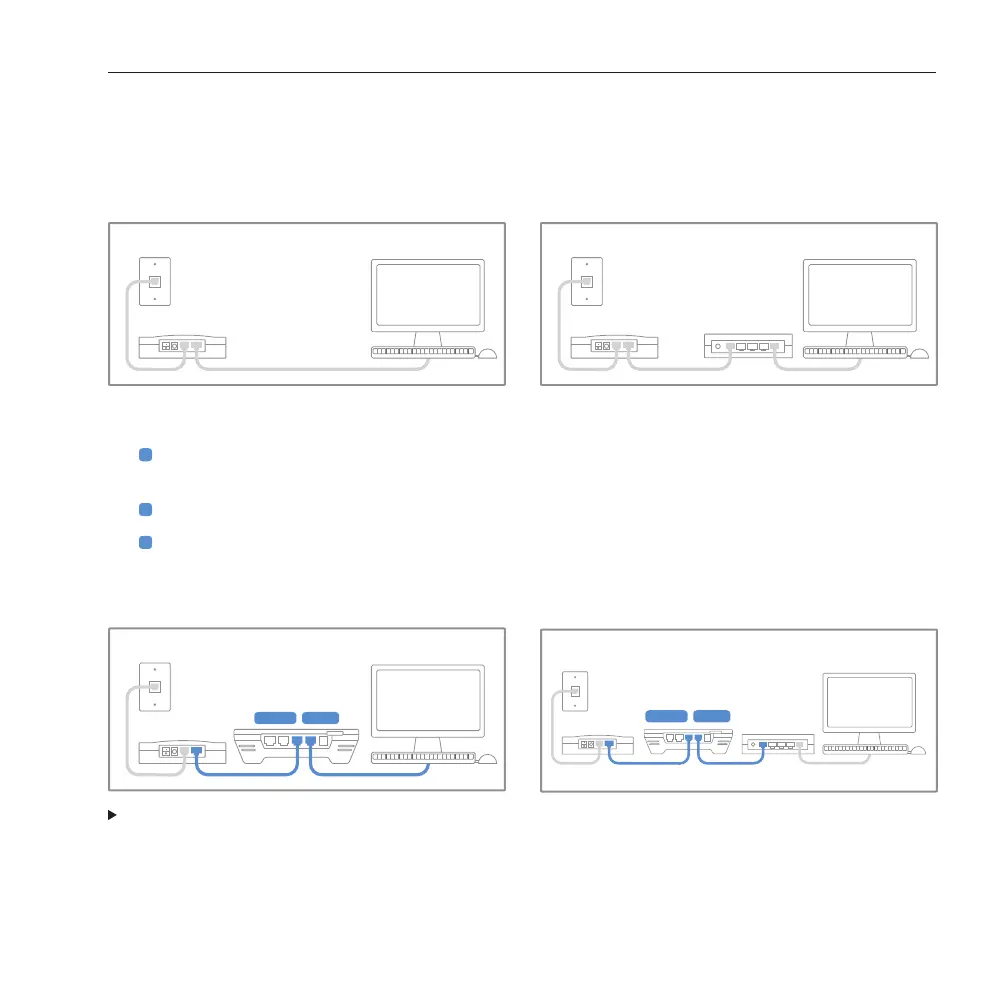
These instructions assume your computer connects directly to your modem or to a router (wired or wireless).
Your initial setup looks like one of these:
Modem
Internet
Router
MODEM HOME
To connect the ooma Hub to your network:
1
Unplug the existing Ethernet cable from your modem. This is the cable that connects your modem to
your computer or router.
2
Plug the existing Ethernet cable into the port labeled HOME on the ooma Hub.
3
Use the Ethernet cable provided and connect the port labeled MODEM on the ooma Hub to the
Ethernet port of the modem.
Now your setup should look like this:
SKIP TO CONNECTING THE OOMA HUB TO YOUR PHONE SYSTEM



 To Next Page