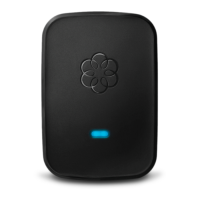
depending on which version of the device you have (see below):
The Linx will detect the Telo Base Station or Phone Genie and automatically pair. The system
status indicator on the Linx will turn blue when the registration process is complete. If you see
the system status indicator alternate between blue and orange, the Linx is downloading a
software update. Do not unplug the Linx when it is updating its software.
After the system status indicator has turned solid blue, you can now unplug the Linx device and
move it anywhere in your home. Plug a telephone, fax machine or other telephony device into
the phone jack on the bottom of the Linx and pick up the telephone. If you hear the musical
Ooma dial tone, your setup is complete.
What kinds of devices can I plug in to my Ooma Linx?
Any standard telephone or telephony device such as a fax machine should be compatible with the
Ooma Linx.
What are the advantages of using an Ooma Linx?
The Ooma Linx allows you to extend Ooma service to any room in your home. By using an
Ooma Linx, you will save the cost and hassle of rewiring your home and you will gain the
convenience and flexibility of a telephone extension that can be easily moved anywhere.
What Ooma features can I use with the Linx device?
You can access most standard calling features from the Ooma Linx, including making and
receiving calls, joining existing calls, call-waiting, caller-ID, and 911 calling.
Ooma Premier subscribers can also take advantage of the Instant Second Line, virtual phone
numbers, private devices and more.
How can I configure the Linx device for a fax machine?
You don’t have to change your configuration when you’re faxing. Ooma will detect when you
are trying to send a fax and will adjust the settings accordingly.


 To Next Page
 Loading...