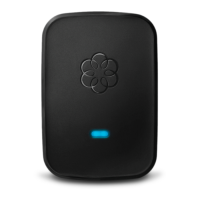
The Play and Fast forward keys are lit blue
You should only experience this if you have chosen the option to use your Ooma with a landline
backup. When your Ooma device is offline and the Play and Fast forward buttons are turned on,
it means that your Ooma Telo Base Station or Phone Genie cannot detect a phone line connected
the the system. You can still pick up the phone and make calls, but you’ll be doing so through
your landline. Check that your WALL port is plugged into a working phone jack.
Note: Ooma Telo Base Station or Phone Genie devices manufactured after April 2011 no longer
support landline integration and do not have a WALL port.
Incoming calls do not cause your phone to ring
There are several reasons that incoming calls may not cause your phone to ring. Here are some of
the most common reasons why your phone might not ring:
• The ringer on your phone is turned off. You may need to consult the manufacturer’s
instructions for help with turning the ringer back on.
• You have activated the Do not Disturb feature. If this is the case, the Envelope key will
be a solid orange color on your Ooma Telo Base Station or Phone Genie, and all new
calls will go to directly to voicemail. In order to deactivate this feature, hold the Envelope
key for three seconds.
• Your phone is not properly plugged into your Ooma Telo Base Station or Phone Genie.
Check to make sure that there is a phone securely plugged into the PHONE jack of your
Telo Base Station or Phone Genie, or that any Ooma handsets you own are properly
registered.
• You have enabled the Call Forwarding feature, and all incoming calls are being
redirected to another phone number. You can learn how to turn Call Forwarding off by
visiting our Knowledgebase FAQ.
My voice quality is poor
The Ooma PureVoice™ HD technology built into the Ooma Telo Base Station or Phone Genie
includes sophisticated algorithms to deliver the best voice quality your Internet connection can
support. In order to obtain the best voice quality results, Ooma recommends that you connect
your Telo Base Station or Phone Genie system between your modem and router. If you’ve
already connected your Telo Base Station or Phone Genie in this manner and you are still
experiencing poor voice quality, please read more about Improving Quality of Service (QoS).



 To Next Page
 Loading...