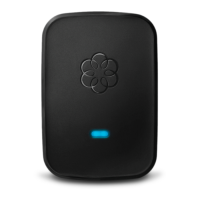
Troubleshooting Voice Quality
One of the core strengths of Ooma is its Quality of Service (QoS) feature, which can greatly
enhance overall voice quality under congested network conditions. For example, if you are on an
Ooma phone call and decide to engage in several bandwidth-intensive tasks (such as batch
uploads of images, sending a large email attachment, or streaming video online), the person on
the other end of the phone call may complain about call quality. Such complaints may include
mention of voice drop outs, and choppy or garlbled audio. With QoS enabled, your voice will
sound clear even under congested network conditions.
If you hear static on the line, you should check to see if the static is coming from your phone.
Try plugging a different phone into your Ooma device to see if the static persists.
If you’re a landline customer and the static is present on ALL phones, try plugging your phone
directly into the jack to see if the static is coming from the landline, itself.
Note: Ooma units that were manufactured after April, 2011 do not have the functionality to
connect to a landline.
Please keep in mind that there are certain locations where your Ooma device will function best
within your network. If possible, install your Ooma device between the Cable or DSL modem,
and the router or computers in the house, as described in your Quick Start Guide as Advanced
Setup option A. This allows the Ooma device to prioritize your phone calls over computer data
transfers and large file downloads (such as .mp3 or video files) to ensure the best possible voice
quality.
If you are unable to resolve your problems by following these troubleshooting steps, you may
contact our Customer Care team seven days a week.
Ooma Wireless Adapter FAQ
If you’ve ever wanted to move your Ooma Telo Base Station or Phone Genie away from your
modem or router so that it is in a more convenient location, then the Ooma Wireless Adapter is
perfect for you. Simply set it up to work with your wireless network, and you’ll have the
freedom to move your Telo Base Station or Phone Genie anywhere you want.
1. What is the Ooma Wireless Adapter? How does it work?
2. Where do I buy the wireless adapter?
3. How do I set up my Ooma Wireless Adapter?
4. Do I need a computer to set up my wireless adapter? Yes
5. How far away from my router can I place my Ooma Telo Base Station or Phone Genie?
6. What kind of call quality can I expect with the Ooma Wireless Adapter?


 To Next Page
 Loading...