7. Which wireless standards does the Ooma Wireless Adapter support?
8. Which wireless band does the Ooma Wireless Adapter run on?
9. Do you have a list of supported routers?
10. What if my home Internet connection is password protected?
11. What security and encryption protocols does the Ooma Wireless Adapter support?
12. What do I do if my Ooma Telo Base Station or Phone Genie doesn’t receive a signal after
I’ve set it up?
13. Can I set up the Ooma Wireless Adapter with my 3G or 4G hotspot?
14. Can I set up my Ooma Wireless Adapter to remember more than one Wi-Fi network?
15. Can I use my Ooma Telo Base Station or Phone Genie as a wireless bridge?
16. Can I use the Ooma Wireless Adapter and the Ooma Bluetooth Adapter at the same time?
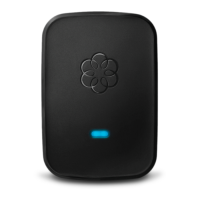
What is the Ooma Wireless Adapter? How does it work?
The Ooma Wireless Adapter allows your Ooma Telo Base Station or Phone Genie to connect to
the Internet using your Wi-Fi network instead of a cable. The wireless adapter is perfect if you
want to set up your Telo Base Station or Phone Genie in a part of your home that doesn’t have a
wired Internet connection. The adapter may be right for you if:
• Your modem or router is in an inconvenient location (basement, wiring closet, etc)
• You only have access to Wi-Fi (dorm rooms, apartments, home offices, etc)
• You travel and want to call for FREE wherever you have Wi-Fi
• You want to use Ooma with 3G and 4G mobile hotspot connections
Where do I buy the wireless adapter?
To learn more about the wireless adapter or to purchase yours now, visit the Add-Ons (make
link) section of My Ooma.
How do I set up my Ooma Wireless Adapter?
To get started setting up your Ooma Wireless Adapter, follow these instructions:
1. Plug the Adapter into the USB port on the back of your Telo Base Station or Phone Genie
2. Using an Ethernet cable, connect the HOME NETWORK port on the back of your Telo
Base Station or Phone Genie to a computer
3. Use the computer and open up a browser to setup.ooma.com
4. Click on the Wireless tab on the left side of your screen and follow the directions to
connect the Telo Base Station or Phone Genie to your wireless network
Once your Telo Base Station or Phone Genie has connected to your home Wi-Fi network, you’ve
gone wireless! If you need additional assistance, you can find help in the Quick Start Guide that
came with your device.


 To Next Page
 Loading...