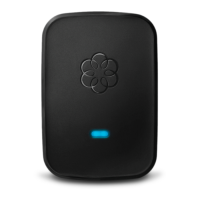
Reference: If you are having difficulty connecting to setup.ooma.com, please see our
troubleshooting FAQ.
Do I need a computer to set up my wireless adapter? Yes
Yes. During the initial setup process, you will need your plug your computer into the Ethernet
port of the Ooma Telo Base Station or Phone Genie. After you have set up your Ooma Telo Base
Station or Phone Genie to run on your home Wi-Fi network, you will no longer need a computer
for it to function.
How far away from my router can I place my Ooma Telo
Base Station or Phone Genie?
You can place your Ooma Telo Base Station anywhere in your home that has good Wi-Fi
reception. Please note that the construction of your home – such as brick or cement walls
between your router and your Ooma Telo Base Station or Phone Genie – can affect the quality of
your Wi-Fi signal.
What kind of call quality can I expect with the Ooma
Wireless Adapter?
Thanks to the compression and adaptive redundancy algorithms that make Ooma PureVoice(tm)
HD Technology unique, most customers should notice little or no reduction in call quality when
they set up their system with the wireless adapter.
Which wireless standards does the Ooma Wireless Adapter
support?
The Ooma Wireless Adapter supports networks that run on 802.11b/g/n standards.
Which wireless band does the Ooma Wireless Adapter run
on?
The Ooma Wireless Adapter runs on the 2.4Ghz wireless band.
Do you have a list of supported routers?
Any router that supports the 802.11b/g/n standard should be compatible with the Ooma Wireless
Adapter.



 To Next Page