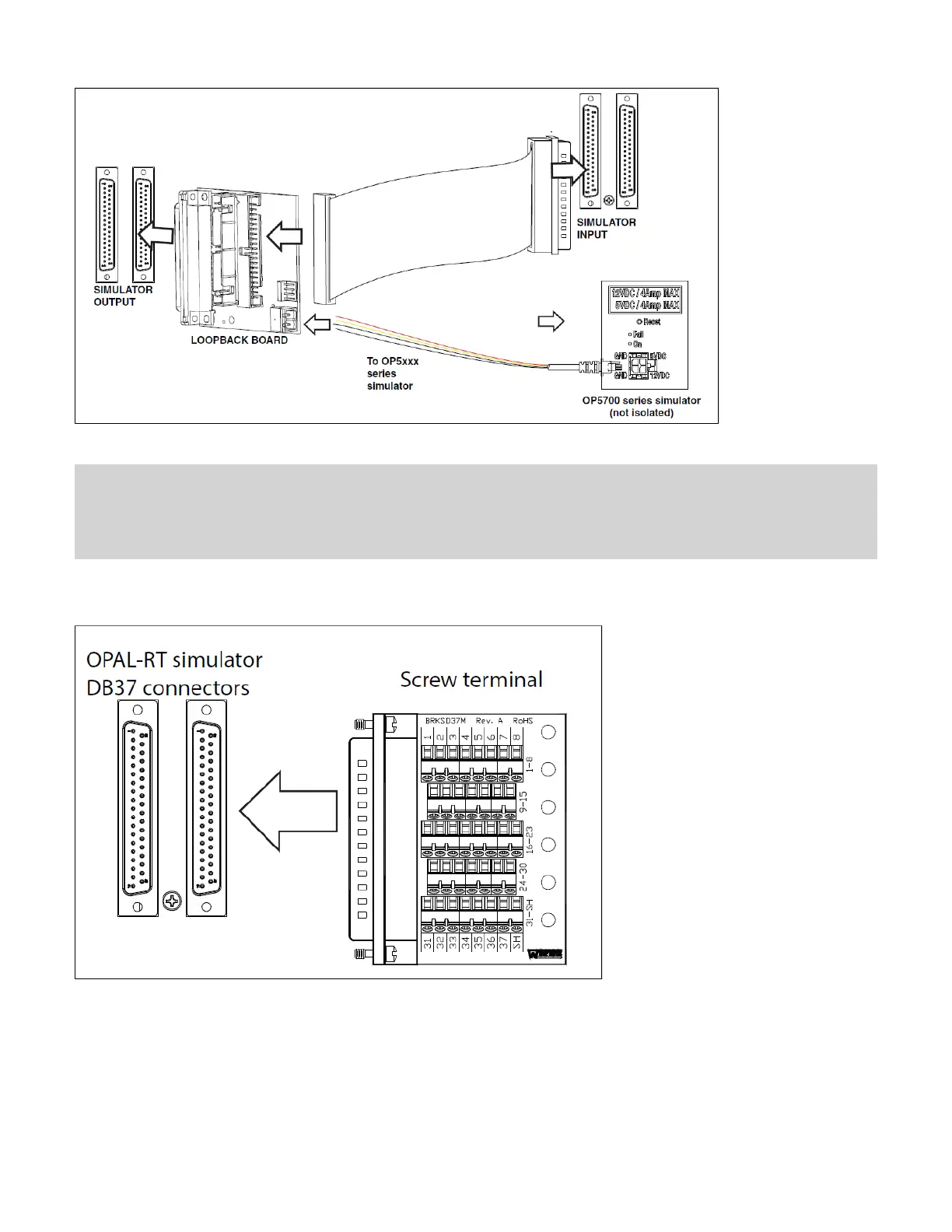
Note: Although some boards do provide a power source, using that would compromise the isolation. OPAL-RT recommends using external power
source: the user must connect the power wires (provided) to either a 5 or 12 V power source. Make sure that the Vuser source switch on the
loopback board is set to “External”.
The breakout board provided allows users to access each pin of the DB37 separately through the screw terminals. Simply insert the breakout board DB37
connector onto the desired DB37 connector on the simulator.
Refer to the system description document or the user manual of the installed in the system for exact pin assignments.OP5300 Mezzanine Modules
Connecting the Synchronization Cable
The OP5700 offers two synchronization options: via optical fiber (recommended) or via legacy copper cable.


 To Next Page