Step 2.
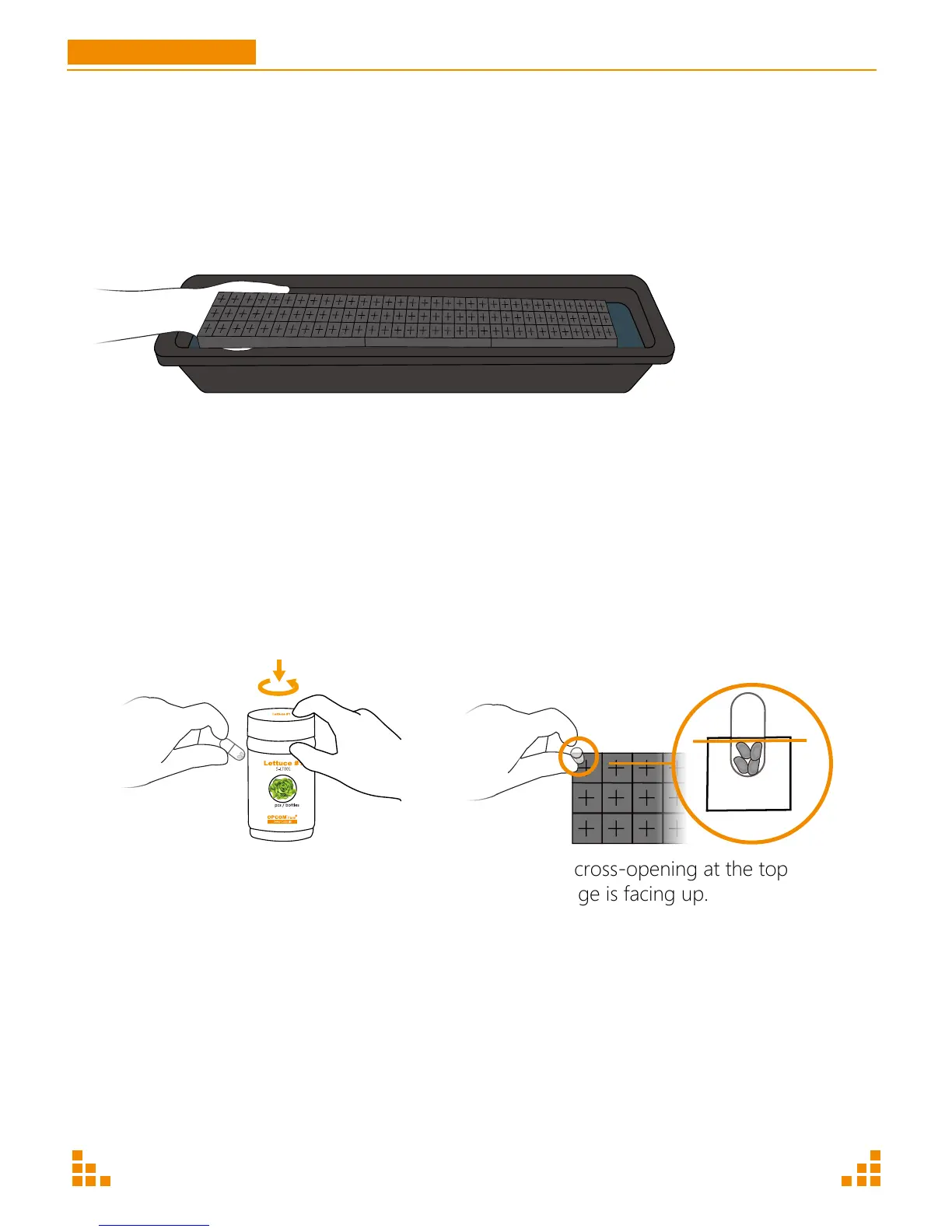
Put the seedling sponges to the sprout box, then add some water to keep them fully wet.
Step 3. Seed Sowing
If using OPCOM Farm seed capsules:
1. With completely dry hands, take out seed capsules from capsule bottle.
2. Soak the sponge completely, then insert seed capsules vertically halfway into the middle of each
cross-opening in the seedling sponge.
3. Put any unused capsules back in bottle and store in the refrigerator immediately.
If using non OPCOM Farm seeds:
Insert 3-4 seeds into the middle of each cross-opening of each sponge. The seeds should be placed
just below the surface of sponge.
GrowWall
User Manual
P17
Make sure cross-opening at the top
of the sponge is facing up.
Press and open
105
P15


 To Next Page