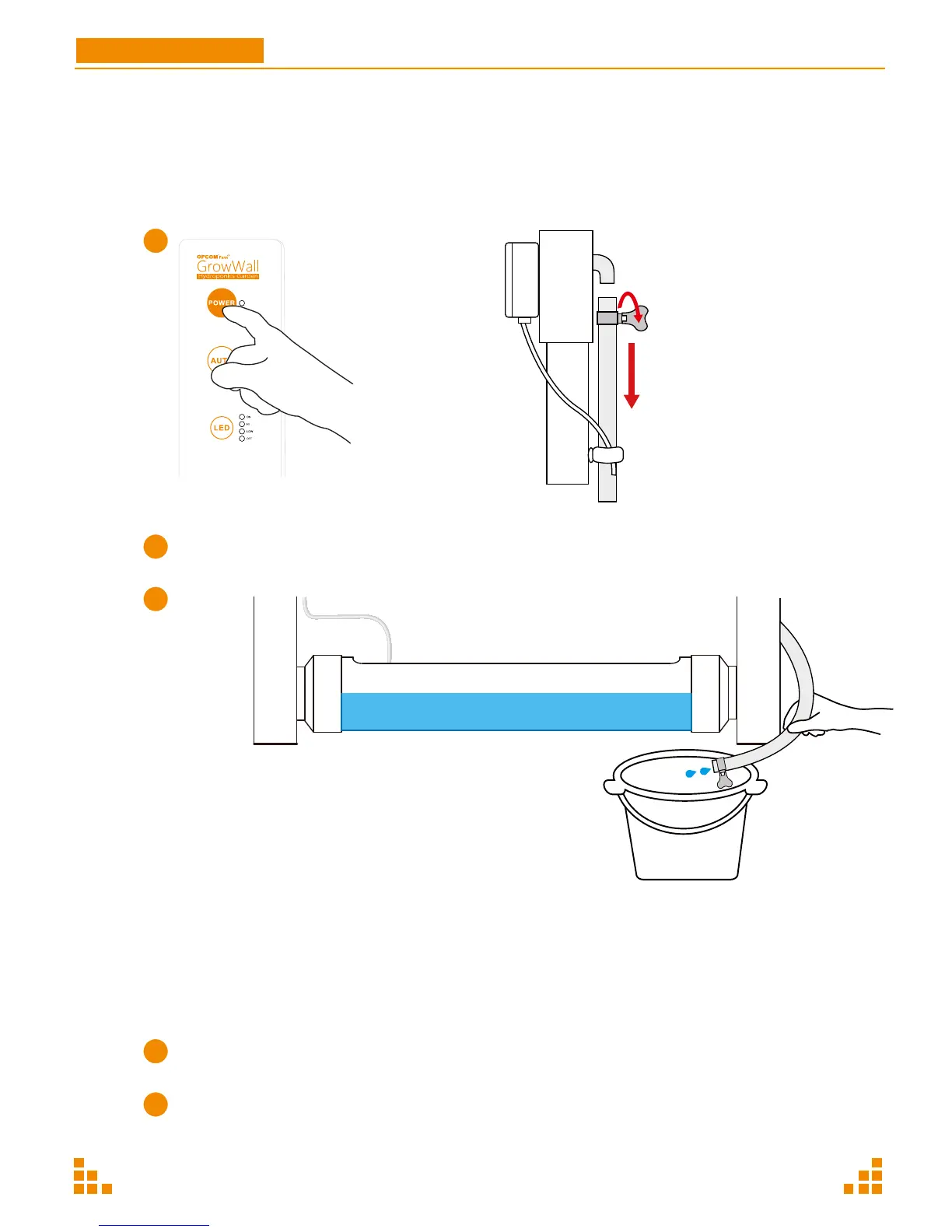
Turn off power
Wait for 15 minutes, let the water drain back to the tank.
Unplug the tube
from the interlet.
Intsert the tube into a bucket.
Turn on power.
Drain all water into a bucket.
After about 15 minutes, the water will have left the unit.
Turn off the machine immediately when water is out to avoid air
bubbles to enter (water pump will get damaged if air bubbles enter
for a long time).
Clean the appliance with a dry cloth.
If there is a serious alage problem, spray with alcohol and wait for 3-5 days,
then start a new planting cycle.
1.
2.


 To Next Page