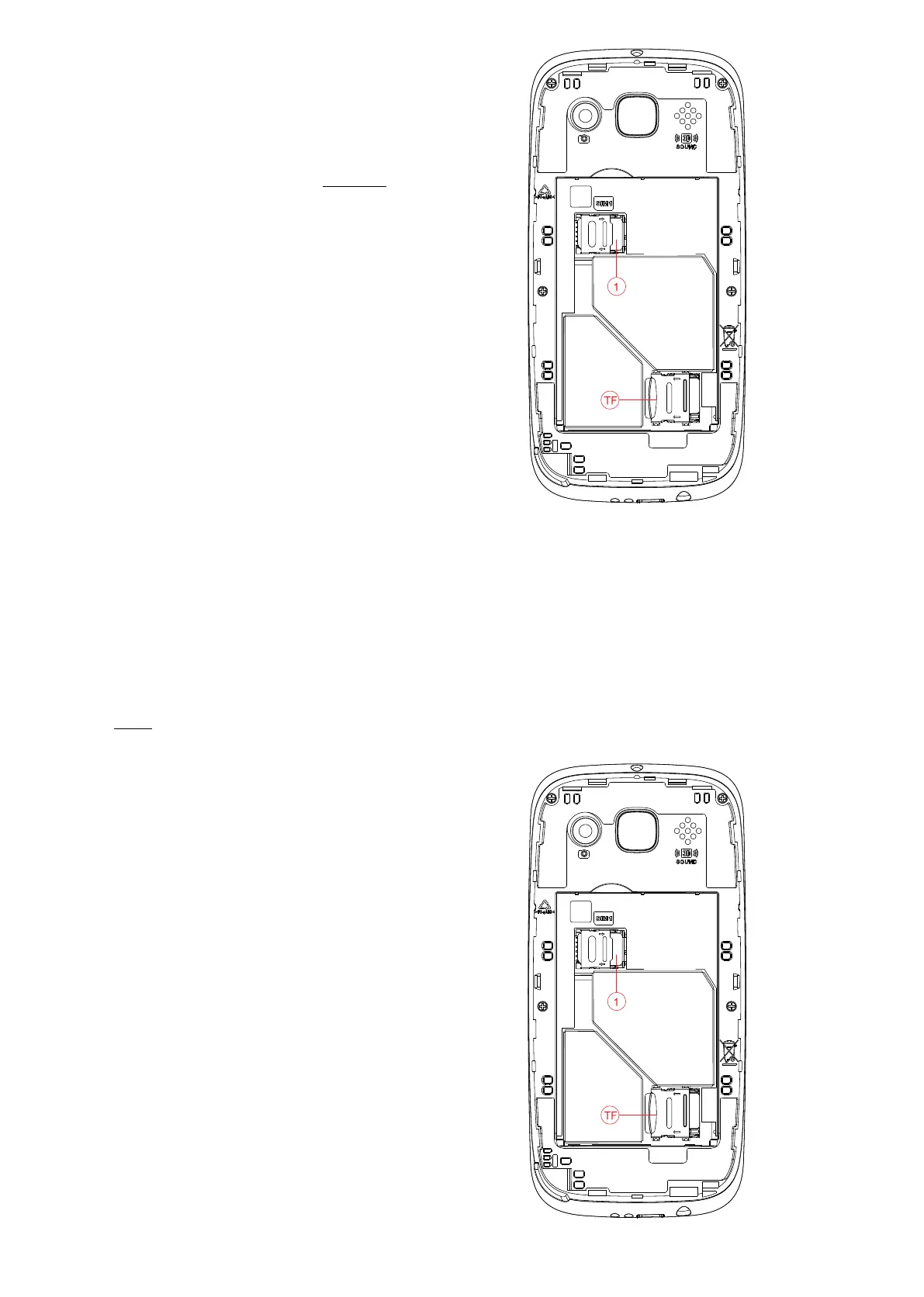
Installing T-FLASH memory card (Optional accessory not included)
The T-Flash card is used as additional phone storage. When you connect to a computer via a USB cable, you
can copy Music, Picture or Photos.
1. Li the T-FLASH card memory slot by sliding
the sliver plate to the right and liing up carefully to ensure you don’t bend or break it.
2. Insert the T-FLASH card making sure the gold
contacts are facing downwards.
3. Then push the silver cover back down and
slide to the le to lock it back into place.
3. Slide the SIM card holder to the right until
it clicks out of place, then carefully li the
SIM card holder making sure to do it gently
to ensure it doesn’t break.
Insert your nano size SIM card, ensure the
gold contacts are facing downwards and
the cornered edge is in the boom le-hand
corner. Push the SIM card holder over the SIM
card then slide it to the le until it clicks back
into place.
8














 To Next Page