10
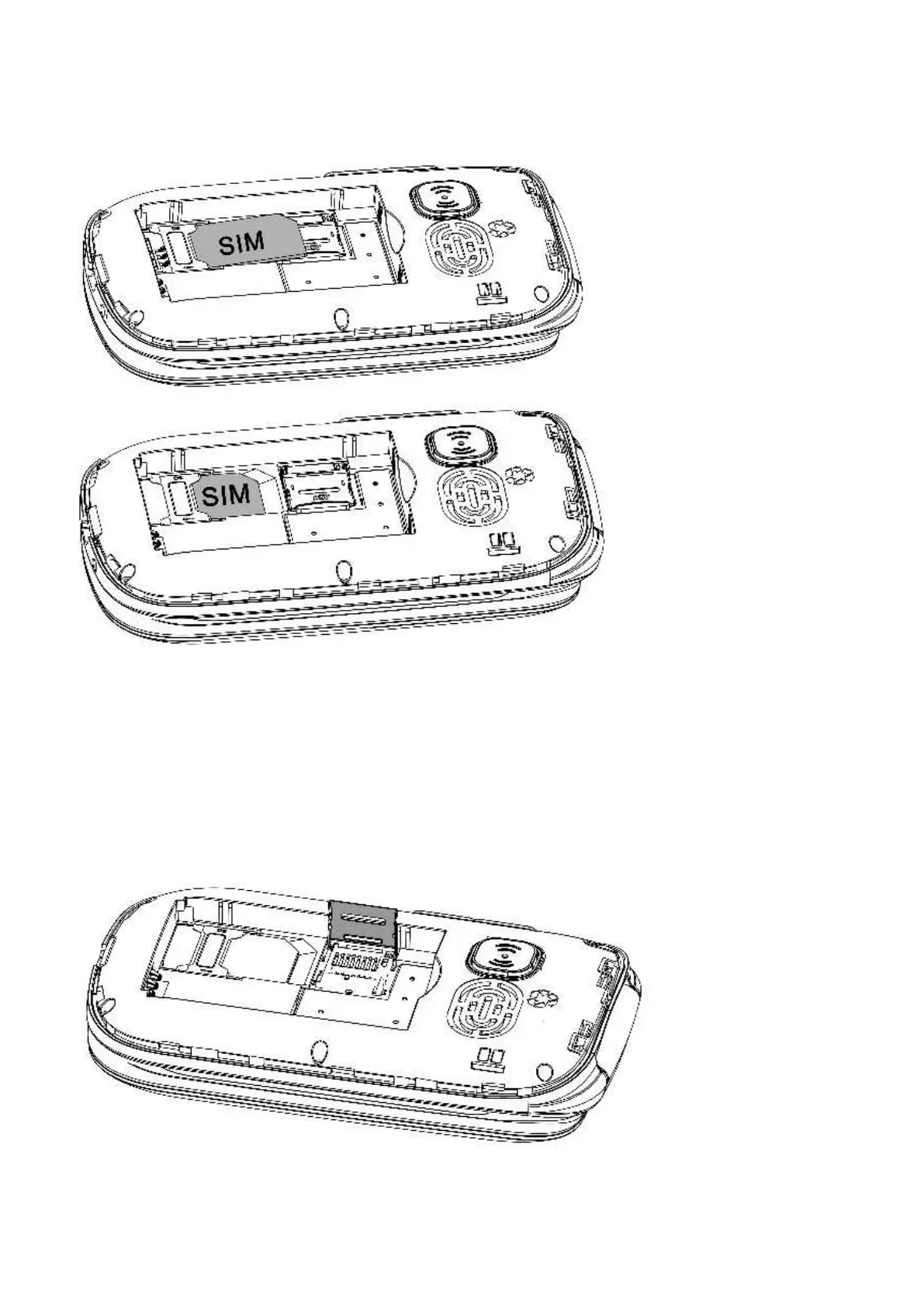
3. Insert your standard size sim card, ensure the gold contacts are facing downwards and
the cornered edge is in the top left-hand corner. Slide your sim card in place until it
doesn’t go in any further.
Installing T-FLASH memory card (Optional accessory not included)
The T-Flash card is used as additional phone storage. When you connect to a computer via a
USB cable, you can copy Music, Picture or Photos.
1. Lift the T-FLASH card memory slot by sliding the silver plate to the right and lifting up
carefully to ensure you don’t bend or break it.














 To Next Page