Introduction 17
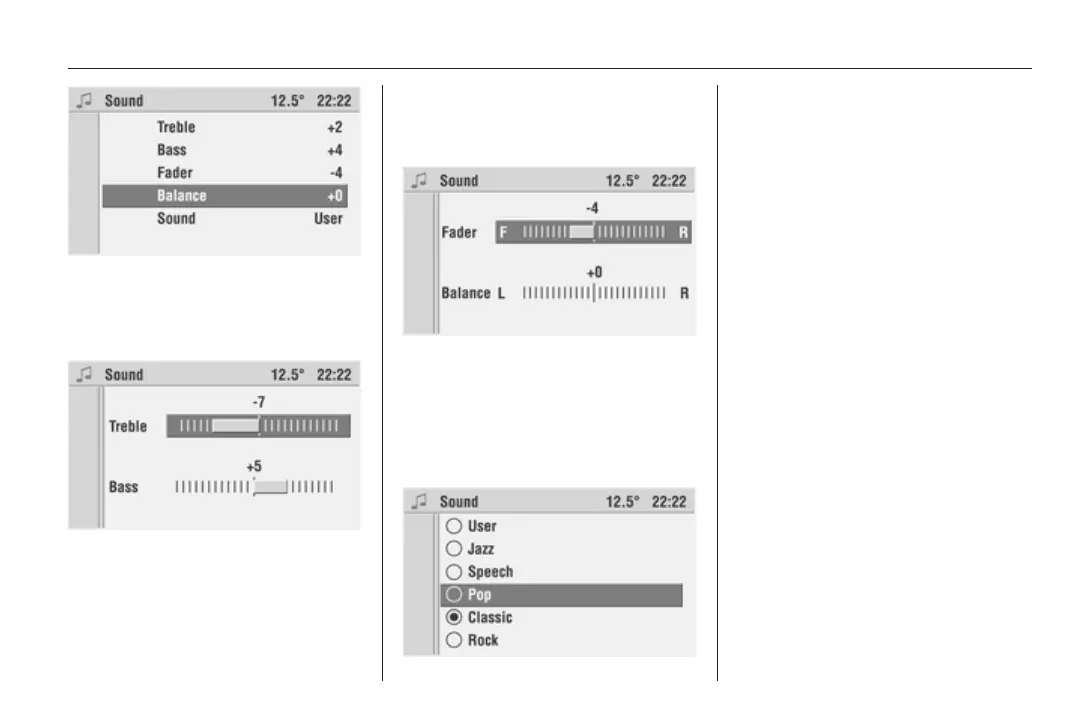
The display automatically shows the
menu items for sound settings.
Setting bass and treble
Select Bass or Treble.
Set the desired value for the option
selected and confirm by pressing the
multifunction knob.
Setting the volume distribution
between front - rear and left -
right
Select Fader or Balance.
Set the desired value for the option
selected and confirm by pressing the
multifunction knob.
Setting the sound
If you prefer a preset sound style
there are five options to select from.
Select the Sound menu item.
The list of available sound styles is
displayed.
Activate the desired sound style.
Under the User sound style you can
store your own personal settings for
treble and bass.
When you adjust treble and bass the
User sound style is automatically
selected.
Volume settings
Press the AUDIO button to recall the
Audio menu.
Press the SETTINGS button.
The audio Settings menu appears.
The submenu Volumes allows you to
customise the following volumes to
your requirements:
TA Volume:
This function allows you to set the
volume for traffic announcements.









 To Next Page