Navigation 51
Position
Shows your current vehicle position
with city, road and geographical
coordinates. With adequate GPS
reception the altitude above sea level
is also shown.
The accuracy of the altitude display
depends very much on the quality of
GPS reception.
Select the Save menu item to save
your current vehicle position in the
address book.
Destin. info
(only if navigation active)
Shows the position of the current
destination with city, road,
geographical coordinates and
remaining distance and time to travel
or arrival time.
Route list
(only if navigation active)
Shows the route with all the roads to
be used and their distances to the
current destination. (Active
navigation only.)
Tours
The Tours menu provides you with
the option of driving to a series of
various destinations one after the
other without having to input each
destination individually.
You only need to enter the individual
stations of the tour once via the
destination input or the destination
memory and store this tour under
a freely selectable name.
The tour memory can store a total of
7 tours each with a maximum of 10
stages.
With Colour Info Display
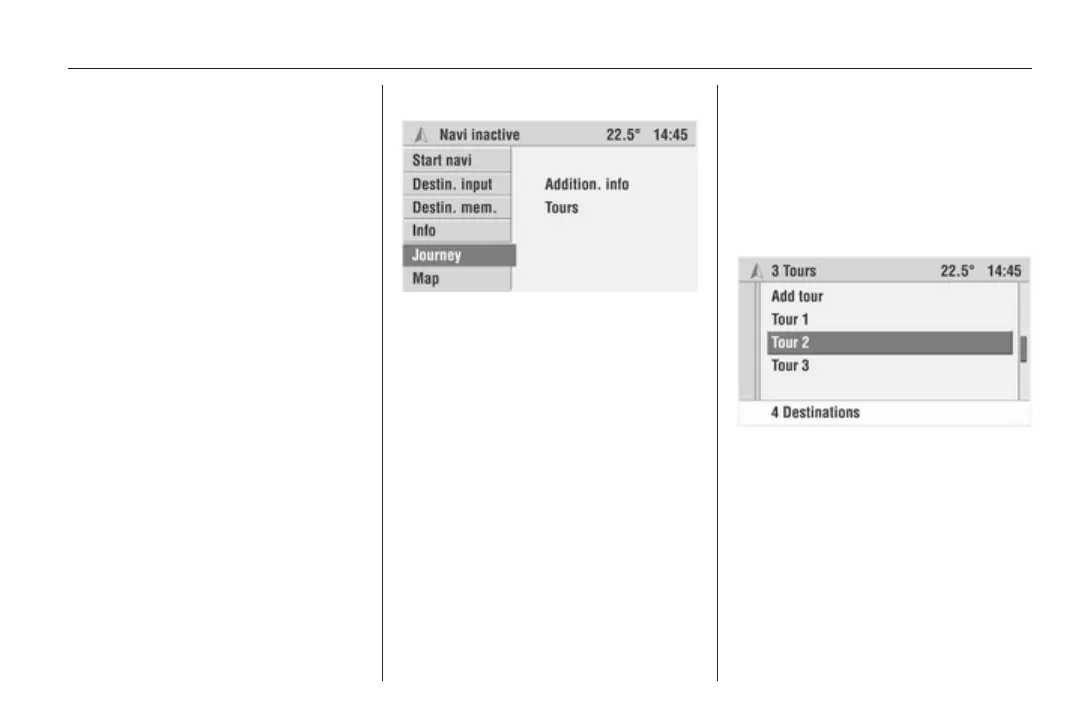
Select the Journey menu item in the
Navigation menu.
Select Tours.
With Graphic Info Display
Select the Tours menu item in the
Navigation menu.
The Tours menu is displayed.
Entering a new tour
1. Select the Add tour menu item in
the Tours menu.
The “typewriter” appears.
2. Enter a name for the new tour.
3. Select OK to save the name
entered.
A list of all tours input appears.
4. Select the desired tour.
5. Select the Edit menu item to
process the selected tour.









 To Next Page