EasyManua.ls Logo

Opel CDR 500 - Tone Control; Adjustment of the Bass; Adjustment of the Treble; Radio

Opel CDR 500
18 pages
Print Icon
To Next Page IconTo Next Page
To Previous Page IconTo Previous Page
Loading...
Tone
Gontrol
You
can
adjust
the
tone
using
the
r€traot'
able
knob
O.
You
can adjust
the basa
and
the
treble
independently
from each
other.
The
knob
retracts
into
the
neutral
position
(middle
setting).
J
Adiustment
of
the
Bass
.
Depress
the
retractable
knob
@
'
The
knob
retracts
out.
.
Turn
the
knob
(to
the
left
to reduce
th€
bass;
to
the
right
to increase
the bass).
.
Depress
the knob
to
return
it to
its retrao'
ted
position.
I
Adjustment
of the
Treble
.
Depress
the
retractable
knob
O
'
The
knob
retracts
out.
.
Pull
the
knob out
further.
.
Turn
the
knob
(to
the left
to
reduce
the
treble;
to the
right
to
increase
the
trebl€).
.
Depress
the knob
to
return
it to
its retrac'
ted
position.
Radlo
grlcat
Wavcband
I unrlng
tlte
radlo
on
will
automatically
se-
lcol
ltre
waveband
previously tuned.
A
dif-
lcrenl waveband
can
be
selected
using
the
IUMLI
@
koY.
D€prcBF
tho
[UML]
key
repeatedly
until
the
dc:lrad
waveband
l8 selected'
Dopreealng
the
key
once
from
the
VHF
waveband
(Very
Hlgh
Frequency)
will se-
laot tho
MW
waveband
(Medium Wave).
Dcpreaalng
the
key again
will
select
the
LW
wavcband
(Long
Wave).
Depressing
the
IUMLI
koy agaln
will switch
back
to
the
VHF
waveband
again.
Tho
waveband
currently
selected
is shown
on
th6 dlsplay
('U",
'U
AS",
"M',
"M AS" or
"L').
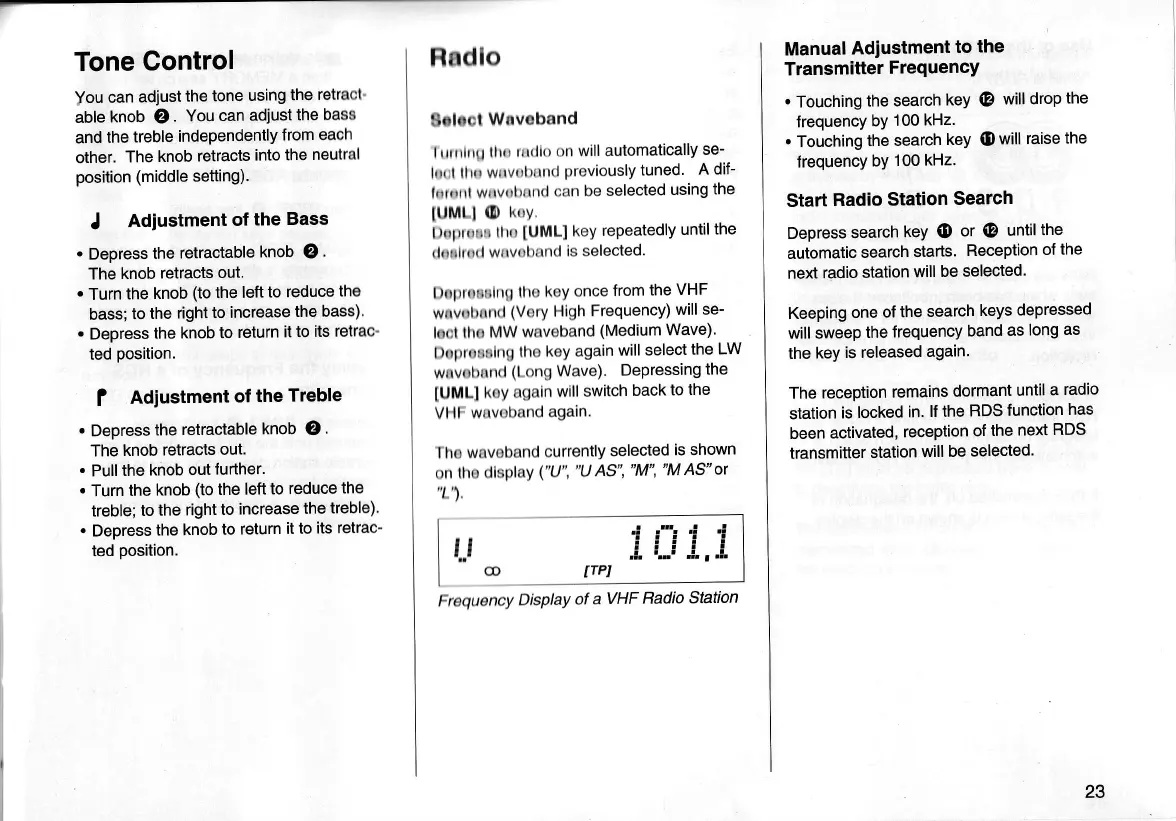
Frcquency
Display
ot
a
VHF
Radio
Station
t..l
Manual
Adiustment
to
the
Transmitter
FrequencY
.
Touching
the
search
key
@
will drop
the
frequency
by
1 00
kHz.
.
Touching
the
search
key
(D
will raise
the
frequency
bY
1
00
kHz'
Start
Radio
Station
Search
Depress
search
keY
@
or
@
until
the
automatic
search
starts.
Reception
of the
next
radio
station
will
be selected.
Keeping
one of
the
search
keys
depressed
will sweep
the
frequency
band
as
long
as
the
key
is released
again.
The reception
remains
dormant
until
a
radio
station
is locked
in.
lf the
RDS
function
has
been
activated,
reception
of
the
next
RDS
transmitter
station
will
be
selected.
23

Related product manuals