CD 600 IntelliLink, Navi 650,
Navi 950 IntelliLink
Frequently Asked Questions
September 2016
2
2. Navigation (only with Navi 950 IntelliLink and Navi 650)
Q: How can I start and cancel a navigation route guidance?
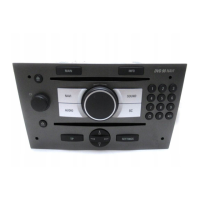
A: To start a route navigation route guidance, press the "DEST" button on the infotainment controls. You can as
well use the speech recognition. To cancel an active route guidance, press "DEST" again and then select "Cancel
Guidance".
Q: How do I select a fuel station or another point of interest for a navigation route guidance?
A: Press "DEST" on the infotainment controls and then select "Points of interest". Fuel stations can be found in the
category "Automotive".
Q: On the navigation map, how can I select a destination directly from the map?
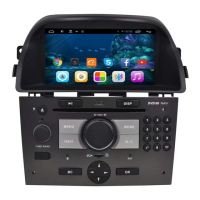
A: Operate the 8-way element of the center button on the infotainment controls to move a cursor on the navigation
map. Push the (outer ring of the) center button to select the destination at the cursor location. For the touch
screen-based Navi 950 IntelliLink of the new Zafira, tap on the navigation map, select the location and then tap on
“Start”.
Q: How can I save a destination to the address book of my infotainment system?
A: After you entered a destination, select "Save" to save this destination to the address book of your infotainment
system.
Q: While under navigation route guidance, where can I see the arrival time, travel time and distance?
A: You can change between two options: 1. arrival time and distance or 2. remaining time and distance. To change
between options, push the center button on the infotainment controls on the navigation map. Then select "Switch
Route Time/Destination".
Q: When making or receiving a call, the infotainment system changes to the phone screen. While under active route
guidance, how can I quickly go back to the navigation map without ending the call?
A: You can change back to the navigation map at any time by pressing "NAV" on the infotainment controls. During
a phone call, navigation voice prompts can still be heard.
back to list of content



 To Next Page