EasyManua.ls Logo

OpenEye OE-C6112 User Manual

OpenEye OE-C6112
63 pages
To Next Page IconTo Next Page
Page #1 background imageLoading...
Page #1 background image
Camera
OE-C6112
OE-C6112-W
OE-C7112
www.openeye.net
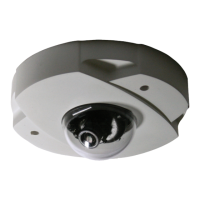
Tamper Resistant IP Mini Dome
User Manual
Accessories
CA-510G
CA-510W
CA-510C
CA-510P25
CA-510P50
CA-510PML
CA-510PMS
CA-510PA25
CA-510PA50

Table of Contents

Question and Answer IconNeed help?

Do you have a question about the OpenEye OE-C6112 and is the answer not in the manual?

OpenEye OE-C6112 Specifications

General IconGeneral
Lens2.8mm Fixed
Night Vision/IR DistanceUp to 30m (98ft)
Weather ResistanceIP67
WDRTrue WDR (120dB)
Operating Temperature-30°C to 60°C (-22°F to 140°F)
Power SupplyPoE (802.3af)
Weight500g
Power12V DC, 0.5A or PoE (802.3af)

Summary

Important Safeguards and Precautions

Warnings and Cautions

Getting Started with Your Camera

Camera Overview and Components

Camera Connections

Indoor and Outdoor Camera Network Connections

Details network connection for indoor and outdoor cameras using PoE.

Locating and Connecting Network Cameras

Device Addressing and Discovery

Setup and Configuration

Camera Connection and Initial Setup

Steps to connect to the camera and perform initial setup.

Camera Reset and User Management

Procedure to reset the camera and manage user privileges and accounts.

Video Streaming and Internet Access

Connecting Over the Internet

Viewer Software Interface

Home Tab Functions

Snapshot and Recording Operations

System Settings Management

Security and User Management

Administrator Password Change

Instructions for changing the administrator password.

User Account Management

Adding, Deleting, and Editing Users

Steps to add, delete, and edit user accounts and permissions.

Network Configuration Options

DHCP IP Address Assignment

Configuration for obtaining an IP address via DHCP.

Static IP Address Configuration

General Network Settings

Explains IP address, subnet mask, gateway, and DNS settings.

Network Services Configuration

Dynamic DNS (DDNS) Setup

Email Notification Settings

FTP Alarm Configuration

HTTP Alarm Configuration

Motion Detection Configuration

Motion Detection Zones and Sensitivity

How to define motion detection areas and set sensitivity levels.

Triggered Actions for Motion Detection

Image Uploads via FTP/Email

Configuring image uploads via FTP or email upon motion detection.

Storage Management Settings

microSD Card Management

Displays microSD card status and allows formatting.

Recording Scheduling

Continuous and Scheduled Recording Setup

How to configure continuous recording and set up recording schedules.

System Information and Logs

User Information and Privileges

Software Upgrade Process

Upgrading Camera Viewer Software

Steps to upgrade the camera viewer software on a PC.

Maintenance and System Restore

System Restore and Configuration Management

Resets camera, restarts, and manages configuration files.

Video Streaming Settings

Video Resolution Options

Video Compression Settings

Audio Settings

Camera Image Settings

White Balance Configuration

Picture Quality Adjustments

Camera Specifications

IP Specifications

Related product manuals