EasyManua.ls Logo

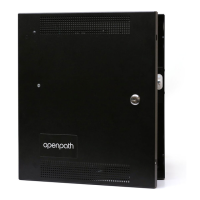
Openpath OP-SH-24V - User Manual

Openpath OP-SH-24V
36 pages
Print Icon
To Next Page IconTo Next Page
Loading...
OPENPATH
ACCESS CONTROL SYSTEM
INSTALLATION GUIDE
V1.8

Questions and Answers

  • L
    Louis CortezAug 13, 2025
    What to do if the Openpath OP-SH-24V Control Systems STATUS LED is solid red?
    • A
      Ashley PerezAug 14, 2025
      If the STATUS LED is solid red, try the following: power cycle the 4-Port/8-Port, unplug and replug the USB cable, or restart the Hardware Communicator in the Control Center.
  • M
    Mrs. Virginia CooperAug 17, 2025
    How to solve Openpath OP-SH-24V ACU provisioning issues during registration?
    • N
      Nichole WrightAug 17, 2025
      If you're experiencing ACU provisioning issues during registration, ensure your laptop is on the same network as the ACU.
  • J
    Joseph NavarroAug 21, 2025
    How to hard reset the Openpath OP-SH-24V Control Systems ACU?
    • P
      piercesarahAug 21, 2025
      To hard reset the ACU: disconnect power, hold the ADMIN BUTTON for 15 seconds, reconnect the power while continuing to hold the button for another 15 seconds.
  • M
    maureen37Aug 25, 2025
    What to do if Openpath OP-SH-24V shows 'This Site Cannot be Reached' error?
    • A
      angela15Aug 25, 2025
      If you encounter a 'This Site Cannot be Reached' error, ping the ACU using the command line.
  • W
    William FisherAug 28, 2025
    What to do if the Openpath OP-SH-24V Control Systems reader isn't receiving enough voltage?
    • M
      Maria AlvaradoAug 28, 2025
      If a reader might not be receiving enough voltage or current, possibly due to a break in wiring, try connecting the reader directly to the ACU, bypassing any wire runs.
  • C
    cindysimsSep 1, 2025
    How to fix slow connections due to legacy wiring in Openpath OP-SH-24V?
    • A
      Alexis KentSep 1, 2025
      To address slower connections and dropped packets due to legacy wiring, switch GND and VIN with +B and -A connections on the ACU and readers.
  • T
    Taylor AndersonSep 5, 2025
    How to install Bonjour for Openpath OP-SH-24V provisioning from a laptop?
    • W
      Wyatt ContrerasSep 5, 2025
      To install Bonjour software for provisioning from a laptop, download iTunes and use an archive utility to extract and install only the Bonjour MSI.
  • S
    Shannon OlsenSep 9, 2025
    What to check if Openpath OP-SH-24V Control Systems reader is powered but not communicating?
    • W
      williamsimonSep 9, 2025
      If the reader is connected to power but cannot communicate with the ACU, check to see if the +B [blue] and -A [violet] lines are swapped.

Summary

Getting Started and Preparation

Prior to Installation

Pre-installation site survey and considerations.

Installation and Wiring Procedures

Network and Power Requirements

Network setup, ports, and backup battery selection.

Mounting and Board Installation

Steps for mounting enclosures and installing internal boards.

Reader and Controller Wiring

Guides for wiring Openpath readers and controller boards.

Smart Hub and Locking Hardware Wiring

Common Smart Hub configurations and wiring for locks.

Specialized Wiring Configurations

Wiring for elevator buttons and general purpose inputs.

Legacy Panel and Wiegand Integration

Connecting to legacy panels and Wiegand devices.

Advanced Features and Troubleshooting

End-of-Line Supervision

Configuring end-of-line supervision for inputs.

Status Indicators and LEDs

Understanding ACU, Core, and Reader LED indicators.

ACU Reset Procedures

Procedures for soft and hard resets of the ACU.

Provisioning and Management

ACU Provisioning Process

Steps to register and configure the ACU with firmware.

Control Center ACU Creation

Procedures for adding ACUs via Quick Start or manual entry.

Network Settings Configuration

How to configure network settings for the ACU manually.

Safety, Regulatory, and Specifications

Regulatory Compliance

Details on UL, CAN/ULC, FCC, and IEC standards.

Safety Warnings

RF Radiation Hazard and general safety warnings.

Technical Specifications

Detailed technical specifications of Openpath hardware components.

Openpath OP-SH-24V Specifications

General IconGeneral
BrandOpenpath
ModelOP-SH-24V
CategoryControl Systems
LanguageEnglish

Related product manuals