OpenScape Desk Phone CP600 | Screen, Buttons, and Common Functions
© 1999 - 2020 RingCentral, Inc. All rights reserved. 17
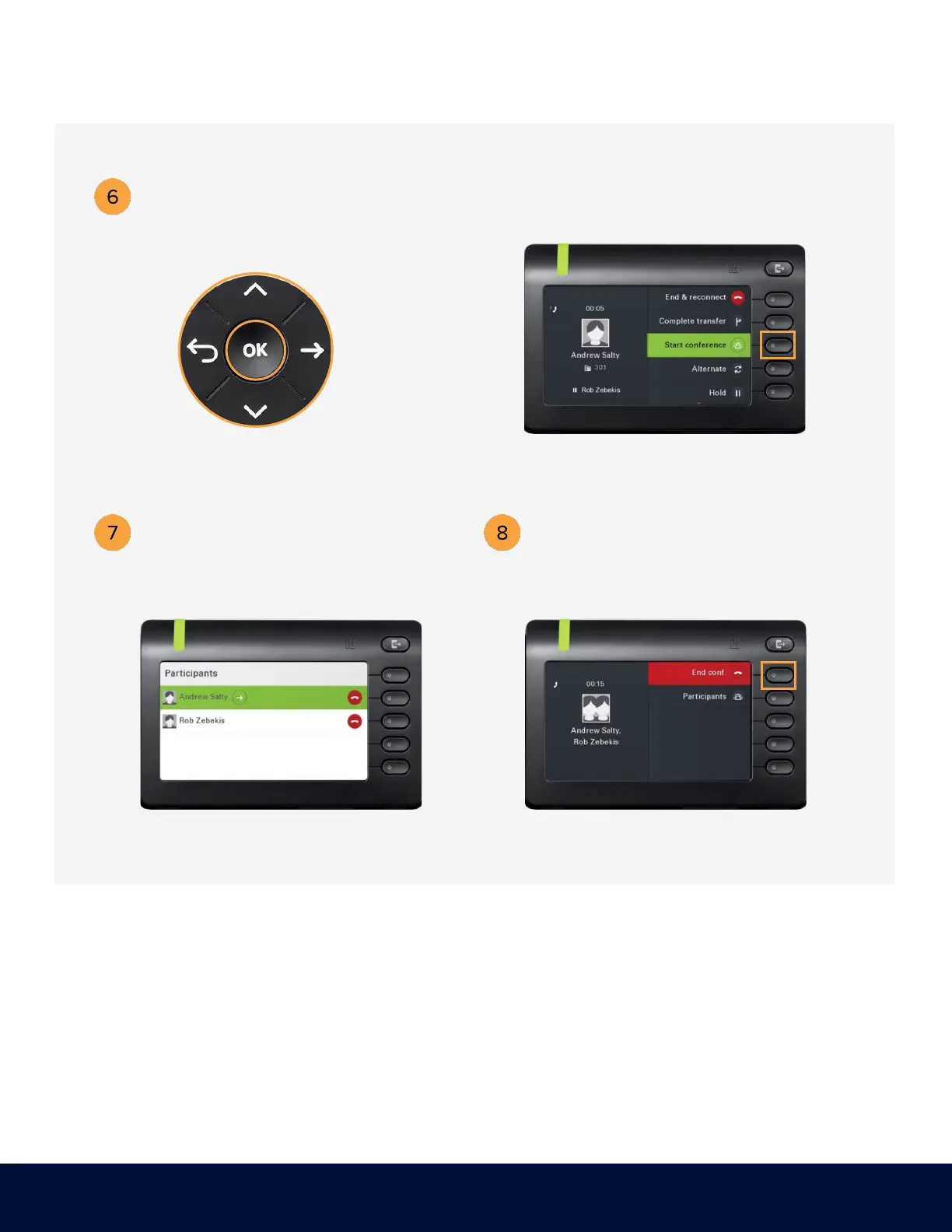
Use the Navigator to locate
Start Conference and
press OK.
Press the soft key adjacent to
Start conference.
You are now in a conference
with three participants.
Use the arrow keys to
scroll between participants.
Press the soft key adjacent to End conf. or
hook the handset to end the conference.



 To Next Page