OpenScape Desk Phone CP600 | Screen, Buttons, and Common Functions
© 1999 - 2020 RingCentral, Inc. All rights reserved. 16
CONFERENCING
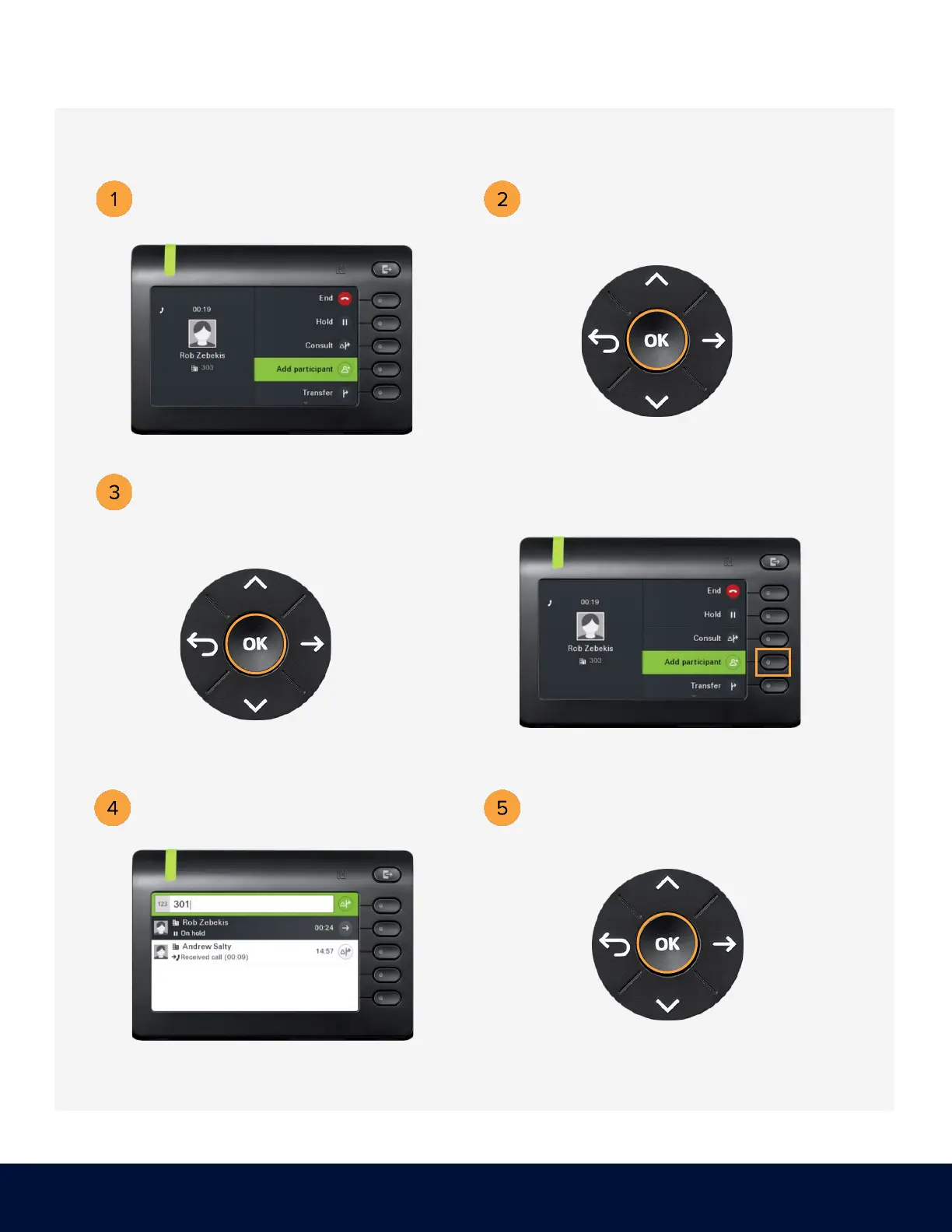
Use the Navigator to locate
Add participant and press OK.
Press the soft key adjacent to
Add Participant.
Dial the number of the second participant.
Dial the number or extension of the
first participant. Example: 303
Press OK.
Press OK on the Navigator, then
unhook the handset.



 To Next Page