OpenScape Desk Phone CP600 | Screen, Buttons, and Common Functions
© 1999 - 2020 RingCentral, Inc. All rights reserved. 6
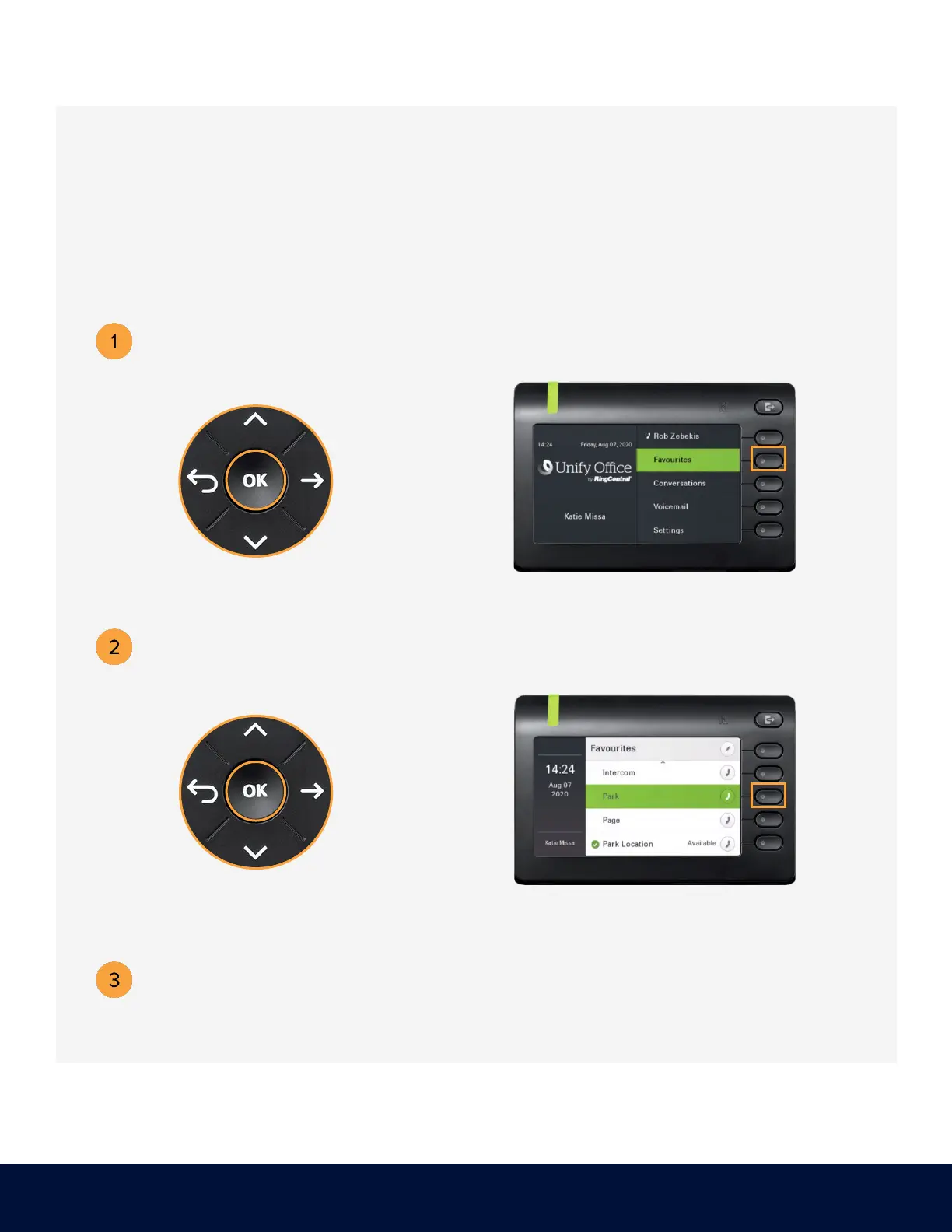
PLACING A CALL IN PUBLIC PARK
Dial ##*3 or use the Navigator to
locate Favourites and press OK.
Press the soft key adjacent
to Favourites.
Listen to the announcement to determine which extension the call was parked.
The announcement is the only way to determine which extension the call was parked.
Use the Navigator to locate
Park and press OK.
Press the soft key adjacent to Park.
Placing a call in public park puts the call on hold in a public location. The location is
accessible to any user by dialing the announced number or extension that the system
automatically assigns.



 To Next Page