User Manual
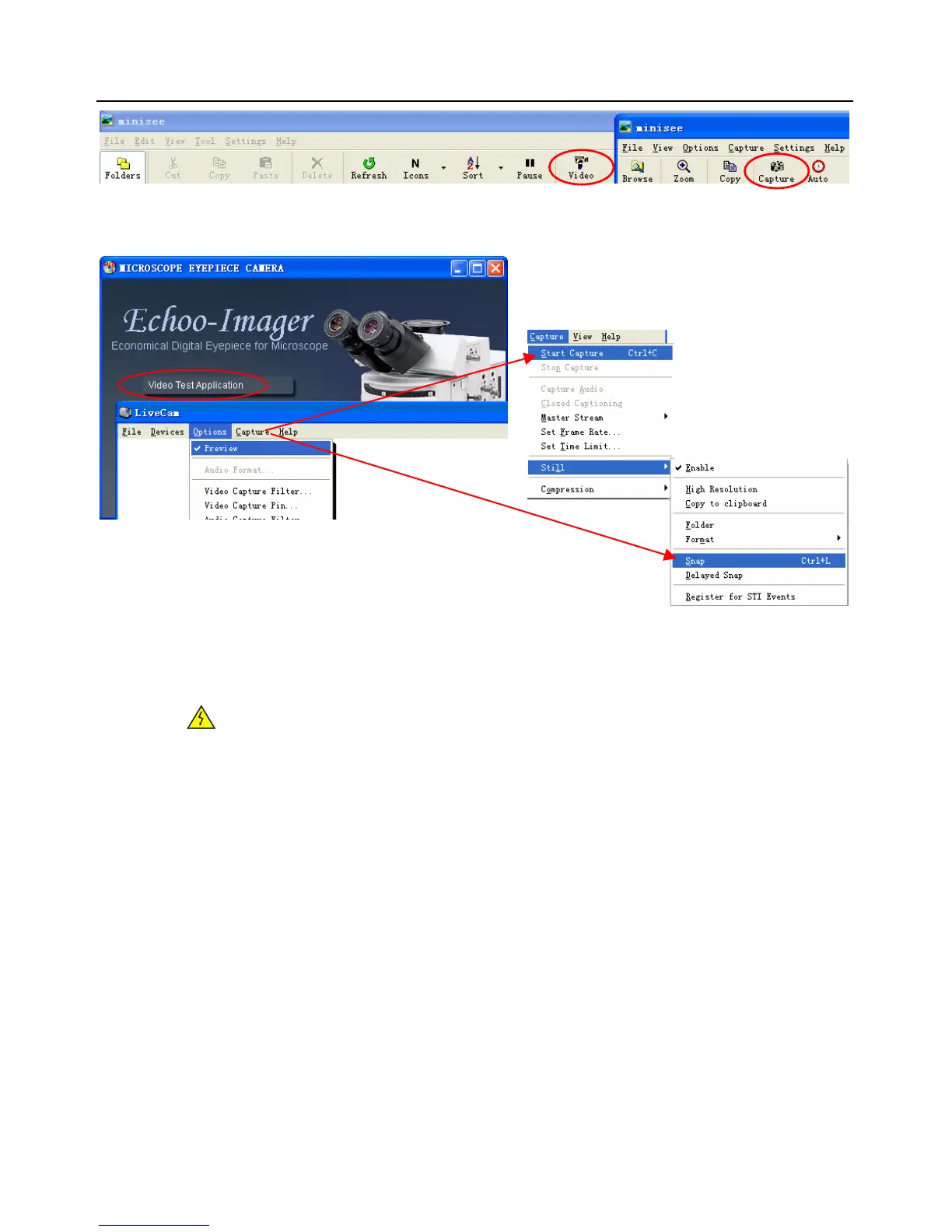
6. Capture the Video and Still images
Trouble Shooting
WARNING:
Please do not attempt to open the camera case. There are no user serviceable parts inside.
USB Device Conflicts
When there are a number of USB devices installed at the same time, unexpected errors can arise. The
cause can be insufficient available USB bandwidth, or possibly too much combined current being drawn
by USB devices. To test for these conditions you should uninstall and unplug as many other USB devices
as possible. This should help to rule out the above, and eliminate possible conflicts with other cameras.
If you are using an extended USB cable, please make sure the cable’s bandwidth is good enough to
support High-Speed USB 2.0 standard. Once the camera is not working well, please remove it.
Image Preview/Capture Problems
If you have installed camera and you get a black screen, Check the setting of camera, make sure
preview is select on



 To Next Page