EasyManua.ls Logo

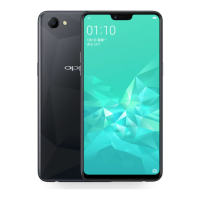
Oppo CPH1837 - User Manual

Oppo CPH1837
21 pages
Print Icon
To Next Page IconTo Next Page
Loading...
1
English
Back cover can’t be removed.
When charging, please place the device in an environment that has a normal
room temperature and good ventilation. It is recommended to charge the
device in an environment with temperature ranging from 5
°C~35°C.
Volume Key
Menu Zone
Touch-screen
Receiver
Front Camera Light &
Proximity Sensor
Power Key &
Screen Lock Key
You are provided with the following standard accessories:
1 Phone, 1 Charger, 1 Earphone, 1 USB data cable, 1 Safety Guide, 1 Quick Guide,
1 SIM Ejector Tool, 1 Protective Case.
Standard accessories
How to reboot the phone
Press and hold the Power Button and Volume Up Button at the same time until
the OPPO boot animation is displayed to reboot the
phone.
How to Transfer Old Mobile Content to a New Mobile
You can use OPPO Clone Phone quickly transfer photos, videos, music, contacts,
information, applications, etc to your new mobile phone.
1 The old Android phone scans the QR code below and installs "OPPO Clone
Phone"; the new phone directly opens the “OPPO Clone Phone".
For old iPhone, there is no need to scan codes. Please log in directly to your
iCloud account in“OPPO Clone Phone”on your new phone.
2 Follow the on-screen instructions to complete the data transfer. For more
information, visit www.coloros.com
Question and Answer IconNeed help?

Do you have a question about the Oppo CPH1837 and is the answer not in the manual?

Summary

OPPO Mobile Quick Start Guide

Phone Operation: Rebooting

Instructions on how to restart your OPPO mobile phone using button combinations.

Data Migration: Transferring Content

Steps to transfer data from an old mobile to your new OPPO phone using Clone Phone.

Important Safety Precautions

Critical warnings regarding device usage, charging, and potential hazards.

Summary

OPPO Mobile Quick Start Guide

Phone Operation: Rebooting

Instructions on how to restart your OPPO mobile phone using button combinations.

Data Migration: Transferring Content

Steps to transfer data from an old mobile to your new OPPO phone using Clone Phone.

Important Safety Precautions

Critical warnings regarding device usage, charging, and potential hazards.

Oppo CPH1837 Specifications

General IconGeneral
ModelCPH1837
SIMDual SIM (Nano-SIM, dual stand-by)
CPUOcta-core (4x2.0 GHz Cortex-A73 & 4x2.0 GHz Cortex-A53)
GPUMali-G72 MP3
Card slotmicroSDXC (dedicated slot)
WLANWi-Fi 802.11 b/g/n, Wi-Fi Direct, hotspot
GPSYes, with A-GPS, GLONASS, BDS
NFCNo
RadioFM radio
USBMicroUSB 2.0, USB On-The-Go
Display TypeIPS LCD
OSAndroid 8.1 (Oreo)
ChipsetMediaTek Helio P60
Bluetooth4.2, A2DP, LE
SensorsFingerprint (rear-mounted), accelerometer, proximity, compass
ChargingFast charging 20W, VOOC Flash Charge

Related product manuals