EasyManua.ls Logo

Oppo Reno 10 Pro 5G - User Manual

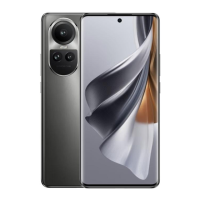
Oppo Reno 10 Pro 5G
112 pages
Print Icon
To Next Page IconTo Next Page
Loading...
OPPO Reno10 Pro 5G
User Guide
Question and Answer IconNeed help?

Do you have a question about the Oppo Reno 10 Pro 5G and is the answer not in the manual?

Summary

Introduction

About the User Guide

Provides guidance on how the user guide is structured and notates information.

Before Using This Product

Advises thorough reading of the guide and safety precautions before use.

Data Communication

Explains handset's internet connectivity and data usage, recommending flat-rate plans.

Screenshots & Key Labels

Mentions that screenshots and key labels might differ from the actual device.

Other Notations

Clarifies that "handset" refers to the product throughout the guide.

Getting Started

Parts & Functions

Details the physical components of the handset (front and back/side views).

eSIM

Explains what eSIM is and how to download and manage a service plan with it.

SIM Card

Describes SIM cards and provides instructions for handling and inserting them.

Internal Storage

Explains the use of internal storage and provides cautions for data.

Charging Battery

Details how to charge the battery using the AC charger and USB Type-C cable.

Power On;Off

Instructions on how to power the handset on and off.

Making Initial Settings

Guides through the initial setup process after powering on the device.

Setting a Google Account

Explains how to create or log in to a Google account for device setup.

Locking Screen

Describes how to set up and use screen lock features for security.

Basic Operations

Using Touchscreen

Explains how to use various touchscreen gestures like tap, touch & hold, drag, flick/swipe.

Silent Mode

Details how to enable silent mode to reduce sounds and vibrations.

Airplane Mode

Explains how to enable Airplane mode to disable wireless functions.

Text Entry

Covers keyboard usage, text entry, and layout.

Updating Software

Guides on checking and performing software updates for the handset.

Handset Interface

ColorOS

Introduces ColorOS, the Android operating system customized by OPPO.

Handset Screens

Explains the home screen layout, icons, and navigation elements.

Status Bar

Describes the status bar, its layout, and notification indicators.

Using Notifications Window

Guides on opening, closing, and managing the notifications window.

Using Control Center

Explains how to access and use the Control Center for quick settings.

Phone

Placing;Answering Calls

Details how to make and receive phone calls, including emergency calls.

Optional Services

Lists and explains optional services like Call Forwarding, Voicemail, etc.

Phone Number

Instructions on how to check your phone number on the device.

Using Contacts

Guides on saving, adding, and managing contacts.

Messaging

Sending Messages

Instructions on how to compose and send text messages.

Using Gmail

Guides on composing, sending, and managing emails using Gmail.

Internet

Using Chrome

Explains how to use the Chrome browser for searching and browsing.

Adding Bookmarks

Details how to add, edit, and delete bookmarks in Chrome.

Camera

Capturing Still Images;Videos

Instructions on taking photos and recording videos with the device's camera.

Viewing Still Images;Videos (Photos)

Guides on how to view captured photos and videos.

Application Basics

Applications

Explains how to set required permissions for applications upon first use.

Adding;Deleting Application

Guides on installing and uninstalling applications from Google Play.

Wi-Fi;Bluetooth

Connecting by Wi-Fi

Instructions on how to connect the handset to a Wi-Fi network.

Using Bluetooth Function

Guides on enabling and using the Bluetooth function for connectivity.

Handset Settings

Handset Settings

Provides an overview of various handset customization options.

Data Usage Settings

Explains how to check and manage mobile data traffic and set limits.

Display & Brightness Settings

Covers adjustments for screen brightness, display modes, and other visual settings.

Sound & Vibration Settings

Details how to configure ringtones, notification sounds, and vibration.

Password & Security

Guides on setting screen locks, PINs, and other security features.

Battery Settings

Explains how to check battery usage and optimize power saving.

Additional Settings

Covers various system settings like date, time, language, and accessibility.

Other Settings

Details settings related to Mobile Network and Connection & Sharing.

Global Services

Making Calls while Abroad

Provides instructions for making international calls and using the phone abroad.

Warranty;Specifications;Customer Service

Warranty & After-Sales Service

Details the warranty period, terms, and after-sales service procedures.

Specifications

Lists technical specifications of the handset, charger, and accessories.

Material List

Provides a breakdown of materials used in handset and accessories.

Customer Service

Offers contact information and support channels for customer service.

Safety Precautions

Safety Precautions

Explains safety labels and precautions for proper handset usage.

Personal Information and Data Security

Discusses protecting personal information and data security measures.

Technical Conformity

States compliance with technical regulations and radio law.

Intellectual Property Rights

Copyrights and Portrait Rights

Outlines restrictions on using copyrighted content and taking photos of others.

Trademarks

Lists company and product names as trademarks or registered trademarks.

Export Controls and Regulations

Export Controls and Regulations

Mentions regulations applicable to product export and re-export.

Declaration

Declaration

OPPO's policy on product development and document accuracy.

Radio Wave Exposure and Specific Absorption Rate (SAR) Information

Details SAR compliance with regulations and guidelines for radio wave exposure.

Summary

Introduction

About the User Guide

Provides guidance on how the user guide is structured and notates information.

Before Using This Product

Advises thorough reading of the guide and safety precautions before use.

Data Communication

Explains handset's internet connectivity and data usage, recommending flat-rate plans.

Screenshots & Key Labels

Mentions that screenshots and key labels might differ from the actual device.

Other Notations

Clarifies that "handset" refers to the product throughout the guide.

Getting Started

Parts & Functions

Details the physical components of the handset (front and back/side views).

eSIM

Explains what eSIM is and how to download and manage a service plan with it.

SIM Card

Describes SIM cards and provides instructions for handling and inserting them.

Internal Storage

Explains the use of internal storage and provides cautions for data.

Charging Battery

Details how to charge the battery using the AC charger and USB Type-C cable.

Power On;Off

Instructions on how to power the handset on and off.

Making Initial Settings

Guides through the initial setup process after powering on the device.

Setting a Google Account

Explains how to create or log in to a Google account for device setup.

Locking Screen

Describes how to set up and use screen lock features for security.

Basic Operations

Using Touchscreen

Explains how to use various touchscreen gestures like tap, touch & hold, drag, flick/swipe.

Silent Mode

Details how to enable silent mode to reduce sounds and vibrations.

Airplane Mode

Explains how to enable Airplane mode to disable wireless functions.

Text Entry

Covers keyboard usage, text entry, and layout.

Updating Software

Guides on checking and performing software updates for the handset.

Handset Interface

ColorOS

Introduces ColorOS, the Android operating system customized by OPPO.

Handset Screens

Explains the home screen layout, icons, and navigation elements.

Status Bar

Describes the status bar, its layout, and notification indicators.

Using Notifications Window

Guides on opening, closing, and managing the notifications window.

Using Control Center

Explains how to access and use the Control Center for quick settings.

Phone

Placing;Answering Calls

Details how to make and receive phone calls, including emergency calls.

Optional Services

Lists and explains optional services like Call Forwarding, Voicemail, etc.

Phone Number

Instructions on how to check your phone number on the device.

Using Contacts

Guides on saving, adding, and managing contacts.

Messaging

Sending Messages

Instructions on how to compose and send text messages.

Using Gmail

Guides on composing, sending, and managing emails using Gmail.

Internet

Using Chrome

Explains how to use the Chrome browser for searching and browsing.

Adding Bookmarks

Details how to add, edit, and delete bookmarks in Chrome.

Camera

Capturing Still Images;Videos

Instructions on taking photos and recording videos with the device's camera.

Viewing Still Images;Videos (Photos)

Guides on how to view captured photos and videos.

Application Basics

Applications

Explains how to set required permissions for applications upon first use.

Adding;Deleting Application

Guides on installing and uninstalling applications from Google Play.

Wi-Fi;Bluetooth

Connecting by Wi-Fi

Instructions on how to connect the handset to a Wi-Fi network.

Using Bluetooth Function

Guides on enabling and using the Bluetooth function for connectivity.

Handset Settings

Handset Settings

Provides an overview of various handset customization options.

Data Usage Settings

Explains how to check and manage mobile data traffic and set limits.

Display & Brightness Settings

Covers adjustments for screen brightness, display modes, and other visual settings.

Sound & Vibration Settings

Details how to configure ringtones, notification sounds, and vibration.

Password & Security

Guides on setting screen locks, PINs, and other security features.

Battery Settings

Explains how to check battery usage and optimize power saving.

Additional Settings

Covers various system settings like date, time, language, and accessibility.

Other Settings

Details settings related to Mobile Network and Connection & Sharing.

Global Services

Making Calls while Abroad

Provides instructions for making international calls and using the phone abroad.

Warranty;Specifications;Customer Service

Warranty & After-Sales Service

Details the warranty period, terms, and after-sales service procedures.

Specifications

Lists technical specifications of the handset, charger, and accessories.

Material List

Provides a breakdown of materials used in handset and accessories.

Customer Service

Offers contact information and support channels for customer service.

Safety Precautions

Safety Precautions

Explains safety labels and precautions for proper handset usage.

Personal Information and Data Security

Discusses protecting personal information and data security measures.

Technical Conformity

States compliance with technical regulations and radio law.

Intellectual Property Rights

Copyrights and Portrait Rights

Outlines restrictions on using copyrighted content and taking photos of others.

Trademarks

Lists company and product names as trademarks or registered trademarks.

Export Controls and Regulations

Export Controls and Regulations

Mentions regulations applicable to product export and re-export.

Declaration

Declaration

OPPO's policy on product development and document accuracy.

Radio Wave Exposure and Specific Absorption Rate (SAR) Information

Details SAR compliance with regulations and guidelines for radio wave exposure.

Oppo Reno 10 Pro 5G Specifications

General IconGeneral
Resolution2412 x 1080 pixels
RAM12GB
Storage256GB
Front Camera32 MP
Battery4600 mAh
Weight185 g
Dimensions162.3 x 74.2 x 7.9 mm
SIMDual SIM (Nano-SIM, dual stand-by)
Charging80W SUPERVOOC Flash Charge
Operating SystemColorOS 13.1
Network5G
ColorsGlossy Purple, Silvery Grey
Rear Camera50MP main + 32MP telephoto + 8MP ultra-wide

Videos

How to Hard Reset OPPO Reno 10 Pro 5G - Forgotten Password/Factory Reset

How to Take Screenshot in OPPO Reno 10 Pro 5G

How to update Oppo Reno 10 Pro 5G

How to enable Developer Options on Oppo Reno 10 Pro 5G

How to backup and restore data on Oppo Reno 10 Pro 5G

How to set alarm on Oppo Reno 10 Pro 5G

Related product manuals