EasyManua.ls Logo

Oppo HA-2 SE - User Manual

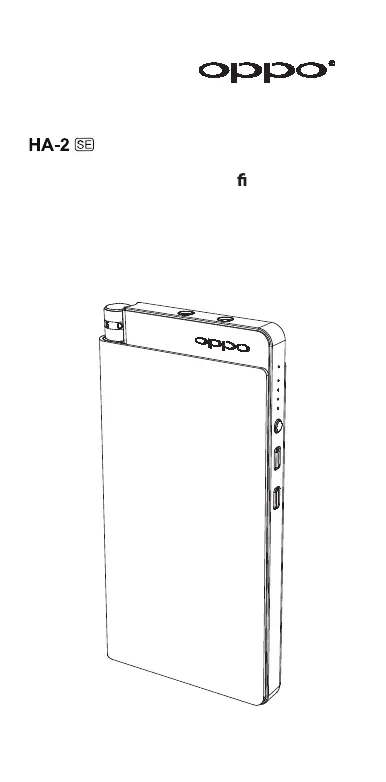
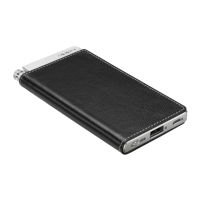
Oppo HA-2 SE
20 pages
Print Icon
To Next Page IconTo Next Page
Loading...
Portable Headphone Ampli er / USB DAC
USER
GUIDE

Questions and Answers

  • B
    Benjamin LoganJul 28, 2025
    What to do if my Oppo HA-2 SE fails to charge?
    • M
      Maria HallJul 28, 2025
      If your Oppo Amplifier isn't charging, start by checking the cable connections and reseating all cables. Ensure you're using the original VOOC rapid charger and data/charging cable supplied with the unit, as incompatible chargers or cables may prevent charging. If these steps don't resolve the issue, try resetting the device by pressing and holding the Battery Check / Power Bank button for 20 seconds until all indicator lights turn off, then release the button.
  • R
    Richard DayAug 11, 2025
    Why is there no sound from my Oppo HA-2 SE Amplifier?
    • G
      gracewalkerAug 11, 2025
      Several factors could cause a lack of sound from your Oppo Amplifier. First, ensure the unit is powered on by rotating the Power/Volume Knob. Also, check that the battery isn't completely drained, indicated by the Power Indicator not illuminating; if so, charge the unit fully. The volume might be too low, so adjust the volume on both the source device and the HA-2(SE). Verify the connection to the source device, consulting the “Source Device Connection” section for guidance. Confirm the correct Source Selector position based on the input source in use. Lastly, line-out is muted when headphones are plugged in, so unplug headphones if you intend to use line-out.

Summary

Introduction

Features

Key technical features and capabilities of the HA-2(SE).

Names and Functions of Parts

Charging and Battery Use

VOOC Rapid Charging

Procedure for fast charging using the VOOC Rapid Charger.

Charging Status

Checking Battery Level

Charging Other Devices

Source Device Connections

Computers

Connection steps for PCs and Macs via USB micro-B port, including driver info.

Listening to Music

Using Headphones

Steps for connecting and using headphones with the HA-2(SE).

Using Line-out

Steps for connecting to amplifiers or speakers via the line-out jack.

Quick Reference Chart

Gain Selection

Troubleshooting

Specifications

Oppo HA-2 SE Specifications

General IconGeneral
Output3.5mm headphone jack
Headphone Impedance16 - 300 Ohms
Battery Capacity3000 mAh
TypePortable Headphone Amplifier & DAC
DAC ChipESS Sabre ES9018K2M
InputUSB
Frequency Response20 Hz - 40 kHz
Battery LifeUp to 13 hours
Weight175g
Output Power300mW @ 16 Ohms

Related product manuals