Need help?
Do you have a question about the Oppo OPDV971H and is the answer not in the manual?
Symbol indicating dangerous voltage and warning the user.
Symbol reminding the user of important operation and maintenance instructions.
Precautions to prevent fire or electric shock, and warning against opening the enclosure.
Instructions regarding the laser system, manual reading, maintenance, laser radiation, and player placement.
Overview of DVD technology, capacity, and audio-video effects.
Comparison of DVD specifications with LD, Super VCD, VCD, CD, and CDROM.
Highlights DVD capabilities like multiple languages, angles, story plots, and aspect ratios.
Important safety precautions for operating the DVD player.
Details on new generation DV decode chip, DivX support, audio/video outputs, and compatibility.
Lists supported disc formats like DVD, Super VCD, VCD, and CD-DA with recorded content.
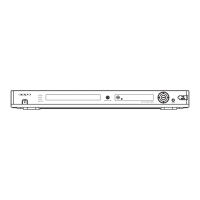
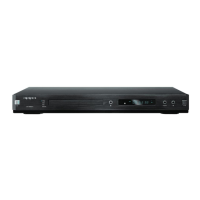
Explanation of buttons on the front panel of the DVD player.
Explanation of rear panel connections and the VFD display window.
Detailed illustration and explanation of the remote control buttons.
Instructions on battery installation and proper usage of the remote control.
Important cautions regarding handling and care of the remote control.
List of accessories provided with the DVD player.
Important safety reminder to unplug equipment before making connections.
Diagram showing how to connect the player to a digital TV using a DVI cable.
Diagrams for connecting the player to a TV using Component, S-Video, or Composite Video.
Diagram for connecting the player to an audio system with surround sound speakers.
Diagram for connecting to an amplifier with Dolby Digital decoding capabilities.
Diagram for connecting to an amplifier with DTS Digital decoding capabilities.
Diagram for connecting to an amplifier supporting 5.1 Channel audio input.
Step-by-step guide on how to insert a disc and start playback.
Instructions on setting the TV system to PAL, NTSC, or AUTO.
How to pause playback, step through frames, and resume normal playback.
How to display disc information and operation hints on the TV screen.
Using player buttons or remote to adjust volume and tone settings.
How to navigate and select options within DVD menus for playback.
Using the PBC function for Super VCD and VCD2.0 discs.
Selecting tracks directly using number buttons on the remote control.
How to choose preferred audio languages or channels for multi-language discs.
How to mute and unmute the audio output of the player.
How to use fast forward and fast reverse playback functions.
How to resume normal playback from slow playback mode.
Enabling repeat playback for titles, chapters, tracks, or the entire disc.
How to engage and use the slow playback feature.
Setting and repeating a specific section of a disc.
Selecting preferred subtitle languages for DVD playback.
Choosing different camera angles for scenes recorded on DVDs.
Customizing sound effects using sound field and equalizer settings.
Directly navigating to and playing specific titles, chapters, or times.
Methods for searching specific titles and chapters on a disc.
Searching for content by title, chapter, or disc time (Hour, Minute, Second).
How to zoom in and out on the video playback frame.
Selecting between progressive and interlacing DVI output modes.
Using the virtual keyboard for enhanced player operations and configurations.
Playing JPEG files, navigating directories, and selecting images.
Setting TV display aspect ratio, OSD language, screen saver, and light control.
Adjusting video output settings like sharpness, brightness, and contrast.
Configuring initial settings: TV type, PBC status, audio/subtitle preferences, parental controls.
Setting downmix mode, speaker size, and channel delay for audio output.
Configuring digital audio outputs (SPDIF, LPCM) and their frequencies.
Configuring virtual surround sound modes for 2CH music playback.
Adjusting Dolby Digital settings like Dual MONO and Dynamic Compression.
Fine-tuning volume levels for individual audio channels.
Tips for prolonging player life, power usage, and compatibility with discs.
Guide to diagnose and resolve issues like no sound, no picture, remote failure, and disc reading errors.
Detailed specifications of the DVD player including disc types, output, audio, power, and dimensions.
 General
| DVD Player Type | DVD Player |
|---|---|
| Progressive Scan | Yes |
| Video Upconversion | 720p/1080i |
| DAC | 192kHz/24-bit |
| Upscaling | Yes |
| Outputs | HDMI, Component, S-Video, Composite |
| Audio Outputs | Optical, Coaxial |
| Remote Control | Included |
| Supported Formats | DVD, CD, MP3, JPEG |


 To Next Page