32 ENGLISH
OPTIONAL ACCESSORIES
CCD
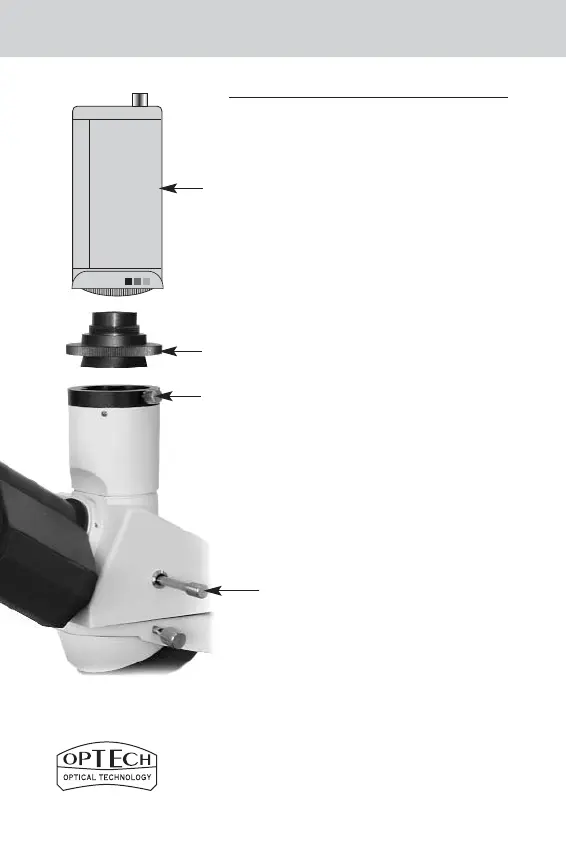
VIDEOCAMERA ADAPTER
a) Installation:
a.1) Remove the protective cover of the trinocular
head (1 - ref. fig. 1) loosening the locking screw
(5b - ref. fig. 10).
a.2) Screw the adapter to the videocamera.
a.3) Mount the video camera, complete with VS
adapter, onto the head, tightening the locking
screw (5b - ref. fig. 10).
b) Operation:
b.1) We suggest that the blue conversion filter is
used, inserting it into the microscope’s condenser
filter holder ring (20 - ref. fig. 1).
b.2) Keep the microscope illumination low to avoid a
colour saturation on the monitor.
b.3) Try to focus on the specimen as finely as possible
using the coarse/fine control knobs (11 - ref. fig. 1).
b.4) Observe the video screen.
PLEASE NOTE:
With prism slide knob (5a - ref. fig. 10) - equipped
trinocular heads, please remember to pull the slide
knob outwards before looking at the video screen.
5a
5b
10c
10d
Figure 10



 To Next Page