8.
Instruction for Use
IMPORTANT! The appliance should be switched o and disconnected
from the power supply. Never operate without filters as this can cause
damage to the shampooer.
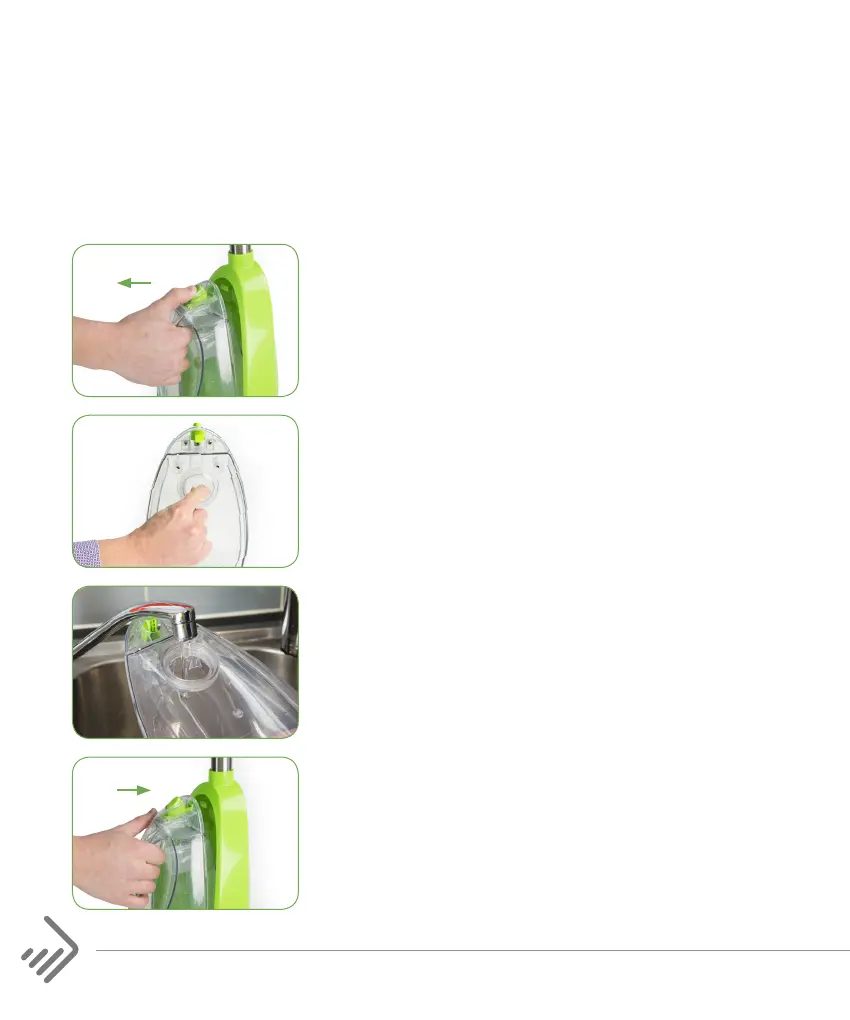
1. To remove the Clean Water Tank, hold the
handle and press the Clean Water Tank
Release Button.
2. Unscrew the measuring cap from the
reverse side of the clean water tank. Fill
measuring cap with solution (one full cap
of solution per full tank of water) and pour
into the tank.
3. Fill the remainder of the Clean Water Tank
with warm (max 40ºC) tap water. Screw
back the measuring cap.
4. Insert the Clean Water Tank into the body
of the shampooer ensuring it clicks into
place.


 To Next Page