3
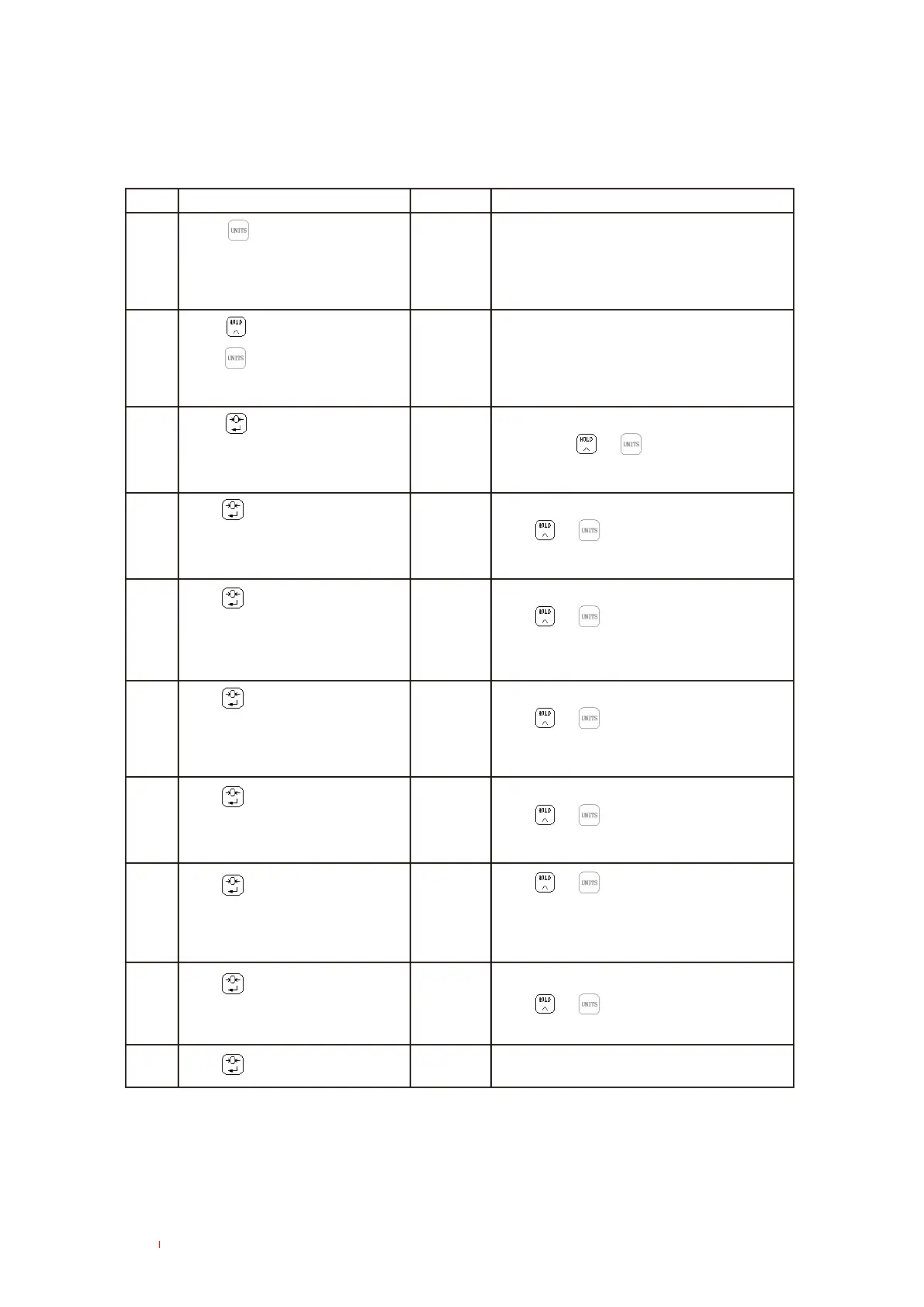
SUB-MENU SETUP INSTRUCTIONS
Press to confirm
Press
1 00000
2
*****
3
bEE 1
4
Press
Press
Press
Press
Press
HOd 1
5 Stb 0
6 Aut 0
7 CHt 0
9 YES 0
8 OFF 1
10
Step Operaon Display Remarks
Press Key to move the digit
le
Press Key to add
Press key during the
scale self-check sequence “9,....0”
to enter the sub-menu
Press
Applicable to LCD series
For LED series, please refer to the
next step
Enter the sub-menu, needed to enter password
Enter password
Enter the alarm ON/Off setup
mode. Press or key to toggle the digit.
“0” is Off, “1" is “ON"
Hold valid/invalid seng
Press or to change
“0" is invalid, 1 is valid
Zero seng
Press or to switch
“0” can zero under any condion
“1” can zero only with the steady reading
Manual /AUTO backlight setup
Press or to switch
"0" is manual, “1" is auto
System will restart automacally
Units conversion between Ib and kg
Press or to switch
“0" is Ib, “1" is kg
Press or to switch
1: Auto Power Off (aer 30 minutes when
the scale is inacve)
0: shut off the auto power off
Save or not
Press or to switch
“0" is not to save, “1" is to save



 To Next Page