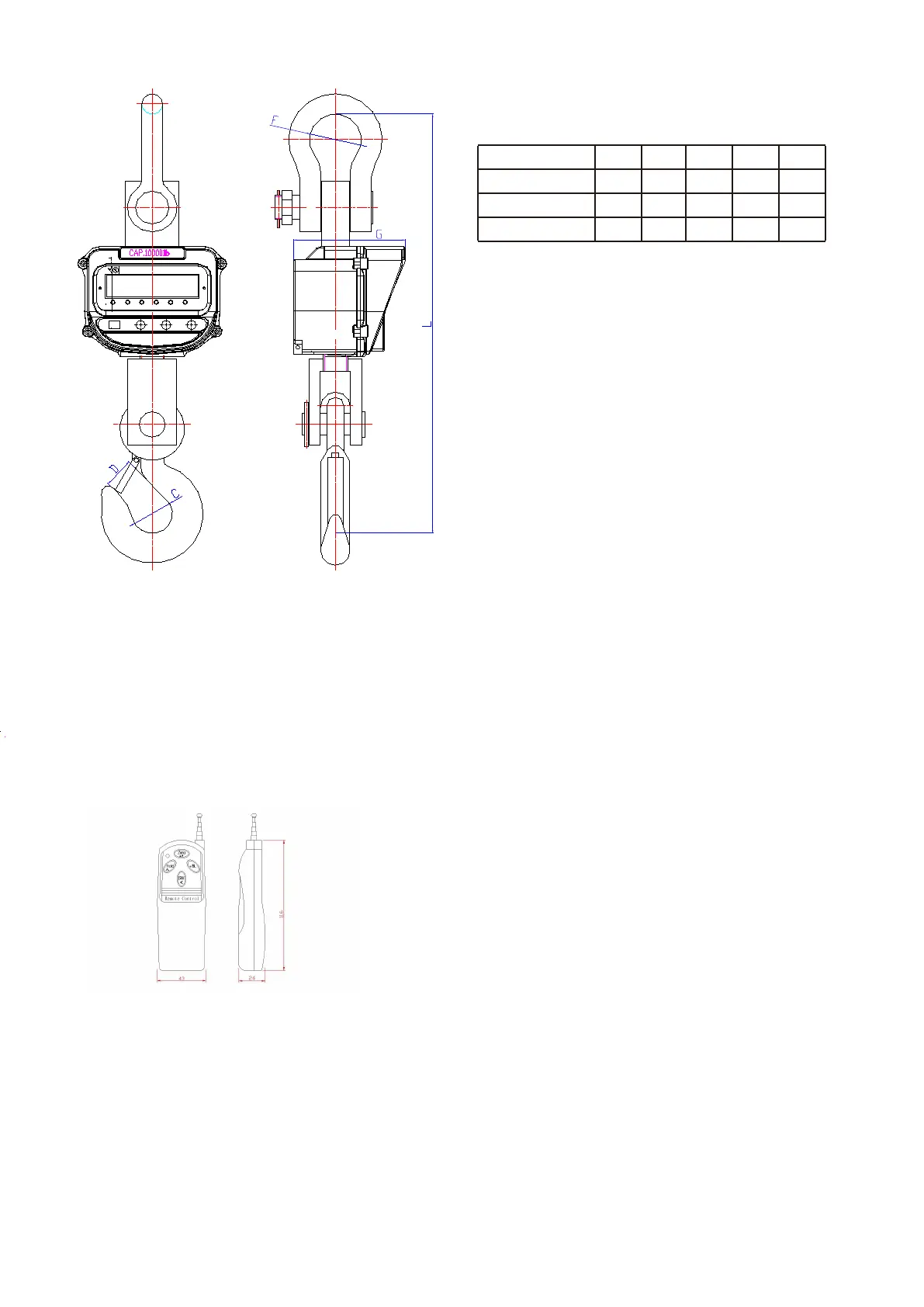
Capacity L
23.23000lb-6000lb
unit : inch
10,000lb
20,000lb
26.9
40.0
F
3.0
3.1
3.5
C
1.9
2.4
2.8
G
6.6
6.9
7.5
D
1.6
2.0
2.0
DIMENSIONS
4
REMOTE CONTROL
Fault analysis by checking the internal code
【Zero】:To zero the displaying weight.
【Hold】 : The current weight is being held.
【+/BL】 : Turn on the backlight. (Only applies when the scale has a LCD display.)
【sw】 : Change the division value between measured division and hi resoluon division.
Baery : 9V/6F 22 layer-built baery.
Note : Please extend the antenna before using the remote control.
ERROR INFORMATION
Err0: The calibraon data should not less than 4 digits. Or the data will be invalid.
Err1: The calibraon data should not exceed the data 65536.
Er2; There is incorrect password to modify the calibraon data.
Err3: The weight value at the calibraon point is too small. It should be no less than 3 valid digits.
Err4: Incorrect calibraon password. Please input the correct password.
Err5: The internal code at the calibraon point is too small. The valid internal code is from 3000 to 65536.
Fault analysis by checking the internal code
Press [Zero] to power on the scale, it will first show“Ad". Then unpress the key, it will show the internal code. If there is no
load on the scale, the internal code should be between 6000 and 8000. If the internal code is not in the range from 6000 to
8000, please send the scale back to your supplier for repair.



 To Previous Page