7
OPERATION
LOADING A CASSETTE
TAPE
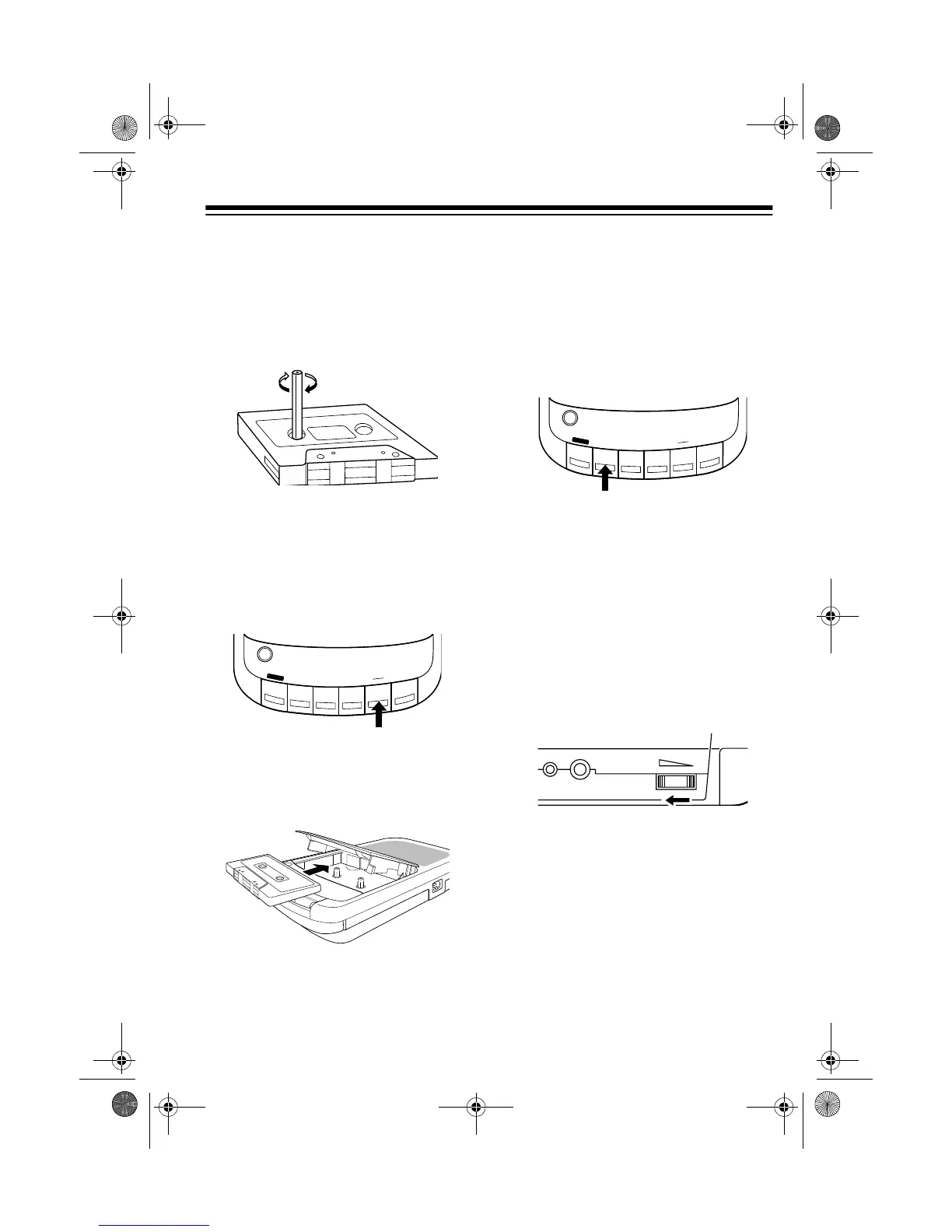
1. Take up any slack in the tape by
turning one of the cassette’s hubs
with a pencil.
Caution
: If you do not remove the
excess slack, the tape could
become tangled in the record/
playback mechanism.
2. Press
STOP/EJECT to open the
cassette compartment door.
3. Load the cassette in the slot in the
door with its open edge out, the
side you want to play facing up,
and its full reel to the left.
4. Close the door.
PLAYING A CASSETTE
TAPE
1. Load the cassette tape.
2. Press
PLAY. The cassette plays
until it reaches the end of the side,
then it automatically stops.
Notes:
•Press
PAU SE to temporarily
stop playback. Press
PAUSE
again to resume playback.
• To rapidly wind the tape forward
or backward, press
STOP/
EJECT
, then FAST-F or REWIND.
Press
PLAY to resume play-
back.
3. Adjust
VOLUME as desired.
4. Press
STOP/EJECT to completely
stop playback before it automati-
cally stops. Press
STOP/EJECT
again to open the cassette com-
partment and remove the cassette
tape.
MIC
PLAY
REWIND
FAST-F
PAUSE
RECORD
STOP
EJECT
MIC
PLAY
REWIND
FAST-F
PAUSE
RECORD
STOP
EJECT
REM
MIC
VOLUME
14-1115.fm Page 7 Friday, January 8, 1999 10:31 AM



 To Next Page