13
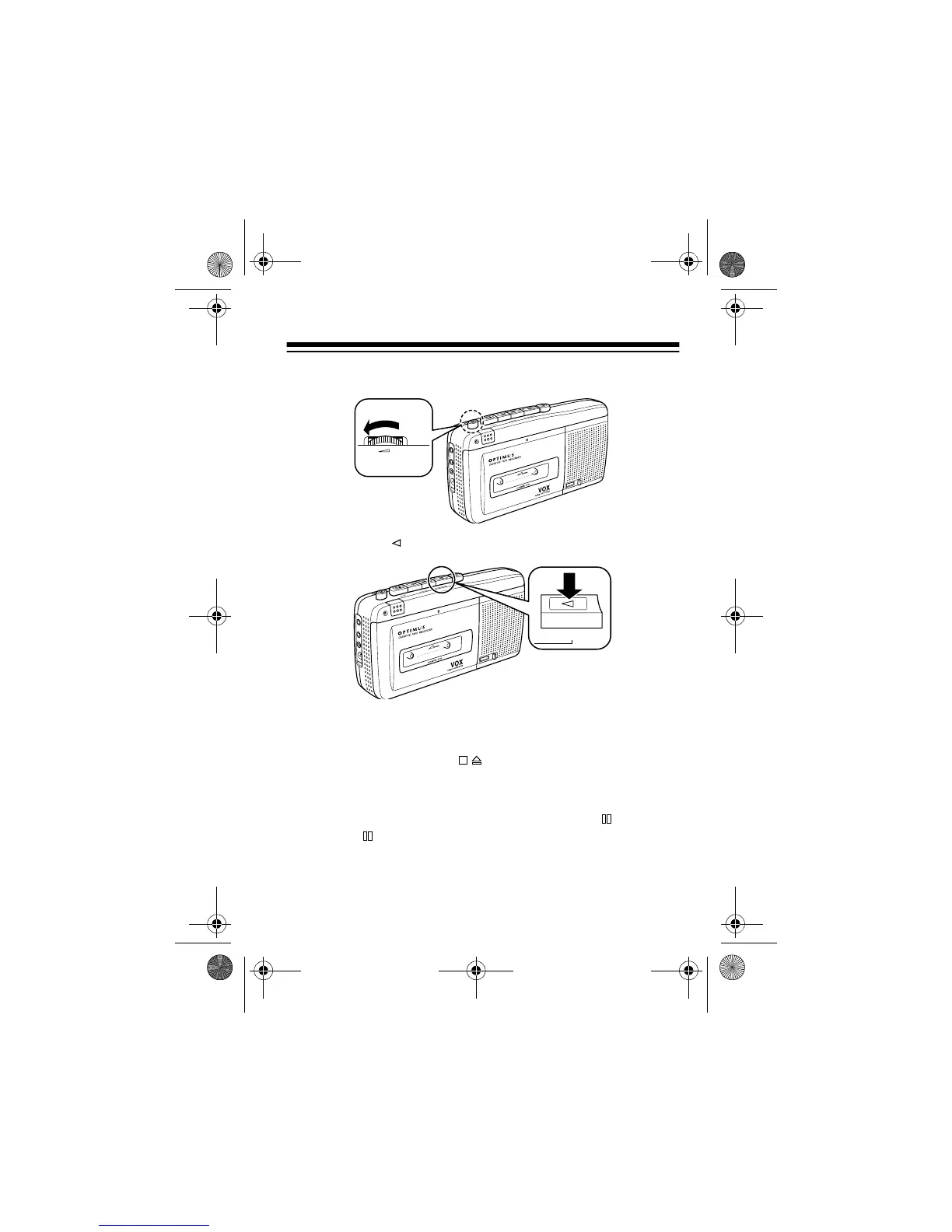
4. Rotate
VOLUME
to its lowest setting (
MIN
).
5. Press
PLAY
. The tape begins to play.
6. Adjust
VOLUME
to the desired listening level.
7. The CTR-116 automatically stops at the end of the tape.
Or, press
STOP/EJECT
to stop play sooner.
Notes:
• To momentarily stop play, press
PAUSE
. Release
PAUSE
to resume playing. To conserve battery power,
M
IC
R
E
C
/
B
A
T
T
P
A
U
S
E
S
T
O
P
E
J
E
C
T
F
A
S
T
-
F
C
U
E
R
E
W
I
N
D
R
E
V
I
E
W
P
L
A
Y
REC
OR
D
EARPH
M
I
C
R
E
M
O
T
D
C
6
MIN MAX
VOLUME
M
I
C
R
E
C
/B
A
T
T
P
A
U
S
E
S
T
O
P
E
J
E
C
T
F
A
S
T
-F
C
U
E
REW
IND
REVIEW
P
L
A
Y
R
E
C
O
R
D
E
A
R
P
H
M
IC
RE
M
O
T
D
C 6
PLAY
14-1122.fm Page 13 Wednesday, May 17, 2000 9:55 AM



 To Next Page