Applications
Optimus
About your Tracker
TRACKER2.0
3 Inches
Backpacks or Luggage
Inside Cars
Under cars with Optimus Magnetics Case
play
• To turn On, use the top button, press down hard for 3 seconds
until the lights start to flash. The tracker will also turn on auto-
matically when you connect the battery charger.
• To turn Off, use the top button, press down hard for 3 seconds
until you feel the vibrator and let go. The tracker may take up to 1
minute to fully turn off.
• SOS Button: Press and hold the SOS button until the unit vi-
brates to send an alert to any email address or cellphone you set.
Configure alert recipients in the tracking website.
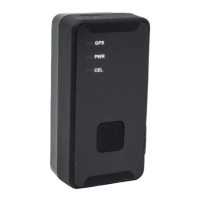
GPS: Flashing: Searching for GPS signal
Solid for 5 seconds: GPS fix successful
PWR: Flashing: Battery is low, or Battery is Charging.
Solid: Charging is complete.
CEL: Flash 3 times/sec. Searching for cellphone signal.
Flash 1 time/sec. Connected to cellphone signal.
SOS Button
Product Weight & Dimensions
3.36 ounces 1 x 1.5 x 3 inches
Power button
GPS
CEL
App Store
Optimus GPS Tracking
sales@optimustracker.com
support@optimustracker.com
Tel: (832) 699-0318

 Need help?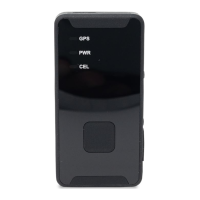

 To Next Page
 General