EasyManua.ls Logo

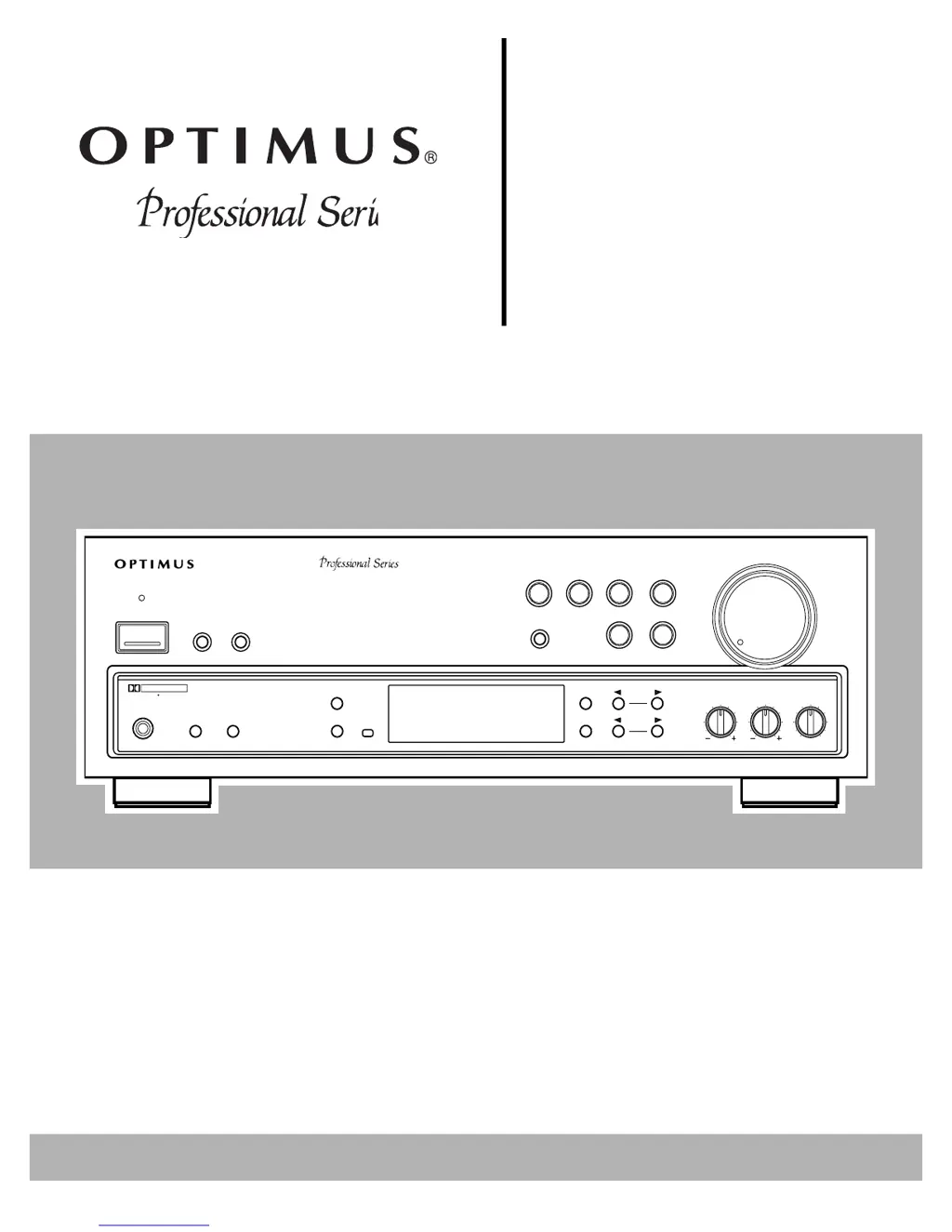
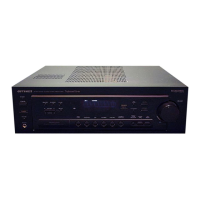
Optimus STAV-3670 - User Manual

Optimus STAV-3670
32 pages
Print Icon
To Next Page IconTo Next Page
Loading...
STAV-3670
Cat. No.
31-3041
Owner’s Manual
Please read before using this equipment.
Audio/Video
VOLUME
MIN MAX
BALANCE
L
R
TREBLE
BASS
STATION
TUNING
CLASS
FM/AM
FM MONO
MEMORY
SPEAKERS
AB
PHONES
POWER
CD
LD/DVD
TUNER
PHONO
OSR
SFC
MODE
DOLBY
PRO LOGIC
4-CHANNEL
EQUAL POWER
OUTPUT
DOLBY SURROUND
P R O L O G I C
STAV-3670 AUDIO/VIDEO RECEIVER
STAND BY
SUPER
BASS
TAPE 2
MONITOR
TAPE 1
VCR
Receiver

Questions and Answers

  • J
    Jerry WarnerAug 12, 2025
    What to do if my Optimus STAV-3670 Receiver has no sound?
    • D
      Donna EsparzaAug 12, 2025
      If your Optimus Receiver produces no sound, ensure all connections are correct and secure. Check that the mute function is not activated by pressing the MUTING button. Increase the volume. Verify speaker wires are properly connected and that either SPEAKERS A or B is selected. Also, ensure the TAPE 2 function is disengaged by pressing the TAPE 2 button until it clears from the display.
  • B
    brendakingAug 15, 2025
    Why does my Optimus Receiver have a high noise level?
    • A
      Andrea EstradaAug 15, 2025
      If you're experiencing a high noise level with your Optimus Receiver, try these steps: First, tune to a stronger station. Second, connect the antenna properly. For FM antennas, stretch both ends taut and reposition it. For AM antennas, adjust the AM loop antenna. If the noise persists, it might be coming from another electrical appliance; consider using an AC line noise filter.
  • M
    melissa19Aug 20, 2025
    How to fix an Optimus STAV-3670 Receiver that does not turn on?
    • A
      Anne JohnsonAug 20, 2025
      If your Optimus Receiver doesn't turn on, make sure the power cord is securely plugged in. If it is, and the receiver still doesn't power on, the protection circuit might be activated. Unplug the power cord, wait a few seconds, and then plug it back in to reset the circuit.
  • J
    Jennifer BarnesAug 23, 2025
    What to do if Optimus STAV-3670 Receiver does not respond to button presses?
    • J
      Jennifer DurhamAug 23, 2025
      If your Optimus Receiver is not responding to button presses, it might be due to static discharge. Unplug the power cord, then plug it back in again. If static electricity is a recurring issue, try to use the remote control as much as possible.
  • K
    kristin79Aug 27, 2025
    What to do if there is no picture when selecting a video source on my Optimus STAV-3670?
    • R
      Rebecca RogersAug 27, 2025
      If you're not getting a picture when you select a video source on your Optimus Receiver, first ensure that the selected video source is correctly set up. Then, double-check all the video connections to make sure they are properly connected.
  • R
    Ryan RiggsAug 31, 2025
    Why doesn't automatic tuning stop on my Optimus STAV-3670 Receiver?
    • K
      Kevin MartinAug 31, 2025
      The automatic tuning on your Optimus Receiver might not stop when searching for FM stations because the stations are too weak. Try using a better antenna to improve signal reception.
  • D
    Dustin CampbellSep 4, 2025
    Why doesn't my Optimus STAV-3670 Receiver remote control the cassette deck or CD player?
    • A
      Angela SparksSep 4, 2025
      The remote might not control the cassette deck or CD player because the cassette deck or CD player is not compatible. This feature only works with Optimus Professional Series components. Also, check if the control cable and audio cables are properly connected.
  • J
    Joshua DavisSep 7, 2025
    Why can't I make copies of video tapes with my Optimus STAV-3670 Receiver?
    • J
      Jane SchwartzSep 8, 2025
      You cannot make a good copy because tapes are protected by a copy protection method. Also, check and correct the video connections.

Summary

Introducing the Optimus STAV-3670

Dolby Surround Sound Options

Covers Pro Logic, 3CH Logic, Studio Effect, and Simulated Surround sound modes.

Tuner Features

Includes Digital-Synthesized Tuner, 30 Memory Locations, and Automatic Tuning.

Audio Enhancement Features

Covers Super Bass for enhanced bass and Tape Monitoring.

System Features

Highlights Built-In Protection Circuits and Remote Control capabilities.

Important Notes

Includes space for serial number and a note for cable TV installers.

Important Safety Instructions

General Usage and Handling Warnings

Covers warnings on cleaning, water, power sources, cords, and overloading.

Servicing and Component Safety

Advises on servicing, replacement parts, safety checks, and heat precautions.

Electrical and Environmental Hazards

Details risks of electric shock, moisture, power lines, and antenna grounding.

Preparing Your Receiver

Positioning Speakers

Guidelines for optimal speaker placement for sound quality.

Preparing Your Receiver

Connecting Speakers

Steps and guidelines for connecting speaker wires to terminals.

Preparing Your Receiver

Connecting the A and B Speakers

Detailed instructions for wiring front speakers A and B terminals.

Preparing Your Receiver

Connecting Surround-Sound and Center Speakers

How to connect rear surround and center speakers.

Connecting a Subwoofer Amplifier

Steps for connecting a subwoofer for enhanced bass response.

Preparing Your Receiver

Connecting Program Sources

Overview of connecting external audio/video devices.

Connecting a Turntable

Instructions for connecting a turntable to the PHONO input.

Connecting a CD Player

Instructions for connecting a CD player to the CD input.

Connecting Cassette Decks

Instructions for connecting cassette decks to VCR/TAPE and TAPE 2.

Preparing Your Receiver

Connecting Video Sources

How to connect VCRs, LD/DVD players, and record video.

Connecting a Video Monitor

How to connect a TV or monitor for output viewing.

Preparing Your Receiver

Connecting the Antennas

Instructions for connecting AM loop and FM antennas.

Preparing Your Receiver

Connecting Outdoor FM Antenna

Steps for connecting an outdoor FM antenna using coaxial cable.

Preparing Your Receiver

Using One Remote Control

How to control multiple Optimus components with one remote.

Installing Remote Control Batteries

Guide for inserting batteries into the remote control.

Preparing Your Receiver

Using the AC Power Outlet

Details on the receiver's switched AC outlet for peripherals.

Connecting to AC Power

Steps for plugging the receiver's power cord into an AC outlet.

Basic Operation

Powering the Receiver

Steps to turn the receiver on and off and wait for sound.

Speaker Selection

How to activate speaker outputs (A or B) for listening.

Selecting Program Sources

Choosing audio/video inputs like PHONO, TUNER, CD, etc.

Adjusting Volume and Tone

Using volume, bass, treble, and super bass controls.

Adjusting Balance

Setting the left/right speaker sound balance.

Basic Operation

Tuning the Radio

Methods for manual, automatic, and memory tuning of radio stations.

Using FM MONO

How to select monaural reception for weak FM signals.

Basic Operation

BALANCE Control

Fine-tuning the left/right speaker sound balance.

Muting the Receiver

Temporarily silencing the audio output.

Using Headphones

Connecting and using headphones, silencing speakers.

Listening Safely

Precautions for headphone use to protect hearing.

Cassette Deck;VCR Features

Using VCR;TAPE 1 and TAPE 2 MONITOR

Controls for tape deck playback and monitoring.

Recording an Audio Source

How to send audio signals from sources to tape decks.

Dubbing a Cassette Tape

Process for copying tapes between decks.

Cassette Deck;VCR Features

Playing and Recording Video Tapes

Instructions for VCR playback and copying video tapes.

Using Advanced Sound Options

Dolby Pro Logic Surround

Detailed explanation of Pro Logic surround sound.

Dolby 3 CH Logic

Explanation of 3CH Logic for a wider sound field.

Studio Effect

How to achieve studio ambiance.

Simulated Surround

How to create surround sound from mono sources.

Using Advanced Sound Options

Sound Mode Adjustments

Remote control settings for sound modes like center, test tone.

Center Mode Settings

Adjusting center channel for different speaker setups.

Test Tone Feature

Using test tones to balance speaker levels.

Level Adjustments

Setting center and rear speaker levels.

Delay Time Settings

Adjusting rear speaker delay for surround effect.

Using the Remote Control

AUDIO-SURROUND Switch

How to set the receiver/surround switch for different functions.

Receiver;Amplifier Buttons

Explanation of remote control buttons for receiver operation.

Using the Remote Control

CD Player Operation

Remote control functions for CD playback.

Tape Operation

Remote control functions for cassette decks.

Troubleshooting

Common Problems and Solutions

Table of common issues, causes, and suggested solutions.

Returning Controls to Factory Defaults

How to reset receiver settings to their factory defaults.

Care and Maintenance

General Care Tips

Advice on keeping the receiver dry, clean, and in normal temperature.

Battery Care

Recommendations for using and replacing remote control batteries.

Warranty and Modifications

Warning about internal tampering and its effect on warranty.

The FCC Wants You to Know

Radio and TV Interference

Explains how to identify and fix potential radio or TV interference.

Specifications

Amplifier Specifications

Technical details for the amplifier section, including power output.

Specifications

FM and AM Tuner Specifications

Technical details for the FM and AM tuner sections.

General Specifications

Includes power requirements, consumption, dimensions, and weight.

Limited Two-Year Warranty

Warranty Coverage and Limitations

Details of the product's warranty terms and exclusions.

Warranty Service Procedures

Instructions on how to obtain warranty service.

Optimus STAV-3670 Specifications

General IconGeneral
Frequency response20 Hz to 20 kHz
Tuning rangeFM: 87.5-108 MHz, AM: 530-1710 kHz
Power output100 watts per channel
Input sensitivity200 mV
OutputHeadphone out
Video ConnectionsComposite video input/output
Speaker load impedance8 ohms

Related product manuals