EasyManua.ls Logo

Optimus STAV-3770 - User Manual

Optimus STAV-3770
32 pages
Print Icon
To Next Page IconTo Next Page
Loading...
STAV-3770
Cat. No.
31-3042
Owner’s Manual
Please read before using this equipment.
Audio/Video
Receiver
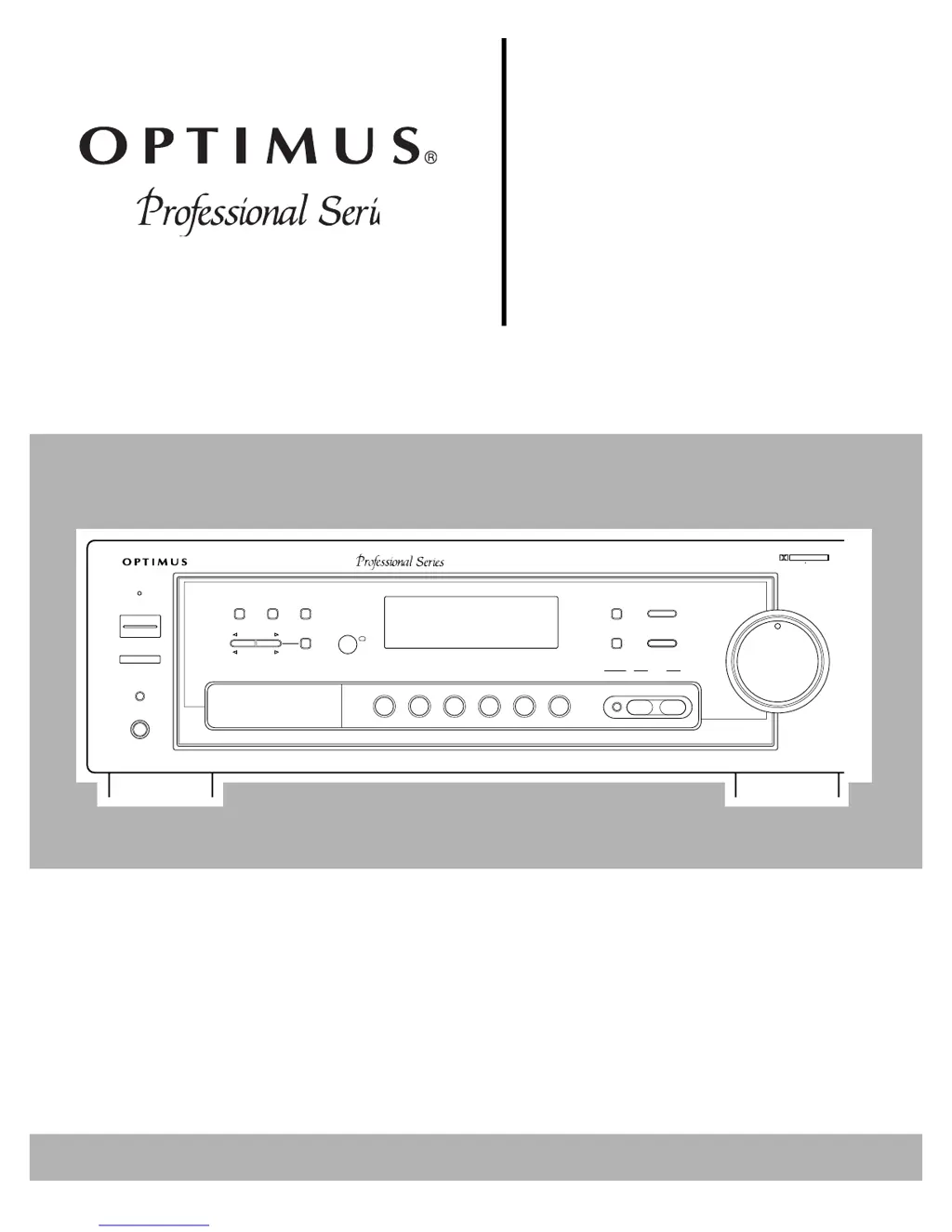
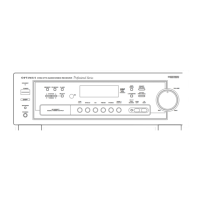
STAV-3770 AUDIO/VIDEO RECEIVER
STANDBY
POWER
SPEAKER
PHONES
MEMORY FM MONO CLASS
STATION
TUNING
SELECT
DSP
MODE
DOLBY
VIRTUAL
DOLBY
PRO LOGIC
LOUDNESS
SELECT
TONE DOWN UP
BALANCE LEFT RIGHT
VOLUME
MIN
MAX
TAPE 2
MONITOR
PHONOFM/AMCDDVD/LD
VCR
TAPE 1
4X100WATT
EQUAL POWER OUTPUT
DSP
OSR
DSP
DIGITAL
SIGNAL
PROCESSOR
DOLBY SURROUND
PRO LOGIC

Questions and Answers

  • R
    Robert CastroAug 15, 2025
    Why is there no sound coming from my Optimus STAV-3770 Receiver?
    • J
      Jeffrey PerryAug 15, 2025
      If your Optimus Receiver is producing no sound, there could be several reasons: * Incorrect connections: Check all your connections to ensure they are properly set up. * Mute function: Make sure the mute function is not activated by pressing the MUTING button. * Volume level: Increase the volume. * Speaker wires: Ensure the speaker wires are securely connected. * Speakers turned off: Press the SPEAKER button, so SP A appears on the display. * TAPE 2 function: Deactivate the TAPE 2 function by pressing the TAPE 2 button, so TAPE 2 clears from the display.
  • S
    sarah10Aug 18, 2025
    How to fix Optimus STAV-3770 Receiver remote control that is not working?
    • M
      misty65Aug 18, 2025
      If your Optimus Receiver remote control isn't working, it might be due to the following reasons: * The remote is set to control another device: Press the CONTROL MODE button for the device you want to control (CD, TAPE, or TUNER). * Weak batteries: Replace the batteries in the remote.
  • H
    Holly PalmerAug 21, 2025
    What to do if my Optimus STAV-3770 power does not turn on?
    • J
      Jessica CarlsonAug 22, 2025
      If your Optimus Receiver power does not turn on, it could be due to these reasons: * The power cord is disconnected: Plug in the power cord. * The protection circuit is activated: Unplug the power cord, and then plug it in again.
  • P
    Patrick LeeAug 25, 2025
    Why is there a high noise level coming from my Optimus STAV-3770?
    • C
      Courtney RiveraAug 26, 2025
      If you're experiencing a high noise level with your Optimus Receiver, consider the following: * Tuning: Adjust the tuning of the station. * Antenna connection: Connect the antenna. * FM antenna: Stretch both ends of the antenna taut and reposition it. * AM loop antenna: Adjust the AM loop antenna. * Electrical interference: Try using an AC line noise filter to reduce the noise from other appliances.
  • T
    Tonya ThompsonAug 28, 2025
    What to do if there is no picture when I select a video source on my Optimus Receiver?
    • L
      Lori HarrisonAug 28, 2025
      If you're not getting a picture when selecting a video source on your Optimus Receiver, it might be due to: * Incorrect video source setting: Correct the problem with the selected video source. * Incorrect connections: Check and correct the connections.
  • S
    Steve LarsonSep 1, 2025
    Why doesn't the automatic tuning stop when searching for stations on my Optimus Receiver?
    • M
      melindamolinaSep 1, 2025
      If the automatic tuning on your Optimus Receiver doesn't stop when searching for stations, it's likely because the stations are too weak. To resolve this, use a better antenna.
  • R
    Rebecca ThomasSep 4, 2025
    What to do if Optimus Receiver does not respond to button presses?
    • J
      Julia BowersSep 4, 2025
      If your Optimus Receiver does not respond to button presses, it may be due to static discharge. Unplug the power cord, then plug it in again. If static electricity is a recurring issue, try to use the remote control as much as possible.
  • J
    jennifer72Sep 7, 2025
    Why can't I make copies of video tapes with my Optimus STAV-3770?
    • A
      Amber RichardsonSep 7, 2025
      If you cannot make copies of video tapes using your Optimus Receiver, it could be because: * The tapes are protected by a copy protection method, which means you cannot make a good copy. * Video connections are incorrect: Check and correct the connections.
  • D
    danielle04Sep 12, 2025
    Why doesn't the remote control my cassette deck or CD player with my Optimus STAV-3770?
    • K
      Kaylee WalkerSep 12, 2025
      The remote control feature to control cassette deck or CD player only works with Optimus Professional Series components. Also ensure that the control cable and audio cables are properly connected.

Summary

Important Safety Instructions

Electrical Shock and Fire Hazards

Warnings against exposure to water, moisture, and opening the unit's case.

Installation and Usage Precautions

Guidelines on power lines, grounding, placement, and avoiding liquids.

Ventilation and Power Cord Safety

Ensuring proper airflow and safe handling of the power cord.

Servicing and Replacement Part Safety

Refer servicing to qualified personnel and use specified replacement parts.

Preparing Your Receiver: Speaker Setup

Positioning Speakers for Optimal Sound

Guidelines for speaker placement and room acoustics for best sound.

Surround Sound Speaker Placement

Tips for positioning rear and center speakers for immersive audio.

Preparing Your Receiver: Speaker Connections

Connecting Speakers to the Receiver

Guidelines for speaker impedance, polarity, and wire gauge.

Preparing Your Receiver: Front Speaker Connections

Connecting Front Speaker Terminals

Detailed steps for connecting left and right front speakers to the receiver.

Preparing Your Receiver: Surround and Subwoofer

Connecting Surround and Center Speakers

Hooking up additional speakers for surround sound ambiance.

Connecting a Subwoofer Amplifier

Extending bass response by connecting a powered subwoofer.

Preparing Your Receiver: Program Sources

Connecting Turntables and CD Players

Input connections for turntables (PHONO) and CD players (CD IN).

Connecting Cassette Decks

Connections for VCR/TAPE 1 and TAPE 2 MONITOR decks.

Preparing Your Receiver: Video Sources

Preparing Your Receiver: Antenna Connections

Preparing Your Receiver: Outdoor FM Antenna

Preparing Your Receiver: Remote Control and Power

Preparing Your Receiver: AC Power

Using the Receivers AC Power Outlet

Caution on connecting high-power devices to the switched outlet.

Basic Operation

Basic Operation: Radio Tuning

Basic Operation: Memory and Audio Adjustments

Basic Operation: Audio Features

Cassette Deck;VCR Features

Cassette Deck;VCR Features: Video Tapes

Advanced Sound Options

Advanced Sound Options: Mode Adjustments

Advanced Sound Options: Effect Tuning

Using the Remote Control

Using the Remote Control: Component Operations

Troubleshooting Receiver Issues

Power, Sound, and Picture Problems

Solutions for common operational failures like no power or no sound.

Noise and Tuning Issues

Addressing static, interference, and automatic tuning problems.

Remote Control and Compatibility Issues

Fixing remote control malfunctions or component compatibility problems.

Optimus STAV-3770 Specifications

General IconGeneral
Video ConnectionsComposite
Power output100 watts per channel
Frequency response20 Hz - 20 kHz
Speaker load impedance8 ohms
Input sensitivity2.5mV (MM), 200mV (line)

Related product manuals