EasyManua.ls Logo

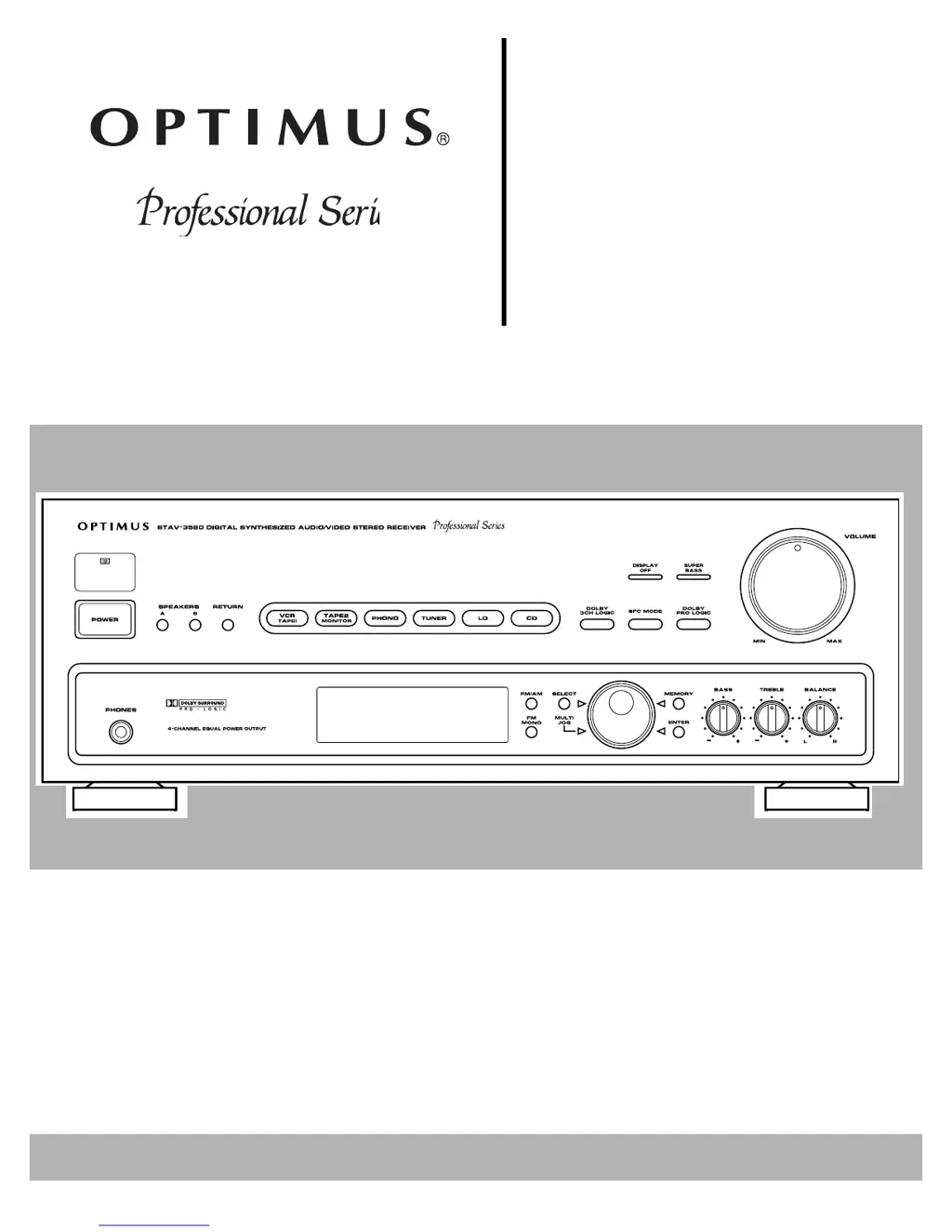
Optimus STAV-3580 - User Manual

Optimus STAV-3580
32 pages
Print Icon
To Next Page IconTo Next Page
Loading...
Digital Synthesiz
e
STAV-3580
Cat. No.
31-3037
Owner’s Manual
Please read before using this equipment.
Audio/Video
Surround Receiv
e

Questions and Answers

  • S
    Stacey MartinezAug 13, 2025
    Why is there no sound coming from my Optimus STAV-3580 Receiver?
    • K
      kaylee11Aug 13, 2025
      If you're not getting any sound from your Optimus Receiver, here are a few things to check: * Ensure all connections are correct. * Deactivate the mute function by pressing the MUTING button. * Increase the volume. * Verify the speaker wires are properly connected. * Make sure either SPEAKERS A or B is selected.
  • A
    amandagonzalezAug 17, 2025
    What to do if my Optimus STAV-3580 power does not turn on?
    • K
      Kelly SantosAug 17, 2025
      If your Optimus Receiver isn't powering on, check the following: * Make sure the power cord is securely plugged in. * If the protection circuit is activated, unplug the power cord and then plug it back in.
  • L
    Lisa RuizAug 21, 2025
    Why is the noise level high on my Optimus STAV-3580 Receiver?
    • B
      Beth SantiagoAug 21, 2025
      A high noise level on your Optimus Receiver can be due to several reasons: * The station might not be correctly tuned, so try tuning to a stronger station. * The antenna might not be connected; ensure it's properly connected. * If using an FM antenna, make sure it is stretched taut and correctly positioned. * For AM, adjust the AM loop antenna. * The noise might be coming from another electrical appliance. Try using an AC line noise filter.
  • K
    Kyle JacksonAug 25, 2025
    What to do if my Optimus STAV-3580 Receiver does not respond to button presses?
    • R
      Robert JacksonAug 25, 2025
      If your Optimus Receiver isn't responding to button presses, it might be due to static discharge. Try unplugging the power cord and then plugging it back in. If static electricity is a recurring issue, consider using the remote control more often.
  • N
    Nicole PriceAug 28, 2025
    What to do if there is no picture when I select a video source on my Optimus STAV-3580?
    • B
      Brittany HannaAug 28, 2025
      If you're not getting a picture when selecting a video source on your Optimus Receiver: * Ensure that the selected video source is correctly set up. * Check and correct all connections.
  • R
    Riley BlackSep 1, 2025
    Why won't my Optimus STAV-3580 remote control the cassette deck or CD player?
    • E
      Elizabeth PowellSep 1, 2025
      If the remote isn't controlling your cassette deck or CD player with your Optimus Receiver: * This feature only works with Optimus Professional Series components. * Ensure the control cable is properly connected. * Verify the audio cables are correctly plugged in.
  • J
    Joshua GonzalezSep 5, 2025
    What to do if I cannot make copies of video tapes with my Optimus STAV-3580?
    • K
      Kayla ParkerSep 5, 2025
      If you're unable to make copies of video tapes with your Optimus Receiver: * The tapes might be protected by a copy restriction method, meaning you cannot make a good copy. * Ensure all video connections are correct.
  • S
    Samantha AllenSep 8, 2025
    How to fix Optimus STAV-3580 when tuning does not automatically stop when searching for FM stations?
    • S
      Sarah ParkerSep 8, 2025
      If the tuning on your Optimus Receiver doesn't automatically stop when searching for FM stations, the stations might be too weak. In this case, using a better antenna is recommended.

Summary

Introducing the Optimus STAV-3580

Digital-Synthesized Tuner

Precisely tunes to AM and FM stations.

Remote Control Capability

Enables a single remote to control the receiver and compatible components.

IMPORTANT SAFETY INSTRUCTIONS

General Safety Precautions

Essential precautions for safe operation, including warnings about water, ventilation, power sources, and servicing.

Preparing Your Receiver

Positioning Speakers

Guidelines for optimal speaker placement for improved sound quality and stereo separation.

Connecting Program Sources

How to connect turntables, cassette decks, and CD players to the receiver.

Connecting Video Sources

Instructions for connecting VCRs, LD players, and video monitors to the receiver.

Basic Operation

Volume, Tone, and Balance Adjustments

How to adjust volume, bass, treble, and balance for desired sound.

Radio Tuning Methods

Methods for tuning AM/FM stations using manual, automatic, and memory functions.

Using Advanced Sound Options

Using the Remote Control

Receiver and Amplifier Controls

Explains remote buttons for receiver functions like volume, tuning, and sound modes.

Troubleshooting Guide

Common Problems and Solutions

Table of issues like no power, no sound, or no picture, with causes and solutions.

Technical Specifications

Amplifier Performance Data

Technical details on power output, sensitivity, frequency response, and tone controls.

Optimus STAV-3580 Specifications

General IconGeneral
BrandOptimus
ModelSTAV-3580
CategoryReceiver
LanguageEnglish

Related product manuals