EasyManua.ls Logo

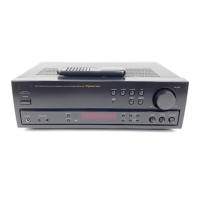
Optimus STA-3500 - User Manual

Optimus STA-3500
28 pages
Print Icon
To Next Page IconTo Next Page
Loading...
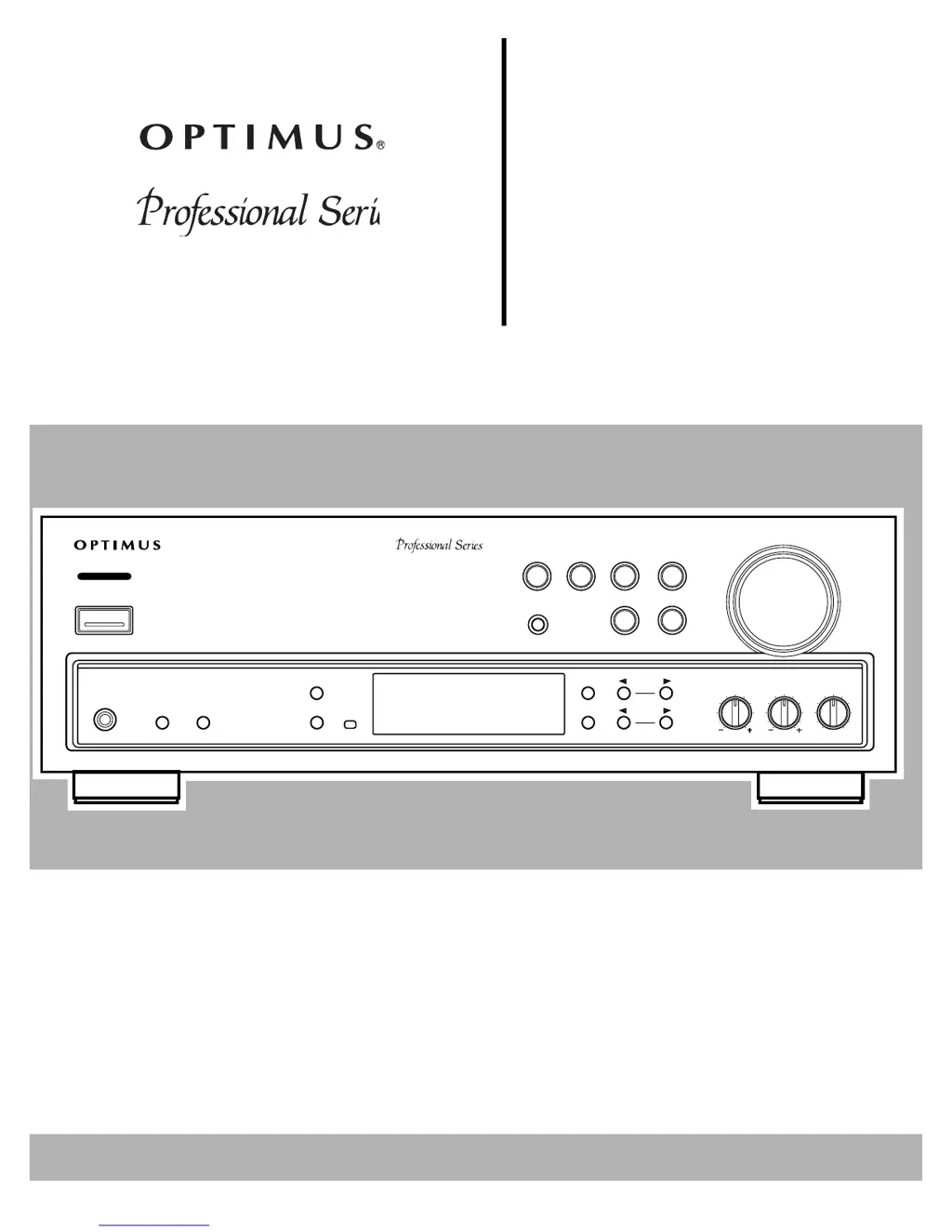
VOLUME
MIN MAX
BALANCE
L
R
TREBLE
BASS
STATION
TUNING
CLASS
FM/AM
FM MONO
MEMORY
SPEAKERS
AB
PHONES
STAND BY
POWER
SUPER
BASS
TAPE 2
MONITOR
TAPE 1
VCR
CD
LD/DVD
TUNER
PHONO
OSR
STA-3500 DIGITAL SYNTHESIZED AM/FM STEREO RECEIVER
Digital Synthesiz
e
STA-3500
Cat. No.
31-3034
Owner’s Manual
Please read before using this equipment.
AM/FM
Stereo Receiver

Questions and Answers

  • Q
    qevansJul 29, 2025
    What to do if my Optimus STA-3500 Receiver has no sound?
    • K
      Kelly DeleonJul 29, 2025
      If your Optimus Receiver isn't producing any sound, here's what you can check: * Ensure all connections are correctly made. * Deactivate the mute function by pressing the MUTING button. * Increase the volume. * Verify speaker wires are securely connected. * Make sure either SPEAKERS A or B is selected, but not both if only one set of speakers is connected. If both SPEAKERS A and B are pressed when only one set of speakers is connected, press the SPEAKERS button again for the terminals that have no speakers. * Ensure TAPE 2 MONITOR is not selected by pressing the TAPE 2 MONITOR button again.
  • T
    tandersonAug 4, 2025
    Why isn't my Optimus STA-3500 remote control working?
    • B
      brentalvarezAug 4, 2025
      If the remote control for your Optimus Receiver isn't working, consider these potential causes: * Dead or missing batteries: Install fresh batteries. * Angle or distance: Use the remote within 23 feet and within a 30-degree angle of the remote sensor window. * Obstacles: Remove any obstacles between you and the remote sensor window. * Remote control cord: For CD players and cassette decks, ensure the remote control cord is connected. * Fluorescent light: Turn off any fluorescent lights shining on the remote sensor window.
  • L
    longdebraAug 8, 2025
    How to reduce noise level on Optimus Receiver?
    • S
      samueljacksonAug 8, 2025
      If you're experiencing a high noise level with your Optimus Receiver, here are a few things to try: * Tune to a stronger station. * Connect the antenna. * If using an FM antenna, stretch both ends taut and reposition it. If using an AM loop antenna, adjust its direction. * If the noise is coming from another electrical appliance, try using an AC line noise filter.
  • C
    Carrie WilliamsAug 13, 2025
    What to do if sound comes from only one speaker on my Optimus STA-3500?
    • M
      Maurice ButlerAug 13, 2025
      If sound is only coming from one speaker on your Optimus Receiver, check the following: * Ensure all speaker wires and input cords are properly connected. * Make sure the BALANCE is set to the center position.
  • B
    Bradley BellAug 19, 2025
    Why doesn't my Optimus STA-3500 remote control the cassette deck or CD player?
    • N
      Nicholas DorseyAug 19, 2025
      If the remote for your Optimus Receiver isn't controlling the cassette deck or CD player, it might be due to the following reasons: * Compatibility: This feature only works with Optimus Professional Series components. * Control cable: Ensure the control cable is properly connected. * Audio cables: Ensure the audio cables are properly connected.
  • W
    William HernandezAug 23, 2025
    Why does my Optimus Receiver tuning not automatically stop?
    • P
      pharrisonAug 23, 2025
      If the tuning on your Optimus Receiver doesn't automatically stop when searching for FM stations, it could be because the stations are too weak. Try using a better antenna.

Summary

Optimus STA-3500 Receiver Overview

Introduction and Key Features

Highlights the receiver's capabilities like digital tuner, auto tuning, memory, tape monitoring, protection, and remote control.

Important Safety Instructions

General Safety Precautions

Covers warnings about fire/shock, moisture, cleaning, attachments, and proper usage of accessories.

Electrical & Environmental Safety

Details on power sources, cord protection, lightning, overloading, objects/liquids, servicing, and ventilation.

Preparing Your Receiver

Speaker Positioning and Connection

Guidelines for optimal speaker placement and connecting speaker wires to the receiver.

Connecting Program Sources

How to connect turntables, cassette decks, CD players, and other audio sources to the receiver.

Antenna Connections

Guidance on setting up AM loop and FM antennas for optimal reception.

Remote Control and Power Setup

Steps for multi-unit remote control, battery installation, and AC power connections.

Basic Operation

Initial Setup and Source Selection

Steps to turn on the receiver, select speakers, and choose audio inputs like TUNER, CD, PHONO.

Sound Adjustment and Radio Tuning

Instructions on using Volume, Bass, Treble, Balance, and tuning AM/FM stations.

Advanced Audio and Tape Functions

Using FM Mono, Muting, Headphones, and Tape recording/playback features.

Using the Remote Control

Receiver Control Functions

Explains buttons for power, volume, tuning, source selection, and sound adjustments on the remote.

Component Control (CD;Cassette)

Details on using the remote for CD player and cassette deck operations.

Troubleshooting

Problem Diagnosis and Solutions

Addresses common issues like no power, no sound, one-speaker output, noise, and remote control failures.

Care and Maintenance

Routine Care and Handling

Advice on keeping the receiver dry, handling it gently, and cleaning it properly.

FCC Compliance Information

Radio;TV Interference

Guidance on identifying and reducing potential radio or TV interference caused by the receiver.

Technical Specifications

Amplifier and Tuner Specs

Details on power output, input sensitivity, frequency response, and tuner performance metrics.

General Receiver Specifications

Information on power requirements, consumption, dimensions, and weight of the receiver.

Optimus STA-3500 Specifications

General IconGeneral
TypeStereo Receiver
Tuning rangeFM, MW
Frequency Response20Hz to 20kHz
Impedance8 ohms
Input sensitivity2.5mV (MM), 150mV (line)
Speaker load impedance8Ω to 16Ω

Related product manuals