EasyManua.ls Logo

Optimus STAV-3780 - User Manual

Optimus STAV-3780
40 pages
Print Icon
To Next Page IconTo Next Page
Loading...
STANDBY
5-D
THEATER
DOLBY
PRO LOGIC
DSP
MODE
VIRTUAL
SRS
VCR
TAPE 1
TAPE 2
MONITOR
DVD/TV LD/SAT CD FM/AM PHONO
VOLUME
MAXMIN
CLASSMPX MODE MEMORY
TUNING
SELECT
SELECT
MUTINGLOUDNESS
DIRECT
SPEAKERS
TUNING
L BALANCE R
STATION
TONE
PHONES
5X100WATT
EQUAL POWER OUTPUT
POWER
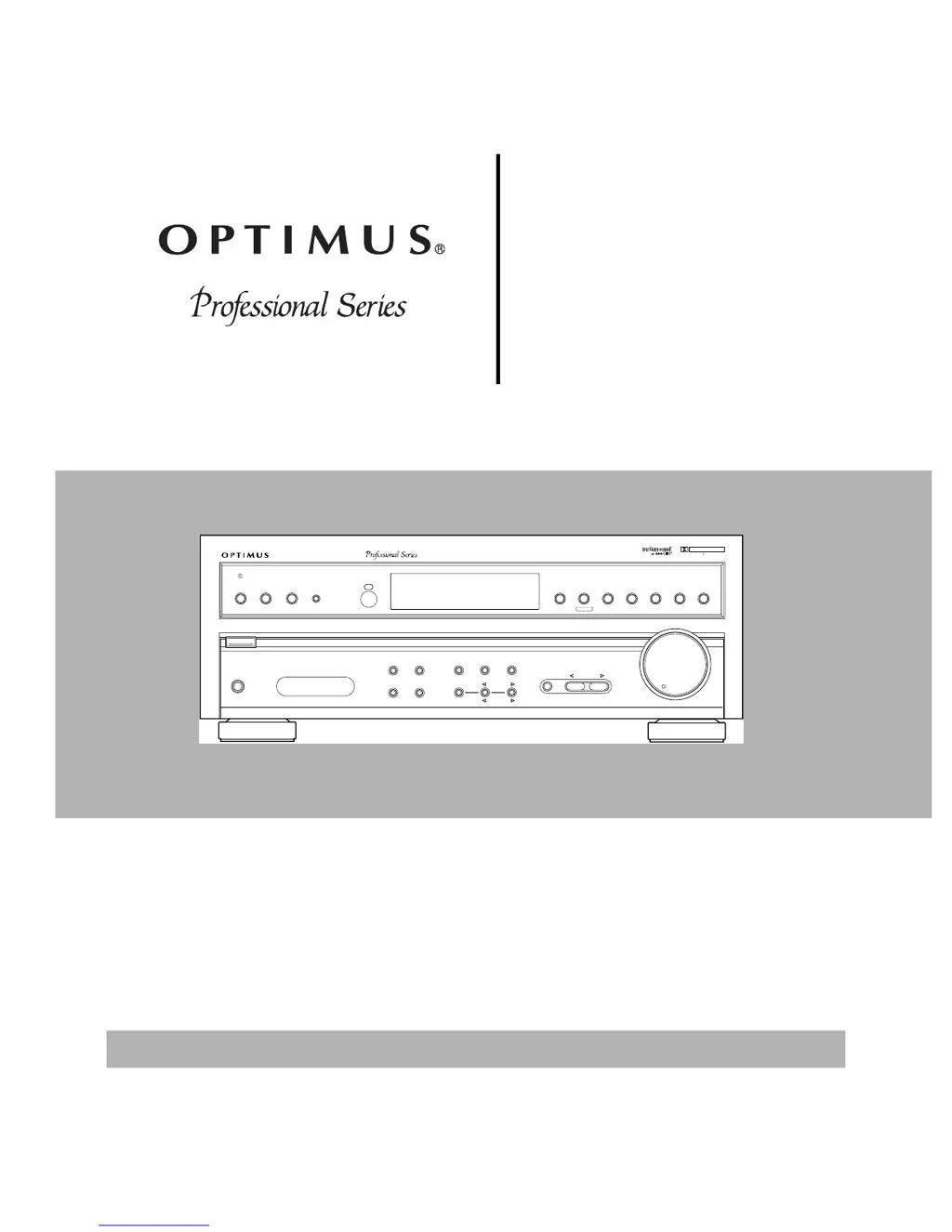
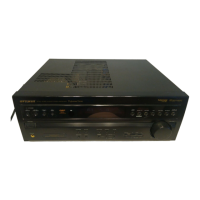
STAV-3780 AUDIO/VIDEO RECEIVER
DVD 5.1CH
OSR
DOLBY SURROUND
PRO LOGIC
DSP
DIGITAL
SIGNAL
PROCESSOR
STAV-3780
Cat. No. 31-3045
Owner’s Manual
Please read before using this equipment.
Audio/Video
Receiver

Questions and Answers

Summary

Introducing the Optimus STAV-3780

Important Safety Instructions

General Safety Guidelines

Covers electrical safety, handling, placement, ventilation, and power source precautions.

Specific Safety Warnings

Details risks related to water, moisture, power cords, lightning, and servicing.

Preparing Your Receiver

Positioning Your Speakers

Guidelines for optimal speaker placement for sound quality and stereo effect.

Connecting Speakers

Instructions for selecting and connecting speaker wires to receiver terminals, including wire preparation.

Setting Impedance Selector

Guidance on setting the impedance selector switch based on speaker impedance.

Connecting Front Speakers

Detailed steps for connecting the right and left front speakers to the receiver.

Connecting Surround and Center Speakers

Instructions for connecting surround sound and center speakers for enhanced audio.

Connecting a Subwoofer

How to connect a subwoofer for extended bass response and richer sound.

Connecting Program Sources

How to connect turntables, CD players, and cassette decks to the receiver.

Connecting Video Sources and Monitors

How to connect video sources like VCRs and DVD players, and connect TVs/monitors.

DVD 5.1-Channel Input

How the receiver processes 2-channel and 5.1-channel input from DVD players.

Connecting Antennas

Instructions for connecting AM and FM antennas for optimal radio reception.

Outdoor FM Antenna Connection

Detailed steps for connecting an outdoor FM antenna using coaxial cable.

Unified Remote Control Operation

How to control multiple Optimus components with a single remote.

Remote Control Battery Installation

Steps for installing batteries into the remote control.

AC Power Outlet Usage and Connection

Information on the receiver's AC outlet and connecting the unit to AC power.

Basic Operation

Operating the Receiver

Step-by-step guide to basic receiver functions like power, source selection, and volume adjustment.

Adjusting Sound Settings

How to adjust bass, treble, and balance for personalized sound.

Tuning Radio Stations

Instructions for tuning AM/FM stations manually, automatically, or via direct access.

Memory Tuning and MPX Mode

How to store stations in memory and use MPX mode for FM reception.

Adjusting Speaker Balance

How to adjust the sound balance between left and right speakers.

Using Headphones, Muting, and Loudness

How to use headphones, mute sound, and engage the loudness control.

Bypassing Sound Controls

How to bypass sound adjustments for original tonal quality.

Cassette Deck;VCR Features

Using Tape Monitor Buttons

How to use VCR/TAPE 1 and TAPE 2 MONITOR buttons for playback and monitoring.

Cassette Tape Dubbing

Instructions for copying cassette tapes from one deck to another.

Playing and Copying Video Tapes

How to play video tapes and copy them between VCRs.

Using Advanced Sound Options

Dolby Pro Logic and 3 CH Logic

How to activate and configure Dolby Pro Logic and 3CH Logic surround sound modes.

Virtual Surround Sound

Achieving surround sound with two front speakers using Virtual Dolby or SRS.

DSP Sound Effects

Selecting and using various Digital Sound Processor (DSP) effects for different listening environments.

5-D Theater and DVD 5.1-Channel Input

Using 5-D Theater effects and processing 5.1-channel audio from DVD players.

Center Mode Settings

Adjusting center channel settings for surround sound modes like Normal, Wide, and Phantom.

Speaker Level and Test Tone Adjustments

Using test tone and controls to adjust speaker levels, delay time, and effect levels.

Using the Remote Control

Remote Control Basics

How to point and use the remote control, and understanding CONTROL MODE buttons.

Programming Remote for Other Devices

Steps to program the remote to control other audio/video devices using manufacturer codes.

Device Code Lists

Lists of manufacturer codes for CATV, MD, and other devices for remote programming.

Clearing Remote Codes

Instructions on how to clear programmed codes from the remote control.

Receiver and Amplifier Controls

Detailed explanation of remote buttons for receiver and amplifier operation.

CD Player and Cassette Deck Controls

How to use the remote for CD player and cassette deck functions.

DVD Player Controls

How to operate DVD players using the remote, including number button systems.

LD Player Controls

How to use the remote control to operate LD players.

VCR Controls

How to use the remote control to operate VCRs.

TV and CATV Controls

How to use the remote control to operate TVs and CATV devices.

Satellite Receiver Controls

How to use the remote control to operate satellite receivers.

Troubleshooting

Resolving Power and Audio Issues

Solutions for problems like no power, no sound, or incorrect connections.

Resolving Video and Tuning Issues

Solutions for video problems, noise, and automatic tuning station search.

Remote Control and Copying Issues

Solutions for remote control malfunctions and video tape copying errors.

Care and Maintenance

General Cleaning and Handling

Guidelines for keeping the receiver clean, dry, and safe from damage.

Storage and Battery Care

Tips for proper storage environments and maintaining remote control batteries.

The FCC Wants You to Know

Identifying Radio;TV Interference

How to determine if the receiver is causing interference by turning it off.

Eliminating Interference

Methods to reduce or eliminate radio or TV interference caused by the receiver.

Specifications

Amplifier and Video Specifications

Technical details for amplifier and video sections, including power, sensitivity, and frequency response.

FM and AM Tuner Specifications

Technical details for FM and AM tuners, including sensitivity, selectivity, and distortion.

General Receiver Specifications

General specs like power requirements, consumption, dimensions, and weight.

Optimus STAV-3780 Specifications

General IconGeneral
BrandOptimus
ModelSTAV-3780
CategoryReceiver
LanguageEnglish

Related product manuals