underline 3in1
Thank you for choosing an OPTIMUSS underline 3in1 receiver.
Please consider that this information is effective at the time of printing. You are able to nd current
information and detailed user manuals at the following website: www.edision.gr
Note: For trouble-free TV signal reception,
the installation and calibration should be carried
out by a qualied professional.
Connect the receiver to your TV set
through the HDMI port, using a HDMI cable
Connect the coaxial cable from the LNB,
to the «LNB IN» input on the back of the receiver,
using an F-type plug
Connect the receivers PSU 12V/2A to the mains socket.
Install the batteries in the remote control,
paying attention to the correct polarity.
Note: Please respect the battery polarity during the installation in the remote control. If the remote control is left unused
for a long period of time, please remove the batteries in order to avoid damage to the device.
Please recycle the used batteries for enviromental purposes and do not dispose of them along with domestic garbage.
Activate the receiver by pressing the ON/OFF switch in the back, to the «ON» position. The receiver goes into «BOOT» mode and after a few moments it is ready for use.
In case it does not BOOT, please press «POWER» on the remote control. When the BOOT procedure is nished, you can press MENU on the remote control
to access the following functions and adjustments:
eletext (optional)
Subtitle (optional)
EDIVISION (optional)
Program locked
Program scrambled
Channel in Favorites list
* Active only when a compatible external USB memory device is plugged in.
By pressing the «INFO» button during the TV/Radio mode, the info window appears. If available, information
on TV/Radio, program recording storage option, currently displayed channel, program & favorites list,
current & next program, will appear in this window.
Functions and Adjustments (valid on the date of printing this document)
Channel edit (channel list), Favorites setup (Favorites list), Miscellaneous setup
(Channel list indication, subtitle display, StandBy mode options, remote control channel memory, Loop control), OSD menu options.
Satellite signal setup (for DVB-S2), Automatic setup, Satellite guide, Terrestrial signal (DVB-T) setup.
Language and Menu setup, EDIVISION and Teletext, Subtitles, Parental Control/Program safety, Receiver Lock, Password, Clock setup, Time,
Time Zone, Summer Time adjustment, Date, Timer control, Audio & Video setup ( display function, visual angle, Video output control, Digital
Audio control)
Software info, Factory default values, USB/HDD update, external USB/HDD backup (software, channel lists)
Tetris, Snake, Othello
Network setup (Wired/WiFi, DHCP, IP address, Subnet Mask, Port, DNS), HTTP update (manual, auto), FTP, weather forecast, RSS news.
Smart Card
File lists (recording, MP3, JPG images, software), memory info (format HDD, DVR setup), PVR setup, USB/HDD Speed Test, Safely Remove
USB device.
Main Menu:
System
setup
Signal
setup
System Information
User
preferences
Games
Internet
Access system
USB/PVR
access*
To unpack
Connection
Activation:
IR remote with 2 AAA-batteries
OPTIMUSS underline 3in1 receiver
Note: The front face is supplied with a protection lm, which can be easily removed, with respect to the surface of the device.
Please note that additional parts might be included which are not listed here.
documentation After sales service
For complete
after sales service,
please contact
your EDISION
specialist dealer.
Ομοαξονικό καλώδιο δορυφορικής κεραίας
LNB IN:
Connection for the coaxial
cable from the LNB
RF IN:
coaxial-wire input
from terrestrial antenna.
HDMI:
Line OUT
HDMI cable
power outlet
TV connection panel
Use an HDMI input!
underline 3in1
High Definition Combo Receiver
3
1
2

 Need help?
 General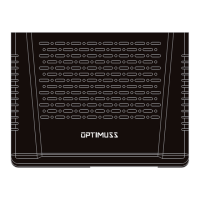

 To Next Page