EasyManua.ls Logo

Optoma BM Series - User Manual

Optoma BM Series
36 pages
Print Icon
To Next Page IconTo Next Page
Loading...
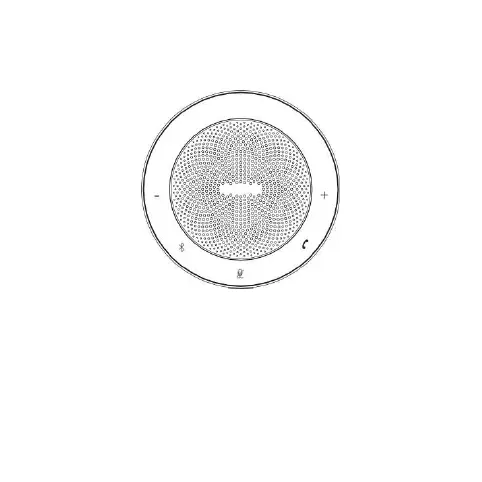
BM_Series_Speaker
User Manual
Note: All the pictures in this manual are for reference
only, please refer to the actual product.

Questions and Answers

  • D
    David WhiteheadJul 28, 2025
    How to fix no sound on Optoma Speakers?
    • L
      Leah MartinezJul 28, 2025
      If your Optoma Speakers have no sound, first ensure the connection is correct and the volume is turned up. If these are fine, select the correct sound source input and adjust the device accordingly.
  • G
    garrettrobertAug 1, 2025
    What to do if my Optoma BM Speakers are unable to turn on?
    • J
      Jillian CollinsAug 1, 2025
      If your Optoma Speakers are unable to turn on, it might be due to low or no electricity. Connect the adapter to charge the device.
  • D
    Dale HarringtonAug 5, 2025
    Why do my Optoma Speakers shut down automatically?
    • S
      Susan JohnsonAug 6, 2025
      If your Optoma Speakers shut down automatically, it's likely due to insufficient electric quantity. Connect the adapter to charge the speakers.
  • L
    Laura FlemingAug 10, 2025
    What to do if my Optoma BM are unable to charge?
    • B
      Brenda EvansAug 10, 2025
      If your Optoma Speakers are not charging, the charging device may be faulty, or the battery might already be full. Try replacing it with a charging device that functions normally.
  • S
    sarah47Aug 14, 2025
    Why my Optoma BM Speakers are unable to work with USB?
    • M
      Michele BrownAug 14, 2025
      If your Optoma Speakers are not working with USB, there might be an issue with the USB cable. Please use the original USB cable.
  • D
    Denise WheelerAug 18, 2025
    Why my Optoma Speakers are unable to work with AUX?
    • G
      Gregory GarciaAug 18, 2025
      If your Optoma Speakers are not working with AUX, there might be an issue with the AUX cable. Please use the original AUX cable (4 sections).
  • D
    Debra AtkinsonAug 22, 2025
    What to do if I get an invalid key error on my Optoma BM Speakers?
    • J
      James ChangAug 23, 2025
      If you encounter an invalid key issue with your Optoma Speakers, it could be that the key was accidentally touched. Try long pressing and holding the power button for 8 seconds to reset the system.

Summary

Safety Warnings and Precautions

Product Usage

6.1. Powering On and Off

Press and hold the power key for 2 seconds to turn the device on or off.

6.2. Bluetooth Connectivity

Details on pairing and disconnecting Bluetooth connections.

6.3. Connection Modes Overview

Explains the four different ways to connect the device to other sources.

6.3.1. USB Cable Connection

Connect to computers (Windows/Mac) using a USB cable.

6.3.2. AUX Audio Cable Connection

Connect using the provided 3.5mm AUX audio cable.

6.3.3. Bluetooth Wireless Connection

Connect wirelessly via Bluetooth. Device enters pairing state when indicator flashes.

6.3.4. USB Bluetooth Adapter Connection

Connect using a USB Bluetooth audio adapter for Windows/Mac OS.

6.3.4.2. Automatic Adapter Connection

The adapter automatically connects to the device; it's the only device bound by the adapter.

6.3.4.3. Re-pairing USB Adapter

Instructions for re-pairing the USB Bluetooth adapter with the speaker, including distance and binding mode.

6.5. Call Management

Use the 'C' key to answer, hang up, or reject calls when connected to a phone.

6.6. Microphone Muting

Short press the microphone mute key to toggle microphone mute on or off.

Troubleshooting Common Faults

Optoma BM Series Specifications

General IconGeneral
BrandOptoma
ModelBM Series
CategorySpeakers
LanguageEnglish

Related product manuals