Condential
5-5
HD20/HD200X/HD2200/HD20LV/HD21/HD23
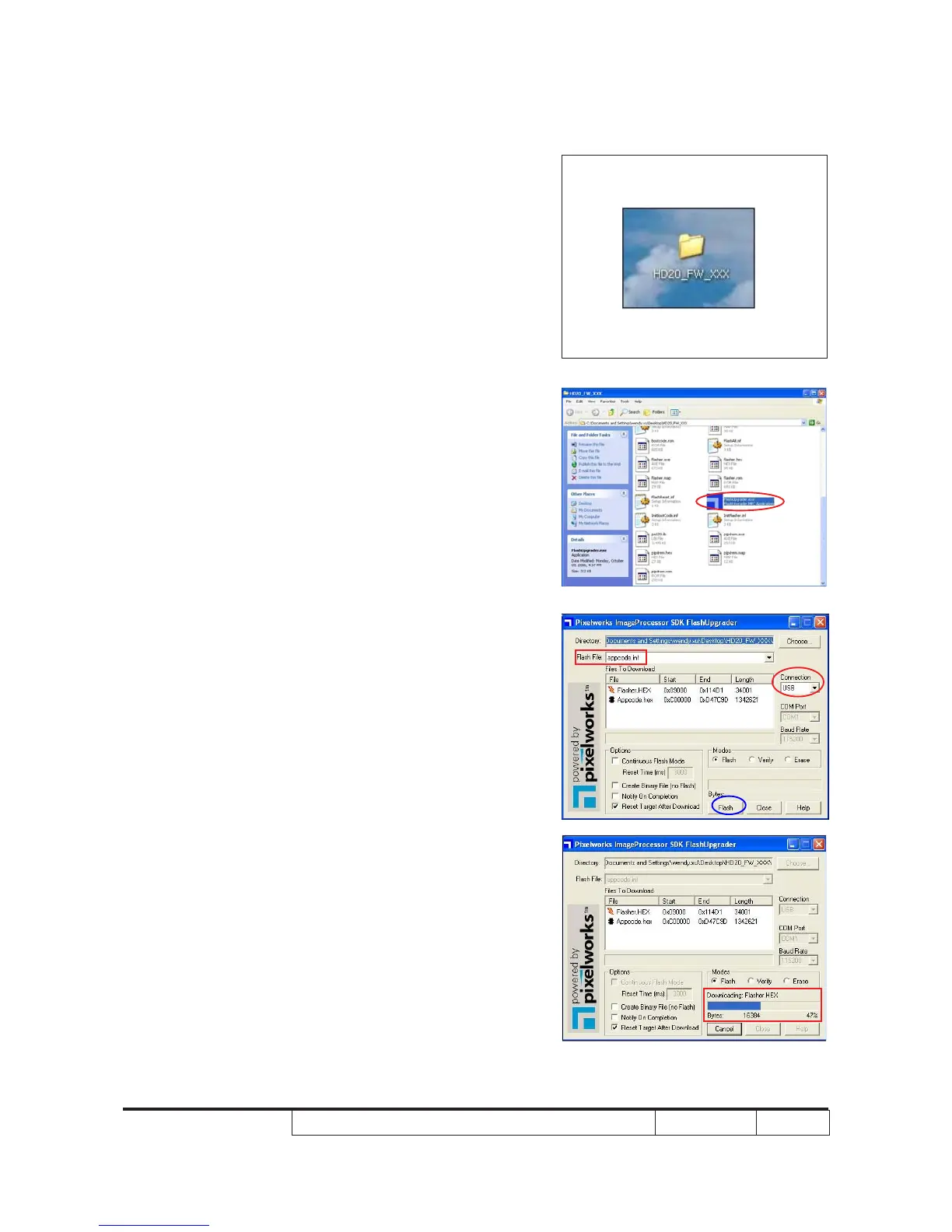
1. Double click the folder ''HD20_FW_xxx''.
2. Execute "FlashUpgrader.exe"
3. - Select "appcode.inf" for Flash File.
- Select "USB" for Connection.
- Click ‘Flash’ button.
4. The "Downloading Flasher.HEX" will run.
5-1-4 Firmware Upgrade
Procedure



 To Next Page