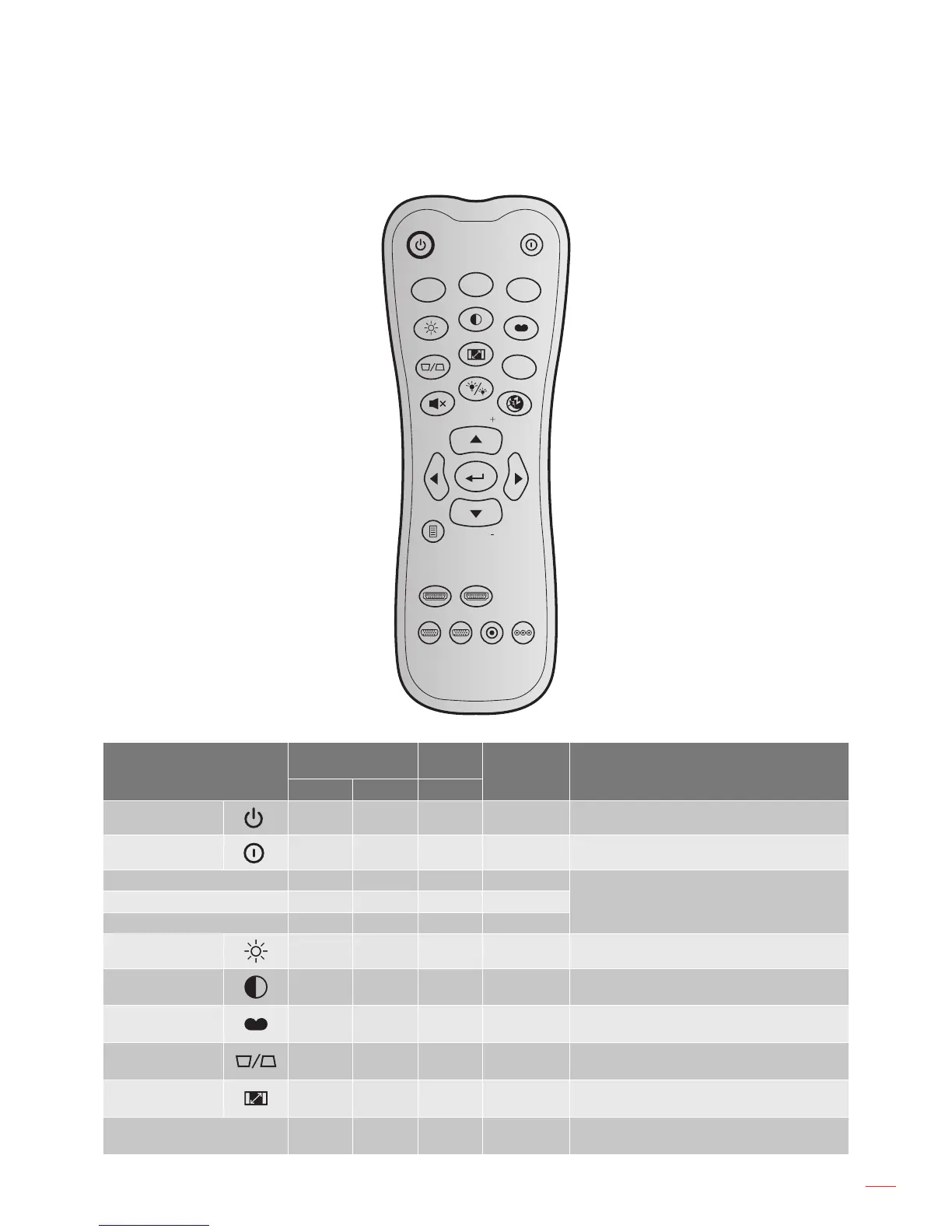
Key
Custom code
Data
code
Printing-key
denition
Description
Byte 1 Byte 2 Byte 3
Power on
32 CD 02 ON Press to turn on the projector.
Power off
32 CD 2E OFF Press to turn off the projector.
User 1 32 CD 36 User1
User dened keys. Please see page 35 to
setup.
User 2 32 CD 65 User2
User 3 32 CD 66 User3
Brightness
32 CD 41 Brightness Adjust the brightness of the image.
Contrast
32 CD 42 Contrast
Control the degree of difference between the
lightest and darkest parts of the picture.
Display mode
32 CD 05 Mode
Select a display mode for optimized settings
for different applications. Please see page 29.
Keystone
32 CD 07 Keystone
Adjust image distortion caused by tilting the
projector.
Aspect ratio
32 CD 64 Aspect ratio
Press to change aspect ratio of a displayed
image.
3D 32 CD 89 3D
Manually select a 3D mode that matches your
3D content.



 To Next Page